 RankEngine
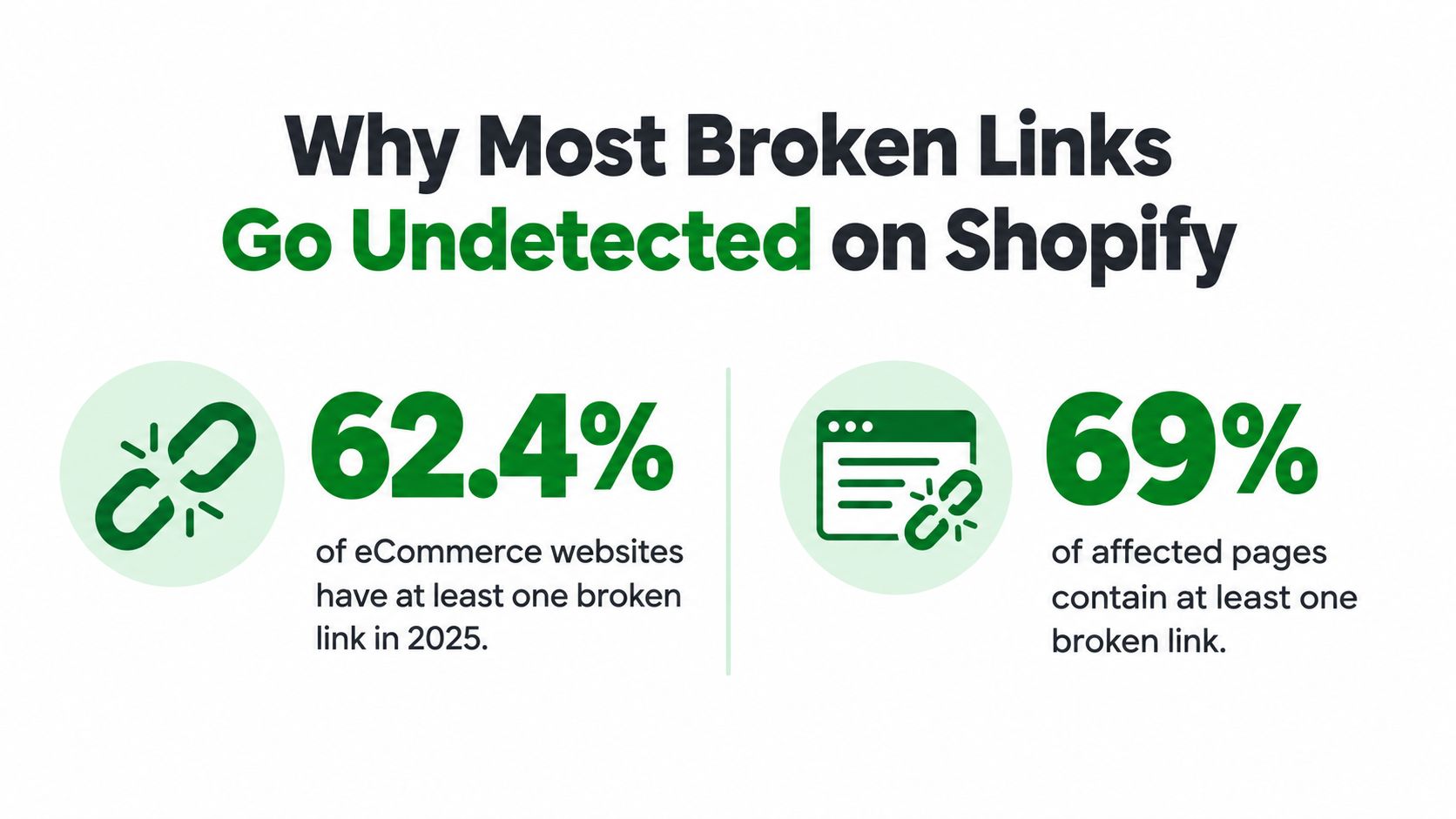
In 2025, 62.4% of eCommerce websites had at least one broken link, so your Shopify store almost certainly has the same issue right now. A proper Shopify broken link checker should combine Google's crawl discoveries, Shopify's own data, and live HTTP verification instead of relying on a single automated crawl.
That figure fell from 73% in 2024, but the problem remained widespread. Among affected sites, an average of 69% of pages contained broken links. Broken URLs aren't usually confined to one forgotten product page. They can spread through menus, collection templates, product descriptions, blog archives, theme sections, and redirects created during years of merchandising changes. (Independent eCommerce SEO research provides the underlying figures.)
A useful audit therefore asks more than “Which URLs return 404?” It asks where the broken link appears, whether anyone still reaches it, whether an equivalent page exists, and whether the fix works on the live store.
Table of Contents
- Why Most Broken Links Go Undetected on Shopify
- Discovering Hidden 404 Errors Using Search Console
- Switching from Crawler Reports to Verified Fixes
- Executing the Fix Flow for Redirects and 404s
- Choosing Your Approach Based on Catalog Size
- Building a Long-Term Strategy to Prevent Recurrence
Why Most Broken Links Go Undetected on Shopify
A merchant changes a product handle, removes an old collection, and updates the main navigation. The storefront looks clean. Customers can still browse the homepage, and standard analytics reports continue to show sales. Months later, a shopper follows an old link in a blog post or search result and reaches a dead end.
That link survived because Shopify stores distribute URLs across many places. A basic check of the header menu won't inspect an old product description, a footer collection, a blog article, a promotional tile in the theme editor, or a metafield rendered by a template. A crawler may also fail to expose links that appear only after a page loads or sit behind navigation states it doesn't reproduce.
The commercial impact often hides in the source page rather than the 404 itself. A broken size guide on a high-intent product page can interrupt a purchase decision. A dead collection link in a footer can affect every page using that footer. An old campaign URL may still receive visits from email, social posts, bookmarks, or external websites even though no current navigation points to it.
Why a clean crawl can still be misleading
Shopify's catalog is data-driven. A product can be unpublished, a collection can be hidden, and a handle can change while old references remain in content or theme settings. The resulting issue is partly a crawl problem, but it's also a data-quality problem. Your store contains relationships between products, collections, pages, menus, templates, and redirects, and those relationships can become stale.
HTTP 404 handling has existed as a standard client error since the original HTTP/1.0 specification in 1996. Modern stores create more complicated versions of the same failure because merchants continuously rename, merge, archive, and migrate content. (This overview of eCommerce SEO data connects the long history of 404 handling with the operational problem facing current Shopify catalogs.)
Practical rule: A raw 404 count is a starting point, not a priority list. The source page, destination relevance, traffic, and external demand determine what deserves attention first.
A useful technical framework for understanding how these URLs affect discovery is covered in this guide to crawling, indexing, and ranking in SEO. The key operational shift is simple: stop treating broken links as isolated defects and start managing them as stale relationships in the store's content data.
Discovering Hidden 404 Errors Using Search Console
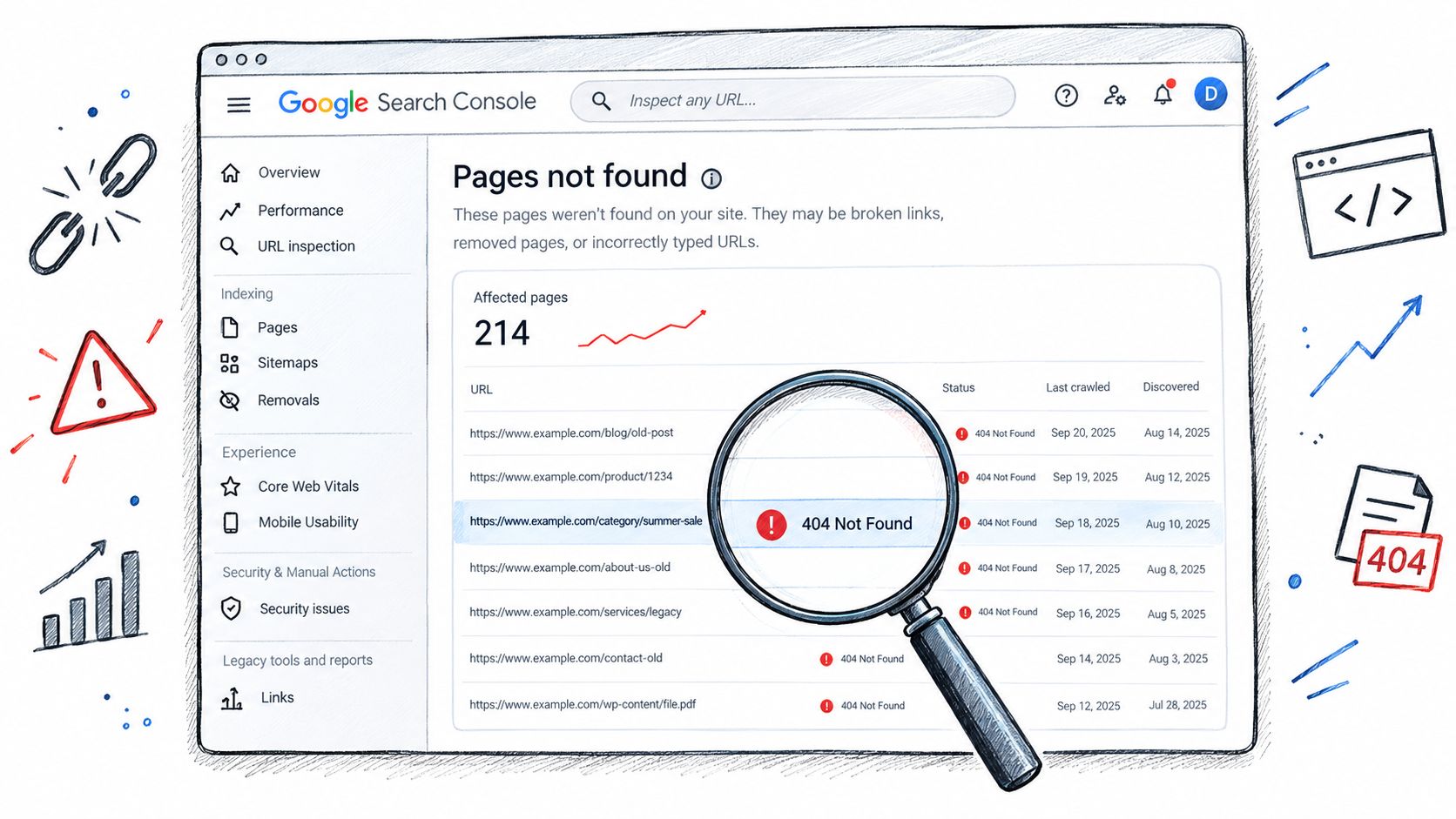
Google Search Console is valuable because it shows URLs that Google has tried to access. A third-party crawler predicts what it can find from its crawl path. Search Console records what Google encountered, which gives you a different and often more commercially useful view.
Open the relevant property in Search Console and go to the Pages report. In the indexing table, select the reason associated with pages that aren't found, usually shown as “Not found (404)”. Export the URL list and retain the discovery details available in the report, including the last crawl context and any indication that the URL has backlinks.
A practical Search Console workflow
Export the not-found URLs. Keep the full path, not just the page title. Shopify handles make the path meaningful because a changed product or collection handle can invalidate the old address.
Separate likely internal and external discoveries. A URL that resembles a Shopify product, collection, page, or blog path may be an old internal destination. Other URLs may have been discovered through backlinks or historical references outside the store.
Inspect each URL in Search Console. Look for the available discovery context. Search Console can show crawl detections from the last 90 days and whether a URL has backlinks, information that helps distinguish an abandoned URL from one with continuing demand. (The Shopify 404 workflow from Analyzify describes this prioritization process.)
Find the referring source. Search the Shopify admin for the old path across product descriptions, collection descriptions, pages, blog posts, navigation menus, and theme settings. If you use a crawler, export the referring page alongside the broken destination. A destination without a source is difficult to fix properly.
Request the URL live. Don't assume that a Search Console status still reflects the current response. Open the URL and validate the HTTP response, then check whether it lands on a useful page, a redirect chain, or a soft 404.
Choose the remedy based on relevance. If a closely matching replacement exists, create a redirect. If the old content has no suitable replacement, remove the source link and let the obsolete URL remain unavailable, while improving the 404 experience.
Search Console isn't a complete inventory. It only reports what Google has discovered and attempted to crawl. Pair it with Shopify-admin data and a store-wide checker so you can identify links Google hasn't reached yet.
For a Shopify-specific walkthrough, use this guide to connect Google Search Console with Shopify. The important distinction is that Search Console supplies discovery evidence, while the admin and live checks supply the information needed to make a safe change.
Switching from Crawler Reports to Verified Fixes
A crawler report is useful when it answers three questions: what is broken, where is it linked from, and what does the live response currently say? Many reports answer only the first question.
That limitation creates a scanner mindset. Teams export a list, count 404s, create redirects in bulk, and close the ticket. The dashboard looks better, but the source link may still point to the old address, the proposed destination may be irrelevant, or the original error may have been temporary. A successful administrative action isn't the same as a verified storefront fix.
Why Shopify adds complexity
Generic crawlers see rendered URLs and HTTP responses. They don't always understand the state behind those URLs. Shopify merchants may have:
- renamed products whose old handles should redirect;
- hidden or merged collections that still appear in editorial content;
- discontinued products with no comparable replacement;
- theme-generated buttons that aren't obvious from product data;
- old blog links embedded in long-form content;
- redirect chains left behind after repeated catalog changes.
A free Shopify scanner can be useful for triage. One such tool advertises coverage of the first 1,000 product, blog post, collection, and other pages, then exports internal links resolving to 404 with direct Shopify admin links. That ceiling matters on large stores. Deep collections, faceted navigation, and older archives can sit beyond the scan boundary, so the result shouldn't be treated as a complete audit. (Shopify Link Scanner documents this coverage and its practical limitations.)
Screaming Frog offers another familiar route, but Shopify's own guidance notes that its free crawl is limited to 500 URLs. (Shopify's SEO guidance also points merchants toward Search Console reports and Shopify's redirect tools.) These tools can still help, but neither replaces a Shopify-aware workflow that reads catalog data and verifies the final response.
What verification should record
For each candidate, store the following fields:
| Field | Why it matters |
|---|---|
| Broken destination | Identifies the stale URL |
| Referring source | Shows where the link must be edited |
| Link type | Separates internal destinations from external references |
| Current response | Distinguishes 404, 410, redirects, server errors, and live pages |
| Replacement candidate | Supports a relevance decision |
| Final live status | Confirms whether the fix actually works |
RankEngine can fit into this model as one option for Shopify teams that want audit, redirect, and monitoring controls in one workspace. Its stated workflow writes supported changes through Shopify's Admin API and re-reads live Shopify values before marking a fix complete. That distinction matters because a tool shouldn't report “done” merely because it submitted a redirect request.
The data-quality approach is slower at the decision stage and faster over the life of the store. It prevents merchants from redirecting every obsolete URL to the homepage, preserves a clean source relationship, and leaves the dashboard aligned with what shoppers and crawlers receive.
Executing the Fix Flow for Redirects and 404s
A safe fix flow starts with classification, not a bulk redirect action. For each broken destination, determine whether a relevant replacement exists, whether the source link needs editing, and whether the old URL still receives external links or user visits. This turns Search Console discoveries and Shopify-admin records into a decision queue rather than a list of crawl errors.
1. Build the working queue
Combine the Search Console export with crawler findings and Shopify-admin inventory. Include products, collections, pages, blog posts, navigation menus, and theme sources. Normalize paths to remove duplicate rows, but retain every referring source because one broken destination may appear in several places.
Classify each row:
- Replacement product: The old product has a current version or clear successor.
- Equivalent collection: The collection moved or was consolidated into a relevant live collection.
- No relevant replacement: The old content is gone and no suitable destination matches its intent.
- External destination: The broken URL belongs to another website and cannot be repaired through Shopify redirects.
- Unconfirmed response: The URL needs another live request before you choose an action.
This classification prevents a common Shopify mistake: sending a discontinued product to an unrelated page just to make a 404 disappear.
2. Fix the source link
If the broken reference appears in a product description, collection description, blog post, navigation menu, or theme section, edit that source to point directly to the correct live destination. A redirect still protects visitors using the old address, but it leaves the stale internal reference in place.
Shopify's admin works well for individual edits. Open Online Store, then Navigation, to review menus and URL redirects. For theme links, inspect buttons, promotional tiles, featured collections, and announcement elements in the theme editor. Content links require edits to the relevant product, collection, page, or blog record.
Source cleanup matters because a live redirect can mask a data-quality problem. The store may appear repaired to a visitor while its content records, navigation settings, or theme components continue to reference an obsolete path.
3. Create the redirect where it makes sense
For an old Shopify path with a relevant replacement, create a URL redirect in the admin. Use this Shopify URL redirects guide when reviewing the setup. Shopify's eCommerce SEO audit guidance recommends recovering links that can realistically be restored, checking whether external links still exist, and avoiding redirects from deleted source pages or irrelevant references.
Bulk import is useful for a large queue, but review target mappings before submission. A CSV reduces manual work and can also apply one incorrect rule across many URLs. Do not send unrelated deleted products to the homepage merely to remove errors. Choose a relevant collection when it matches the old intent. If no suitable destination exists, remove the internal link and let the obsolete URL remain a useful 404.
4. Validate the live result
Live verification catches the failures that automated reports often miss. Open the old URL in a private browser session and follow the request. Confirm that it reaches the intended destination, avoids unnecessary redirect hops, and ends on a live page with a 200 response where appropriate.
Check the source page again after the redirect is in place. The preferred state is a direct link from the current page, with the old redirect retained only for visitors, backlinks, and historical references outside your control. If the old path still returns a 404, points to the wrong destination, or reaches a soft 404, return the row to the queue.
The admin action is not the result. The live response is the result.
Record the old path, target path, source page, decision, creation date, and final verification status. This history helps when a product is renamed again or an agency audits a previous migration. It also makes rollback safer than maintaining an undocumented redirect list.
Recheck affected URLs after deployment. Search Console can continue showing earlier detections while Google processes the change, so a delayed report does not prove that the live fix failed. Use the live request for immediate validation and Search Console for ongoing discovery feedback.
Choosing Your Approach Based on Catalog Size
Catalog size changes the economics of an audit, but it doesn't change the underlying decision rule. A small store can inspect more sources manually. A large store needs structured exports, prioritization, and safeguards against incomplete crawling.
| Store situation | Suitable starting point | What it handles well | Where it falls short |
|---|---|---|---|
| Small catalog with limited content | Search Console, Shopify navigation review, and a basic crawler | Visible menu links, important products, pages, and blog posts | Manual source discovery takes time |
| Growing catalog with regular merchandising changes | Shopify data export plus a crawler and redirect workflow | Repeated handle changes, collection updates, and content cleanup | Requires someone to review replacement relevance |
| Large catalog or deep archive | Search Console, Shopify-admin data, live verification, and an integrated SEO platform | Distributed links, bulk remediation, prioritization, and repeat monitoring | Automation still needs judgment for obsolete content |
| Migration or major theme change | Pre-launch inventory, redirect mapping, staged live checks | Structural URL changes and theme-generated links | A single post-launch crawl can miss historical demand |
A free browser tool is reasonable when the store is small and the audit has a clear boundary. It becomes risky when the report covers only the first portion of the catalog or when links are generated through theme settings and dynamic content. Use it as a triage layer, not as evidence that the entire store is clean.
Basic Shopify redirects are enough for isolated handle changes. They aren't enough when the team can't identify the source page, when redirect chains have accumulated, or when product and collection data needs to be compared with live responses. At that point, the operational problem is no longer “How do I create a redirect?” It is “How do I maintain an accurate map of current and historical URLs?”
The decision criteria that matter
Choose the lightest workflow that still gives you:
- Source visibility: You can identify the page, menu, or theme setting containing the stale link.
- Coverage clarity: You know what the crawler did and didn't inspect.
- Replacement control: A person can reject irrelevant redirect targets.
- Live confirmation: The final response is checked after the change.
- Repeatability: The process can run again after catalog or theme updates.
A large store shouldn't assume an expensive crawl solves the problem. A small store shouldn't assume manual review catches links hidden in old content. The right approach is the one that combines the evidence available in Search Console with the store's own content relationships and a verified live request.
Building a Long-Term Strategy to Prevent Recurrence
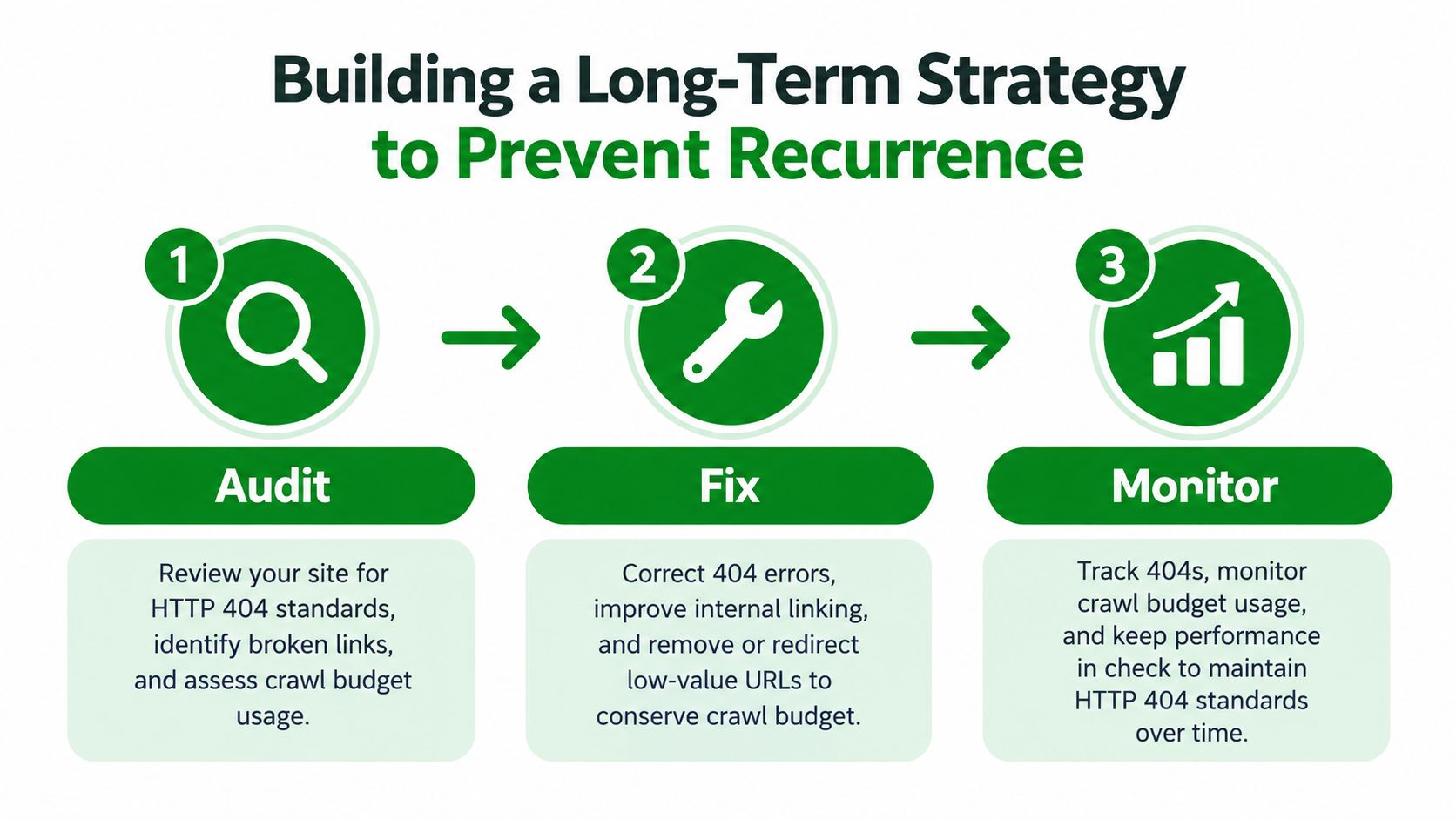
HTTP 404 is a normal response for a resource that no longer exists. The operational failure occurs when a store leaves valuable references pointing there, creates irrelevant redirects, or never notices that new broken paths appeared after a catalog change.
Treat the process as a loop:
- Audit: Pull Search Console not-found discoveries, inspect Shopify-admin sources, and run a crawler with known coverage.
- Fix: Edit the original link, create a redirect only when a relevant destination exists, and remove references that no longer serve shoppers.
- Monitor: Recheck live responses and review recurring 404 paths so new failures enter the queue quickly.
Shopify's internal redirect tools help catch missed URLs, but they don't replace source cleanup or live verification. Avoid chains when a destination changes again. Update the original redirect to point directly to the current page, and review discontinued products individually rather than applying one blanket rule.
A broken-link program works when merchandising changes automatically create a review point.
Add checks after bulk product removals, handle changes, theme releases, migrations, and collection restructuring. Use analytics to identify repeated 404 visits, Search Console to understand Google's discoveries, Shopify data to find source relationships, and live requests to confirm the final state.
Autopilot rules can reduce the memory burden for recurring checks, provided they keep a review queue for decisions that require context. Automatically flagging a new 404 is safe. Automatically redirecting every deleted URL is not. The sustainable system separates detection from judgment, then records what happened so the same URL doesn't return as an unexplained technical debt item.
RankEngine brings Shopify SEO auditing, 404 and redirect detection, live-verified fixes, and ongoing monitoring into one workspace. Use RankEngine to connect Search Console discoveries with Shopify data, validate changes against the live store, and turn broken-link cleanup into a repeatable operating routine.