 RankEngine
A robots.txt file is a plain-text Robots Exclusion Protocol file at the host root that tells compliant crawlers which paths they may request, and it isn't a lock or a way to delete pages from Google. That distinction matters because the most popular advice gets it backwards. Merchants are often told to "block a page in robots.txt to remove it," then they wonder why the URL still shows up in search.
If you're asking what is a robots.txt file, start with crawl versus index. Robots.txt controls whether a crawler fetches a URL. Indexing is a separate decision Google makes about what it knows. A page Google can't fetch can still be a page Google lists.
Table of Contents
- What a Robots.txt File Is
- Directives That Control Crawler Access
- Where the File Lives and How Paths Match
- Why a Block Does Not Remove a Page from Google
- Robots.txt Examples You Can Read Line by Line
- Robots.txt Versus llms.txt for AI Agents
- Pre-Publish Checks for a Robots.txt Change
What a Robots.txt File Is
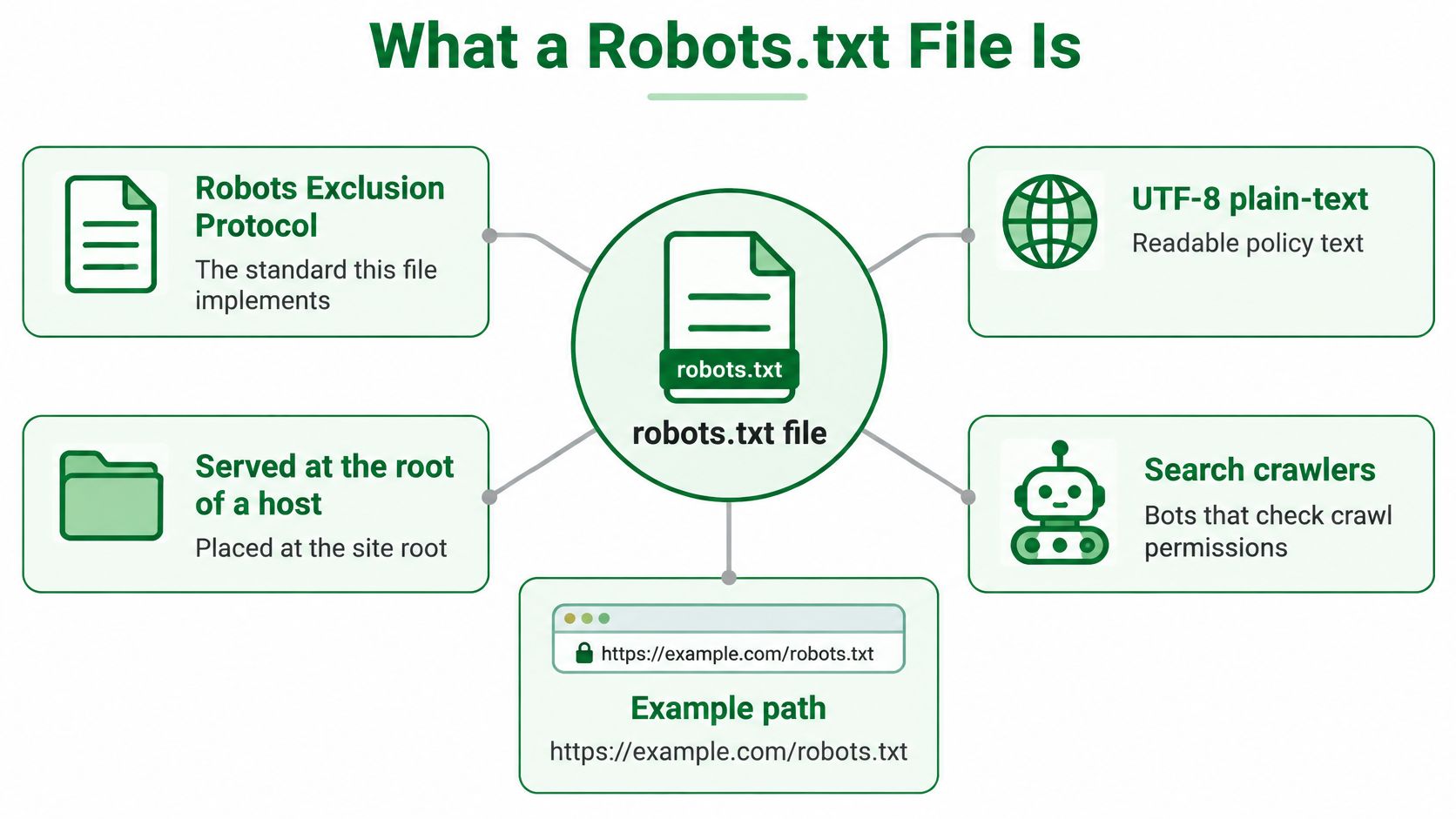
A robots.txt file is the practical implementation of the Robots Exclusion Protocol, a UTF-8 plain-text policy served at the root of a host, such as /robots.txt, that tells compliant automated clients which URL paths they may or may not request.
Think of it as a notice on a door. Polite crawlers read the notice before they fetch pages. The notice isn't a password, a firewall, or a legal ban, and a noncompliant bot can ignore it and walk in anyway.
Martijn Koster proposed the protocol in 1994, when crawler numbers were growing and site owners needed one shared, lightweight convention. The Internet Engineering Task Force later formalized it in RFC 9309, published September 9, 2022, a 12-page specification covering terminology, matching, error handling, and caching without changing the original purpose.
On a real site, the file reduces wasted crawls of low-value paths. Rules are grouped by crawler name, so one bot can get different instructions from another.
If there's no file, there's no published restriction. Crawlers can request what's publicly reachable.
Directives That Control Crawler Access
One line, Disallow: /, is enough to tell a compliant crawler to stop requesting every page on a host. That reach is why the vocabulary matters: each directive in this file controls whether a URL gets fetched, which is a separate question from whether that URL can still surface in search results. A crawler that never fetches a page can't read its meta tags either, and an agent-facing file like llms.txt speaks to a different audience entirely, so these records do one job and one job only.
| Directive | What it tells the crawler | Example line |
|---|---|---|
| User-agent | Which crawler the following rules apply to; * covers unspecified crawlers | User-agent: Googlebot |
| Disallow | A path pattern that crawler should not request | Disallow: /admin/ |
| Allow | A permitted exception inside a broader Disallow | Allow: /admin/public/ |
| Sitemap | The absolute URL of a sitemap to discover | Sitemap: https://example.com/sitemap.xml |
| * in a path | Match any sequence of characters in the path | Disallow: /search* |
| $ in a path | The pattern must match the end of the path | Disallow: /*.pdf$ |
The Four Core Records
User-agent selects who you're talking to. Every Allow and Disallow that follows, until the next group begins, applies to that crawler.
User-agent: Googlebot addresses Google's main crawler by name. User-agent: * catches every crawler without its own group. Give Googlebot a group of its own and it follows that group, not the wildcard one.
Disallow names a path pattern that crawler shouldn't fetch. Disallow: /admin/ means don't request URLs starting with /admin/. The crawler doesn't fetch the page, doesn't render it, and doesn't read what's on it.
Allow carves out an exception inside a broader block. Allow: /admin/public/ can open one subfolder while the rest of /admin/ stays disallowed. You'll use this when a folder is mostly useless to crawlers but one part of it matters.
Sitemap advertises a sitemap. It takes a complete, absolute URL, like Sitemap: https://example.com/sitemap.xml and you can repeat the line if you have more than one sitemap. It doesn't belong to a specific crawler group, and it doesn't override a Disallow.
These four records make up the vocabulary defined in RFC 9309 on the IETF Datatracker.
Two Pattern Characters You'll Meet
The * character matches any sequence of characters. Disallow: /search* covers /search, /search?q=shoes, and /search-results alike.
The $ character anchors the pattern to the end of the path. Disallow: /*.pdf$ targets URLs that end in .pdf, rather than every path that happens to contain those letters somewhere in the middle. That precision matters on stores where a query string or a folder name could otherwise trigger a rule you didn't intend.
Empty versus slash:
Disallow:with nothing after it blocks nothing for that agent.Disallow: /blocks the whole host for that agent. One character changes the meaning completely.
You'll also see Crawl-delay in old files. Don't treat it as part of the core set, and don't rely on it as a Google control. If Google is crawling too hard, that's a Search Console and server capacity conversation, not a line in this file.
If you're untangling page-level signals while you work through these rules, it helps to fix unintended noindex directives at the same time, since a stray meta tag and a crawl rule can point in opposite directions.
Use these lines for crawl workload. Internal search results, faceted-navigation parameters, and administrative paths are good candidates. Product, collection, and article paths should stay fetchable, and so should the CSS and JavaScript your pages need to render.
Where the File Lives and How Paths Match
Crawlers fetch the file from the root of the host and protocol being crawled, such as https://example.com/robots.txt, and they look for it nowhere else. That means a file placed at example.com/pages/robots.txt or example.com/seo/robots.txt does nothing, no matter how carefully the rules inside it are written. A correct file in the wrong place is invisible.
The boundary runs by host, not by domain name. A file on example.com doesn't govern shop.example.com, because subdomains count as separate hosts. HTTP and HTTPS are separate origins too, so a file served on the plain-HTTP version doesn't apply to the HTTPS storefront. The canonical host your customers use is the one that must serve the file.
The Shape of a Record
A group starts with one or more User-agent lines. The Allow and Disallow lines that follow belong to that group.
A blank line separates groups. A # starts a comment, which crawlers ignore and humans should use to explain why a rule exists. On Shopify, you customize the file through a robots.txt.liquid template in the theme rather than uploading a static file to a server folder.
Which Rule Wins
Rules are tested against the URL path. Field names are case-insensitive, so disallow and Disallow mean the same thing. Paths should be treated as case-sensitive, so /Products and /products are different paths, and a rule written for one won't necessarily cover the other.
For Google-style matching, the most specific matching path wins. That's why a longer Allow can override a shorter Disallow.
Say you have this pair:
- Disallow rule:
Disallow: /collections/blocks that directory - Allow exception:
Allow: /collections/salekeeps a more specific path open
Both patterns match /collections/sale. The Allow is longer and more specific, so it wins for that URL. Every other collection URL still matches only the Disallow.
Test the longest match, not the first line you read. Line order in the file isn't what decides the outcome.
Caching and Failure States
Crawlers reuse a fetched file for a while, so a fix isn't instant. You can publish a correction today and still see yesterday's rules applied until the crawler refetches.
What crawlers do when the file itself fails is just as important. A missing file, a 4xx response, is treated as no restriction. A server error, a 5xx response, or an unreachable file makes compliant crawlers assume a full block until they can read the file again. A broken server can therefore look like a deliberate site-wide Disallow.
Check the status code the live root returns, not just the text on the page. Then request the file on the exact host customers use and confirm which group applies to Googlebot.
Why a Block Does Not Remove a Page from Google
A Disallow doesn't reliably delete a URL from Google. That's the failure mode most merchants miss, and it's the reason "blocked" and "removed" must never be treated as synonyms.
The diagram below separates the crawl decision from the indexing decision.
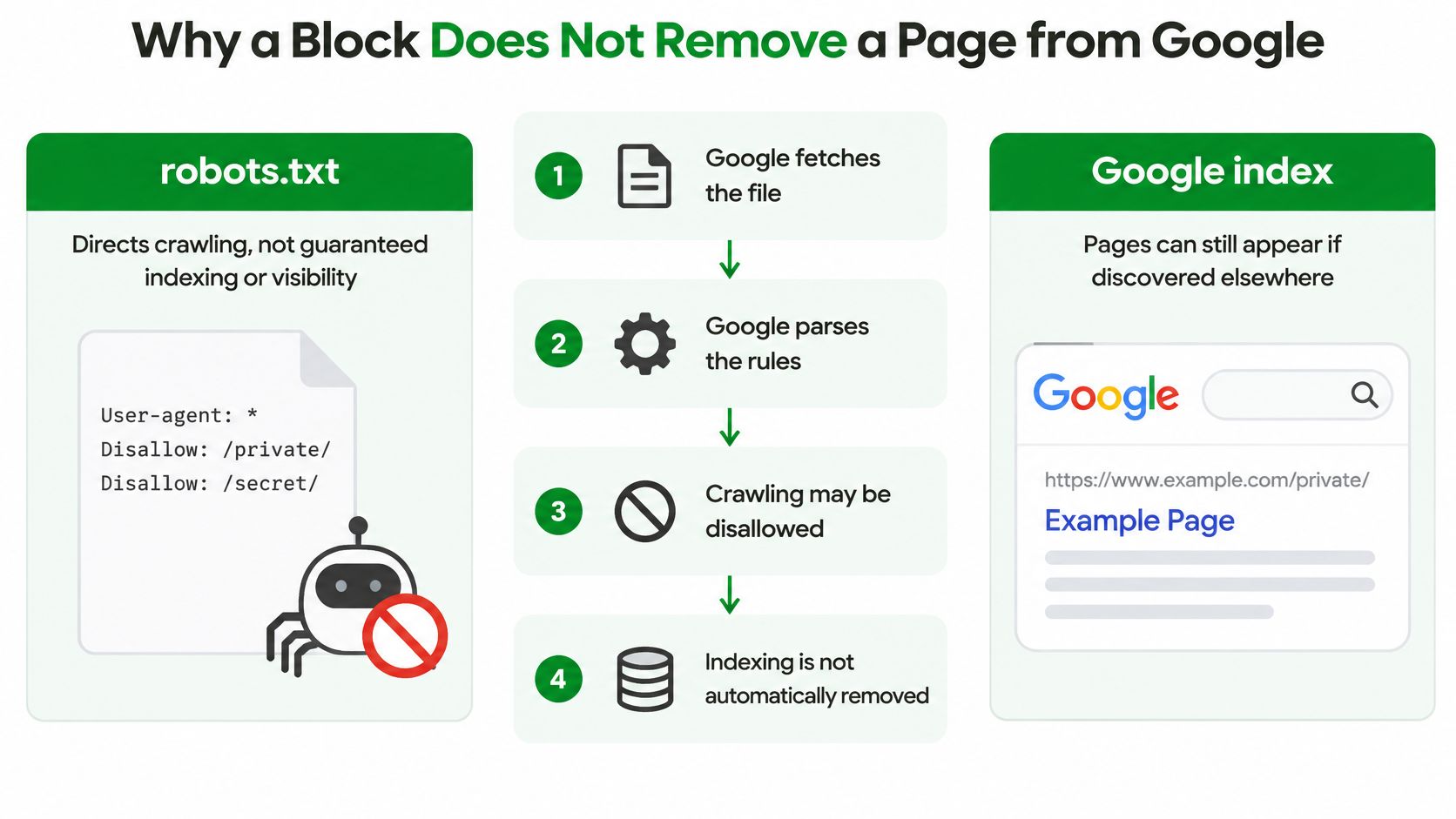
According to Google's robots.txt specification, its crawlers retrieve and parse the file to determine which site sections may be crawled, and if a URL is blocked, crawlers may not fetch the page and therefore cannot reliably discover page-level indexing directives such as noindex. Google also enforces a 500 KiB robots.txt limit and ignores content beyond that boundary.
So the sequence breaks like this. You disallow a discontinued product to get it out of search. Google stops fetching it. Because Google stops fetching it, Google never sees the noindex meta tag or X-Robots-Tag that would have dropped it. Other pages still link to it, so the URL stays eligible to appear, sometimes with only the URL and anchor text and no page content behind it.
This short walkthrough shows how that crawl decision plays out in practice.
| Goal | Use this | Why Disallow alone falls short |
|---|---|---|
| Reduce crawls of filters or internal search | Disallow the parameter or path pattern | It can save fetches, but known URLs may still appear |
| Keep a page out of Google | noindex meta or X-Robots-Tag on a crawlable URL | A blocked page cannot show its noindex |
| Drop a URL Google already knows | Allow the crawl, then noindex | Disallow can leave the URL listed without the page content |
| Hide private or account content | Authentication or server-side access control | Noncompliant clients can ignore the file |
| Point crawlers to a sitemap | A Sitemap line with an absolute URL | It does not grant crawling of disallowed URLs |
The working order for removal is the reverse of the usual approach. Leave the page crawlable, add noindex, and let Google fetch it so it can read the instruction. Reserve robots.txt for request volume.
That sequence risk is sharpest in ecommerce. Blocking a Shopify search page, a filtered collection, a discontinued product, or a private-looking URL can hide the very noindex that would have removed it. A dashboard label that says blocked sounds final. It isn't.
If you want the fuller picture of how these stages connect, read up on how crawling, indexing, and ranking work together before you add another rule. And remember that authentication, not a robots rule, is what hides private data from anyone who chooses to ignore the file.
For size, use directory and parameter patterns instead of one line per URL. A large catalog that generates a rule for every product will push useful rules past the point where Google stops reading.
Robots.txt Examples You Can Read Line by Line
Reading a file top to bottom is a skill. For each group, ask who it addresses and what a compliant crawler does next.
Example 1 Allow Everything
User-agent: *
Disallow:
Sitemap: https://example.com/sitemap.xml
The wildcard group addresses every crawler. The empty Disallow publishes no path ban, so nothing is blocked. The Sitemap line still advertises where crawlers can find your URL list. This is a legitimate file for a small site with nothing worth steering bots away from.
Example 2 A Sensible Content Site
User-agent: *
Disallow: /admin/
Disallow: /search
Allow: /
Sitemap: https://example.com/sitemap.xml
Crawlers skip the admin area and internal search results, which produce endless low-value combinations. Articles, images, and assets remain accessible. A compliant crawler spends its requests on pages a reader might want.
Example 3 The Accident
User-agent: *
Disallow: /
That single slash tells every crawler, Googlebot included, not to fetch any path on the host. There's no separate group to rescue Google. This is the file that ships when a staging setting reaches production, and it's easy to miss because the file still looks tidy and valid.
One slash after Disallow is the difference between an open site and an unfetched one. Search for it before every publish.
Example 4 A Store Pattern
User-agent: *
Disallow: /cart
Disallow: /checkout
Disallow: /search?q=
Sitemap: https://example.com/sitemap.xml
This aims at crawl waste, not at hiding the catalog. Cart, checkout, and internal search query URLs don't need repeated fetches. Nothing here disallows /products or /collections, and nothing blocks the CSS and JavaScript those pages need to render. If you want help drafting a pattern like this, you can manage crawler access for SEO with a generator, then read the output line by line before it goes live.
One caution applies to all four. A discontinued product URL disallowed in a file like this can remain known to Google if other pages link to it. Removal belongs on a crawlable page carrying noindex, not in this file.
Finish with a read-back test. Pick one product URL, one collection URL, and one asset URL. For each, name the group that matches and say whether the longest matching rule allows the fetch. If you can't answer for all three, the file isn't ready.
Robots.txt Versus llms.txt for AI Agents
The same voluntary file now does a second job. Publishers name AI user agents in it, disallowing tokens such as GPTBot, Google-Extended, or ClaudeBot while leaving Googlebot free to crawl for search.
Each token is only a request. A client that doesn't identify itself, or that ignores the file, isn't stopped by the line you wrote. Naming a bot also doesn't name its siblings, so a rule for one token doesn't automatically cover a related crawler from the same company.
The comparison below keeps the two root files apart.
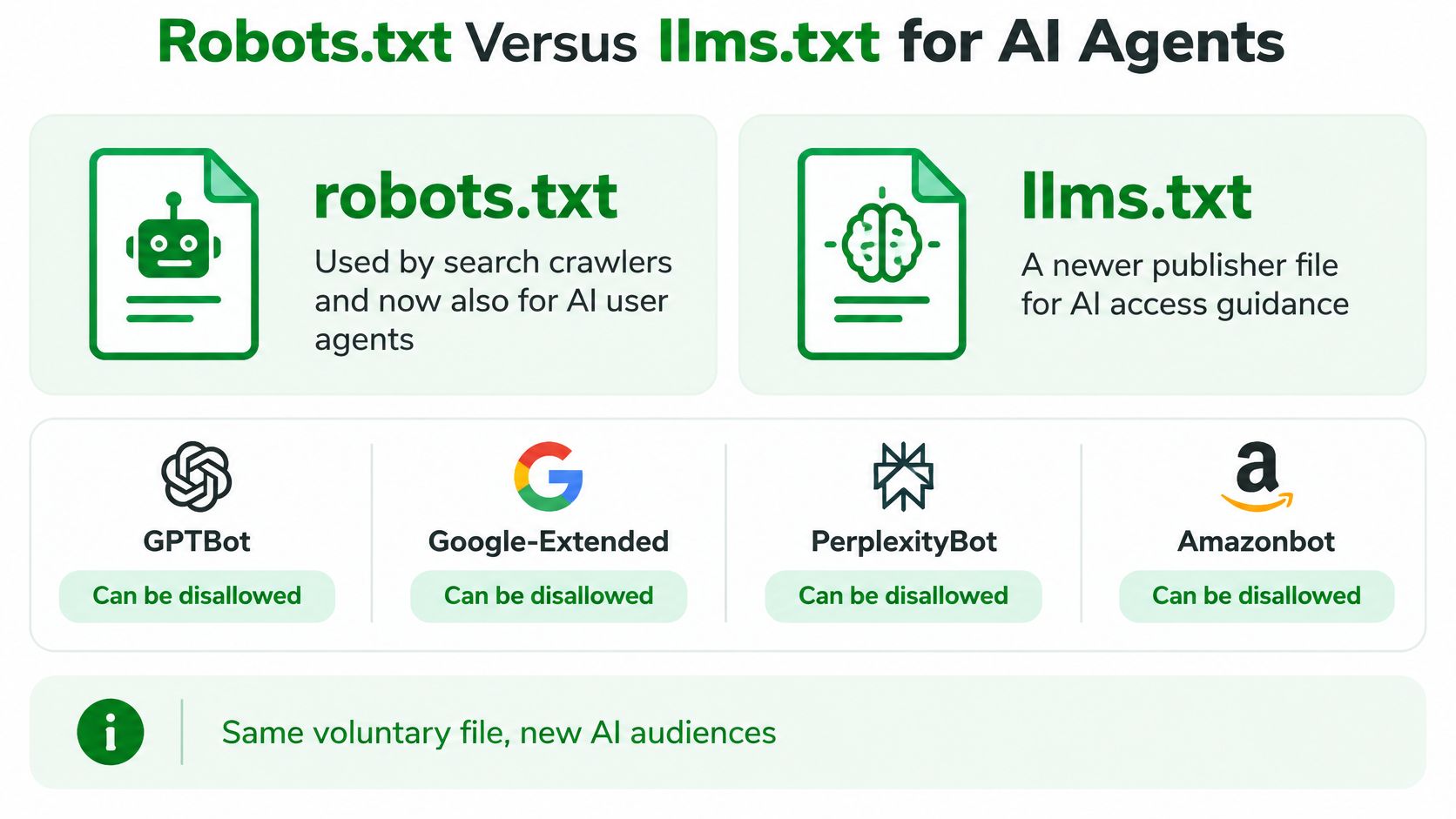
llms.txt does something different. Robots.txt says which paths not to fetch. Llms.txt is a separate root file that points language models toward.pages the publisher wants them to read. It isn't a block list, and it doesn't change Google's index.
| Question | robots.txt | llms.txt |
|---|---|---|
| Who it addresses | Search and other automated crawlers, including named AI bots | People and agents looking for a recommended content map |
| What it decides | Which URL paths a named crawler should not fetch | Which pages or docs are suggested for language models |
| Is it a block | A voluntary crawl rule under RFC 9309 | No; it does not disallow fetching |
| Where it is published | /robots.txt on that host | /llms.txt on that host |
| Effect on Google results | Can change crawling only, not a reliable removal | Does not replace robots rules or noindex |
Adoption is broad, though the rate depends on the sample. The Zyte overview of robots.txt reports that a 2026 study of the world's 11,100 most popular landing pages found 75.8% published a robots.txt file, while a separate analysis of the top one million websites found 55.6% deployed robots.txt at the root of their domains or subdomains.
The same overview reports a 2026 comparison in which 60.0% of reputable news sites disallowed at least one identified AI crawler, compared with 9.1% of misinformation sites, and reputable sites blocked an average of 15.5 AI user agents. In that longitudinal analysis, AI-crawler blocking among reputable sites rose from 23% in September 2023 to nearly 60% by May 2025.
For a store, those numbers describe publishers, not a prescription. You can allow search crawling, limit selected AI crawlers by token, and still publish llms.txt as a guide rather than a lock. If you want to draft that guide, use an llms.txt generator and treat the output as a recommendation file, separate from your crawl rules.
Pre-Publish Checks for a Robots.txt Change
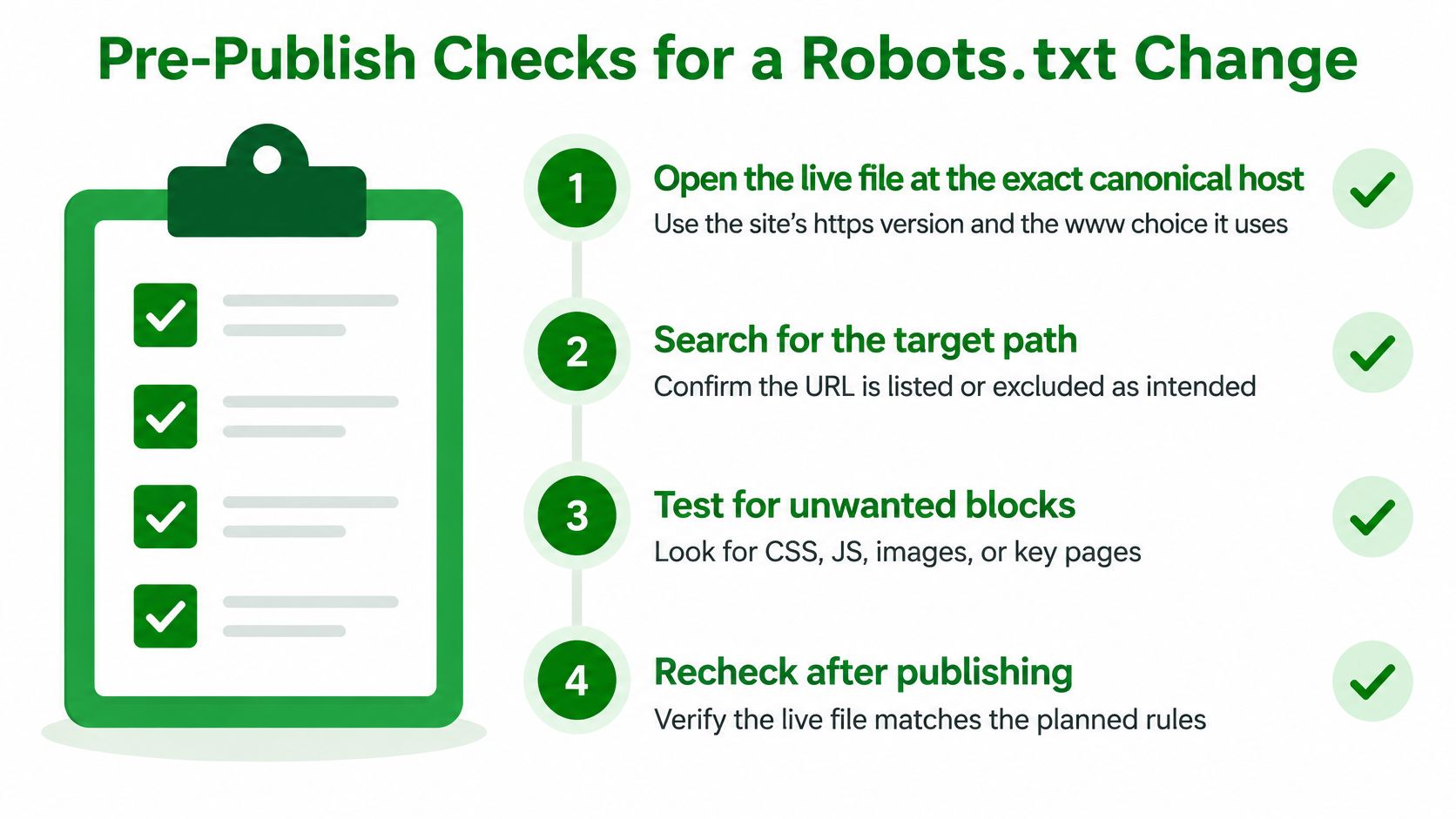
Run these steps before any change goes live.
- Open the live file: Use the exact canonical host, including https and the www choice your site uses.
- Search for Disallow slash: Confirm
Disallow: /doesn't apply to Googlebot or to * unless the whole host should stay unfetched. - Run the read-back test: Check one product URL, one collection URL, and one CSS or JavaScript URL against the longest matching rule.
- Confirm the targets are low value: Internal search, cart, and admin paths fit. Private content belongs behind authentication.
- Check the size: Stay well under Google's limit by using patterns instead of one line per URL.
- Match the goal: If you want removal from search, add noindex to a crawlable page instead of another Disallow.
- Re-fetch after publishing: Crawlers cache the file, so the change isn't instant. Use Google Search Console index reports as your source of truth for indexing.
For a quick syntax pass, try a no-account browser checker, and see Agentable's robots.txt checker comparison for how those tools differ. Our own robots.txt tester is one of the free, no-account browser tools we offer, and Shopify merchants can review robots rules alongside sitemaps and canonicals with RankEngine, which can also generate llms.txt. The owner stays responsible for what goes live at the domain root.
Before your next robots.txt edit, run your product, collection, and asset URLs through a tester and check your Shopify store's robots rules, sitemaps, and canonicals in one place. Visit RankEngine to audit those controls, generate an llms.txt file, and confirm your crawl rules say what you think they say.