 RankEngine
Most advice about an llms.txt generator stops too early: create a file at the root of your Shopify store and expect AI assistants to notice. That confuses publishing with visibility. A file can be valid, reachable, and still never be requested, so the useful question isn't just how to generate it. It's whether the file points agents toward the right catalog pages, stays accurate as inventory changes, and gets measured after launch.
For Shopify operators, llms.txt is a catalog-governance task with a technical publishing step. Treat it as a curated orientation layer, not a shortcut to citations or a replacement for the SEO fundamentals that make product information accessible and trustworthy.
Table of Contents
- Why an llms.txt Generator Is Not a Visibility Switch
- Build a Valid llms.txt from Storefront Content
- Decide Which Catalog URLs Deserve a Place
- Deploy the File on Shopify and Compare Your Options
- Validate Links and See Whether Agents Request the File
- Keep the File Current and Measure What Changes
Why an llms.txt Generator Is Not a Visibility Switch
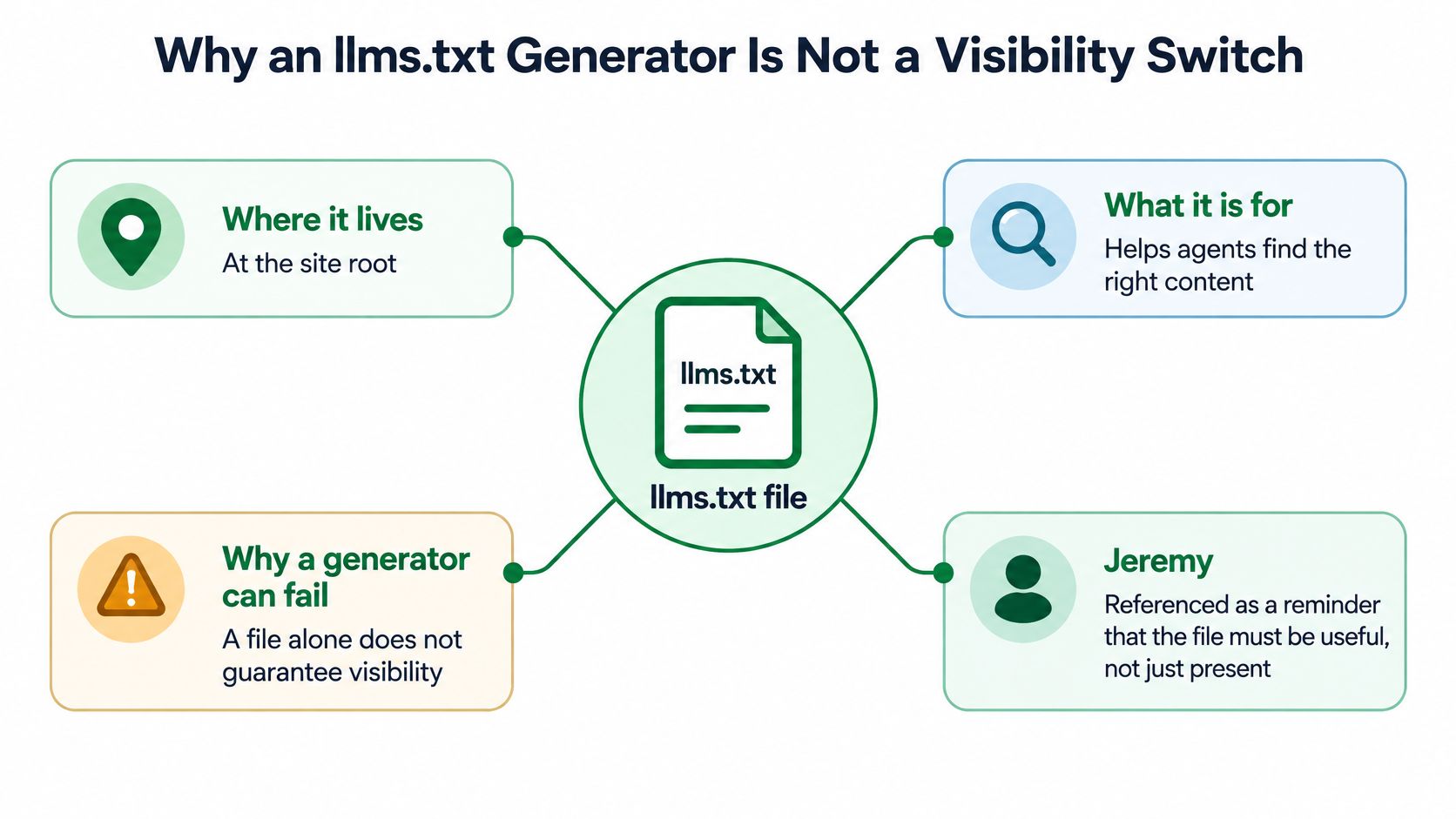
Putting /llms.txt on a storefront doesn't switch on AI visibility. The file is a voluntary convention for helping agents understand a site and find selected pages, not a guaranteed route into answers from ChatGPT, Claude, Gemini, or Perplexity.
Jeremy Howard, co-founder of fast.ai and Answer.AI, published the community proposal on September 3, 2024. It describes a Markdown file at a site's root path that gives AI agents a concise, curated overview and links to authoritative pages. The proposal isn't an IETF or W3C-approved standard, so publishers choose whether to implement it, and its details can evolve. The llms.txt proposal is best read as a suggested information format, not a promise about how any particular assistant will discover or use a store.
A notable early step toward broader availability came in November 2024, when documentation platform Mintlify began automatically generating /llms.txt, /llms-full.txt, and Markdown versions of hosted documentation pages. Automatic generation made it possible to distribute the convention across many hosted sites without asking each publisher to author every file manually. That's a deployment milestone, not evidence that generating a file causes agents to cite a site.
Operator's rule: A generated file earns its place only when its summaries and links are accurate, maintained, and useful to someone navigating the store.
For a Shopify storefront, the file belongs alongside crawlable HTML, XML sitemaps, structured data, and conventional SEO controls. It doesn't replace them, and it doesn't control crawler access. That distinction matters because a well-formed file can't compensate for blocked product pages, incomplete product details, or a weak internal linking structure.
An llms.txt generator should therefore do more than produce Markdown. It should help merchants choose what deserves inclusion, keep the file aligned with the live catalog, and make it possible to check whether the published path works. If you're building a broader AI search optimization program, evaluate the file as one small part of the work, not as the strategy itself.
Build a Valid llms.txt from Storefront Content
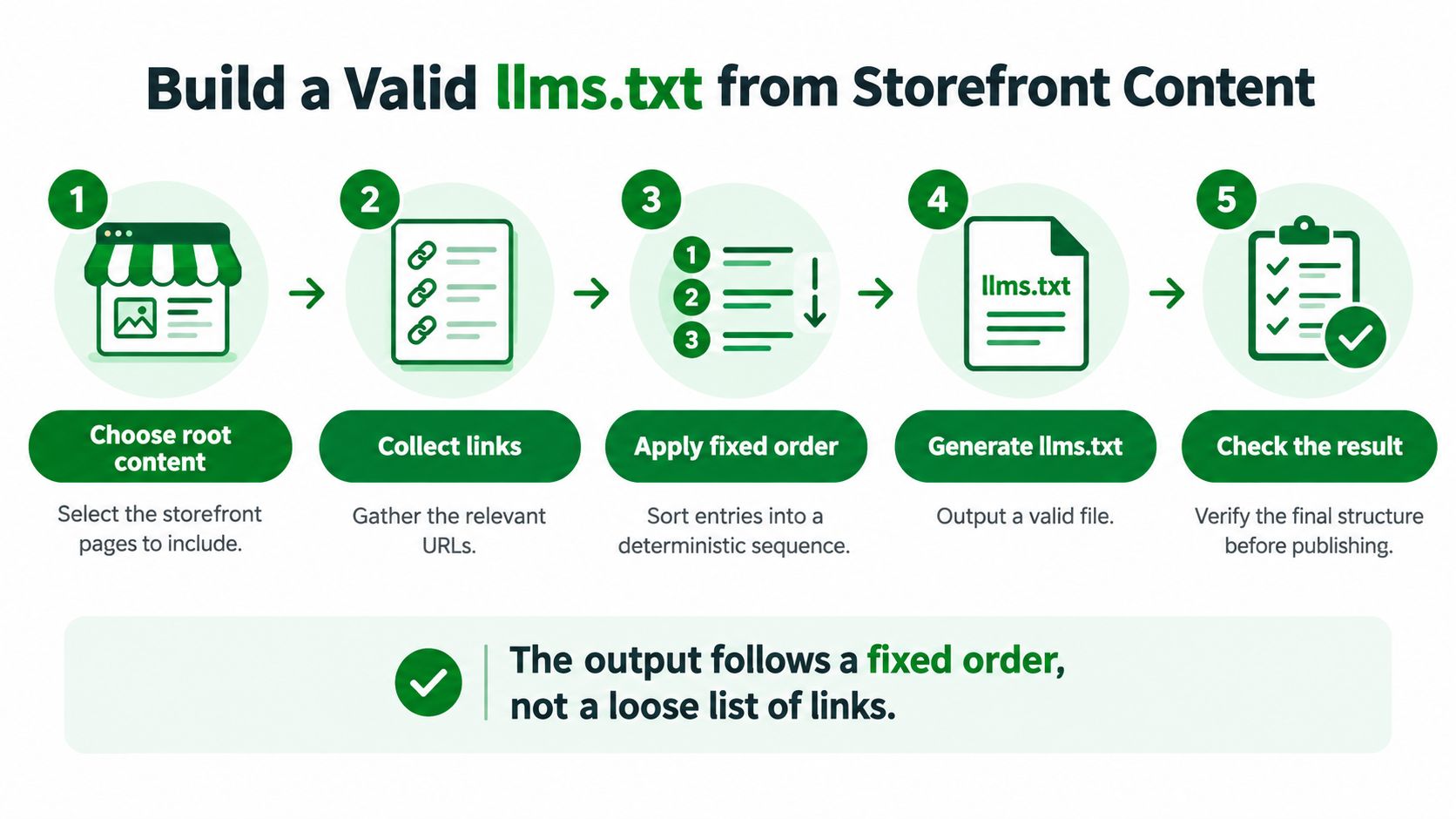
A production-ready file needs a predictable structure, not a loose export of whatever URLs happen to be available. The llms.txt specification requires the site or project name as an H1. A useful storefront implementation adds a concise description, organized resource groups, and relevant links that resolve to the store's canonical pages.
Follow a fixed order
Start by choosing the file's scope. A root-level /llms.txt can orient agents to the whole domain. A path-level file, such as /docs/llms.txt, can describe a particular area. Don't mix pages from different scopes without a clear reason.
Then build the document in reading order:
- Name the store: Add the required H1, such as
# North Coast Ceramics. - Describe the storefront: Use a blockquote to explain what the store sells and how agents should interpret the linked pages. For example:
> Handmade tableware and ceramics. Product pages list materials, dimensions, care instructions, and current availability. - Add optional context: Briefly clarify important details, such as whether a collection groups products by room or material. Keep this explanation useful rather than promotional.
- Group the resources: Use H2 headings for categories such as Collections, Flagship Products, Policies, Shipping and Returns, and About the Brand.
- Write descriptive links: Use Markdown links in the form
name, optionally followed by a colon and a short description.
For a fictional ceramics shop, a collection entry might point to its tableware collection, while a flagship product entry could identify a serving bowl page and summarize the details a shopper or agent will find there. Link policies, shipping terms, returns information, and the brand's materials or care page when they answer real questions.
Validate before publishing
The specification mandates only the H1, but a generator that's going live should check section order, confirm every URL is absolute or correctly resolved, verify HTTP reachability, and ensure each link fits the chosen scope. Exclude thin or duplicate pages, faceted URLs, and cart, account, or parameterized paths. Those routes rarely help an agent understand the catalog and can clutter the file.
The file also isn't a crawler allow or block list. Keep access restrictions in robots.txt and server permissions. For teams reviewing the buying journey as well as technical discovery, this guide to reduce Shopify checkout friction provides a useful perspective on the separate work of improving checkout.
The output should be a Markdown draft that a merchant can inspect before publishing. Don't let an automated export go live until the links, descriptions, and exclusions have passed that review.
Decide Which Catalog URLs Deserve a Place
The hard part of a Shopify llms.txt isn't the syntax. It's deciding which pages deserve space in a file that needs to stay useful as inventory and merchandising decisions change. Dumping every product, variant, tag, collection, and blog URL into one list produces a brittle catalog index, not a clear orientation for agents.
Use a rules-based selection policy. Favor indexable canonical pages that have demand, healthy availability, useful margins, and complete product attributes. Those criteria help identify pages that can represent the assortment well. Then add a human review queue for strategic products, exceptions, and pages where commercial judgment matters more than a simple rule.
| URL type | Default decision | Why |
|---|---|---|
| Canonical, in-stock product pages with complete details | Include selectively | They can answer product questions when descriptions and attributes are clear. |
| Core collections with distinct merchandising intent | Include | They help explain the catalog's main categories without listing every filter. |
| Discontinued products | Exclude | They can send agents toward items the store no longer sells. |
| Out-of-stock products | Review | Keep a page only if the product is expected to return or remains an important reference. |
| Variants with separate regional or language URLs | Review | Include the appropriate canonical version for each intended market, not every duplicate automatically. |
| Duplicate collections and faceted URLs | Exclude | They repeat content or expose filtered views that add little orientation. |
| Cart, account, checkout, and parameterized URLs | Exclude | These aren't useful public catalog references. |
| Seasonal landing pages | Review | Include while relevant, then remove or refresh when the campaign ends. |
| Policies, shipping, returns, and brand pages | Include | They provide context that product links alone can't supply. |
| Commercially sensitive pages or details | Exclude or summarize cautiously | The file should not reveal information the merchant doesn't intend to publish for public discovery. |
This is different from an XML sitemap. A sitemap helps describe URLs for search-engine discovery. An llms.txt file should prioritize a curated set that helps an agent understand what matters. It doesn't need to enumerate every indexable page, tag archive, or product variation. For more on the distinct role of a Shopify sitemap, keep its broad URL coverage separate from this curated selection job.
Make inclusion rules repeatable
Write down the policy so merchandising and SEO teams make consistent decisions when products launch, sell out, or retire. For example, include a canonical product page only when it's indexable, available or deliberately retained as a reference, and complete enough to describe accurately. Route important launches and exceptions to a human reviewer instead of letting an automated rule decide every inclusion.
Refresh the file when catalog status or page content changes, and check that regional and language versions point to the correct canonical pages. An llms.txt file still can't replace robots.txt, XML sitemaps, structured data, or strong product copy. It can only orient agents toward information that the storefront already makes accessible and clear.
Deploy the File on Shopify and Compare Your Options
Once URL selection is governed, deployment comes down to who creates the file, who publishes it at the right path, and who owns updates. Three approaches work, but they put different maintenance demands on the team.
| Approach | Best fit | Operational trade-off |
|---|---|---|
| Hand-author and host Markdown | A small store with a stable catalog and an owner who can maintain the file | Full control, but every relevant catalog change creates manual upkeep. |
| Use a generic generator and export the file | A team that wants a draft quickly and can handle publishing and updates | Generation can save drafting time, but the merchant still needs to host, validate, and refresh the output. |
| Use a Shopify-native workspace | A team that wants catalog-aware generation and ongoing checks in the store's workflow | Store data can inform selection, while review and monitoring help manage changes. |
For a manual setup, publish the reviewed Markdown at the public root path. A generic generator can produce a starting file, but don't confuse an export with a maintained storefront asset. Someone still needs to place it on the domain, check that it's accessible, and update it when the catalog changes.
RankEngine is a Shopify app that audits, fixes, and monitors SEO and answer-engine readiness. For supported fixes, it writes through the Shopify Admin API and re-reads live store values before marking work complete. Its AI-search readiness features include llms.txt, agent.json, an AI-crawler access matrix, and machine-readable product manifests, alongside visibility tracking across ChatGPT, Claude, Gemini, and Perplexity. Scans start from Shopify data rather than depending only on a fragile crawl, and a manual review queue can hold pages that need merchant judgment.
Treat publishing as a handoff, not the finish line
Before calling deployment complete, confirm the public /llms.txt URL resolves, the body is readable Markdown, the links use the storefront domain, and excluded cart, account, and checkout paths haven't slipped in. Don't assume the homepage editor is where the file should be managed. The target is a working public URL on the store's domain, with a clear owner for review and updates.
Published adoption estimates vary because studies use different populations and validation methods. For example, one analysis reported 10.13% adoption among approximately 300,000 sampled domains as of November 2025 (SE Ranking's study), while a separate estimate reported 5.61% among the top 10,000 websites in June 2026 (Common Crawl's analysis). Those rates aren't directly comparable, and neither makes file presence proof of AI referrals. Choose a deployment path that supports repeatable publishing, then pair it with checks that reveal whether the file is being accessed and remains current.
Validate Links and See Whether Agents Request the File
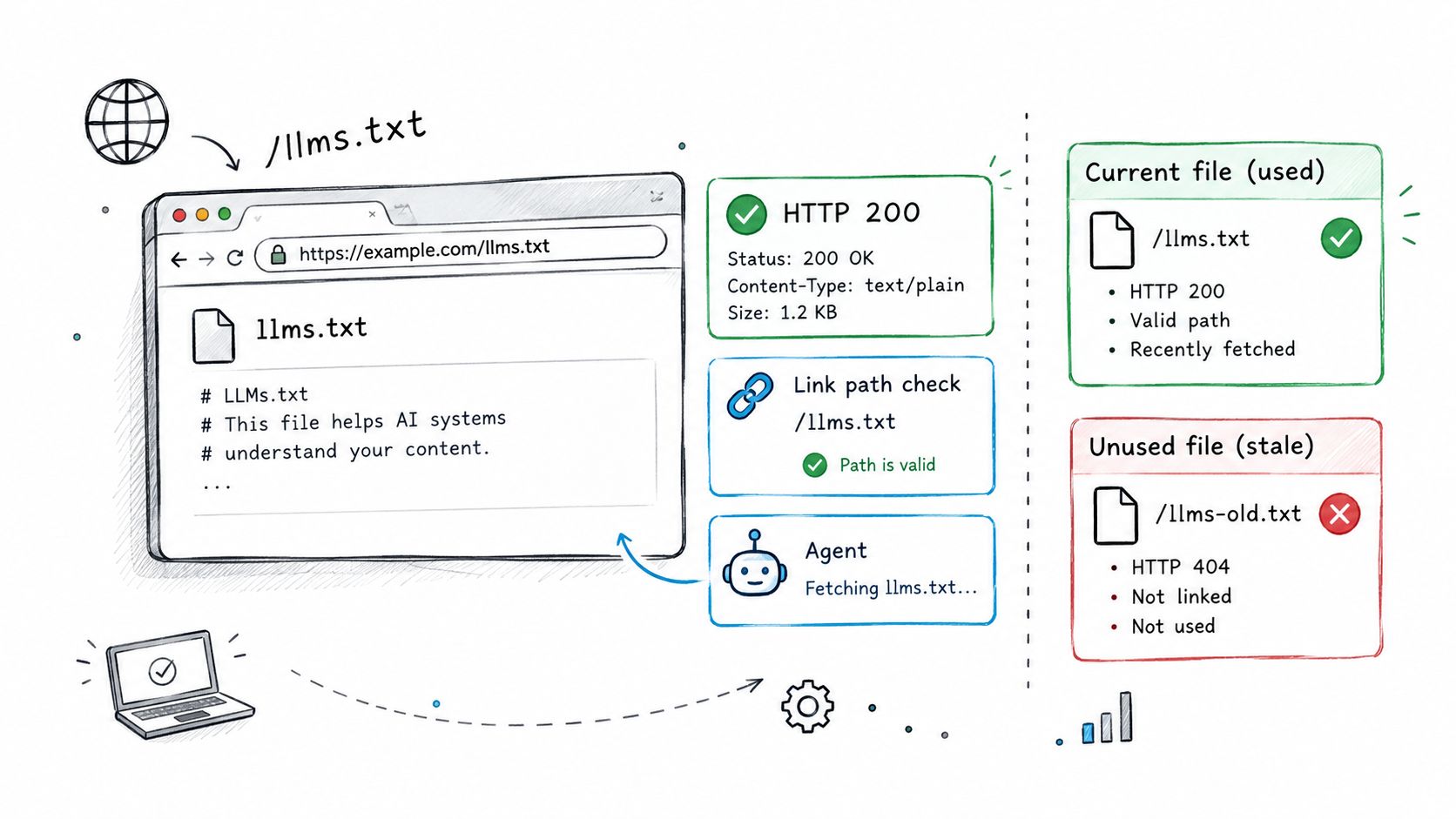
A successful browser load confirms only that a person can reach the file. Validate the response, Markdown, links, and catalog accuracy first. Then check logs for requests from agents.
Run the mechanical checks
Request the public URL and confirm it returns a successful HTTP status and readable Markdown. Check that the H1 and section order match your intended format, then test every link. Compare product URLs with the live catalog so deleted products and retired paths don't remain in the file.
A published file is not proof of AI visibility. Ahrefs' analysis of 137,210 domains found that 97% of published files received no requests during the measured month (analysis summarized by Zandigital). PPC Land reported 4,088 detected files in June 2025 and 36,120 twelve months later, figures that measure file presence rather than AI use (PPC Land's adoption coverage). Keep those outcomes separate in your reporting.
Read logs and monitor freshness
Filter server logs for requests to /llms.txt. User-agent strings can help identify bots and crawlers, but they don't prove who made a request. Record request frequency and response status, and check whether requests also reach the product, collection, or policy pages linked from the file.
Review the file after changes to products, collections, or store policies. A successful response to your own test confirms availability, not agent consumption. If no agent requests appear in the logs, report that plainly.
An llms.txt file cannot repair weak product pages, blocked crawling, missing structured data, poor internal links, or incomplete inventory details. Address those issues separately. Avoid autogenerated boilerplate and long lists of low-value URLs; keep the file focused on pages that accurately represent the store.
Validation standard: A successful response confirms accessibility. Logs show requests. Neither confirms that the file improves citations.
Review your Shopify robots.txt controls separately. Robots.txt governs crawler access; llms.txt provides a curated set of links and context. Check both without treating one as a substitute for the other.
Keep the File Current and Measure What Changes
A generated llms.txt file is a catalog-governance task, not a visibility switch. Judge the generator by whether it keeps the file accurate as products and policies change, and whether your measurement can show what happened after publication. A file being live does not prove that agents use it or cite your store.
Use a baseline and track signals that reflect both maintenance and observable outcomes:
- AI citations: Record whether assistants cite the store, by assistant and market.
- Request frequency: Monitor requests for
/llms.txtin server logs. - Linked-page retrieval: Check whether requests also reach the product, collection, or policy pages listed in the file.
- Stale-link rate: Flag links that no longer resolve or represent active catalog content.
- Answer accuracy: Review whether assistant responses describe products, availability, policies, and brand details correctly.
For a controlled comparison, run a 30–90-day cohort test. Keep product-page and content changes stable, then compare stores with validated files against matched stores without them. Treat the result as an operational comparison, not proof that the file caused a change. Simsima's approach to comparing eSIM prices offers a useful example of making comparison methods explicit instead of relying on a single headline number.
Set the generator to refresh when the catalog changes, validate each link, retain version history, and flag stale links. Review the file after product removals, collection changes, and policy updates. Record zero requests plainly; don't turn file publication into a visibility claim.
Start with one curated root file for the live Shopify store. Confirm it resolves, then track requests and citations over time.
RankEngine brings Shopify SEO and answer-engine readiness into one workspace, including llms.txt generation, live-store verification, and visibility tracking. Visit RankEngine to see whether its workflow fits your store's catalog governance and measurement needs.