 RankEngine
A Shopify catalog can look healthy in the admin while search problems accumulate in the background. A merchant publishes products in batches, imports supplier descriptions, adds collection filters, installs a review app, and changes a theme. Soon, duplicate metadata, invalid schema, conflicting canonicals, broken links, and blocked URLs are spread across hundreds or thousands of pages. No single error seems dramatic, but together they make it harder for search engines, shoppers, and AI assistants to understand which pages deserve attention.
The most useful SEO mistakes to avoid aren't isolated on-page oversights. They're operational failures that repeat whenever a new product, variant, market, or app enters the store. This guide ranks ten Shopify-specific risks by their potential to affect discovery and maintenance, then pairs each one with a practical fix and a way to verify the live result. RankEngine can safely automate supported metadata, alt-text, schema, indexing, and monitoring work through Shopify, with restore points and verification. Canonical strategy, robots rules, hreflang relationships, theme performance, and unusual catalog decisions still need merchant or developer judgment.
Table of Contents
- 1. Neglecting Meta Titles and Descriptions Across Product Catalogs
- 2. Missing or Improperly Structured Schema Markup
- 3. Duplicate Content and Keyword Cannibalization
- 4. Poor Image Optimization and Missing Alt Text
- 5. Ignoring Mobile Usability and Core Web Vitals
- 6. Broken Internal Links and Poor Site Architecture
- 7. Missing or Misconfigured XML Sitemaps and Robots.txt
- 8. Weak Anchor Text and Inconsistent Internal Navigation
- 9. Failing to Implement Hreflang for Multi-Language or Multi-Regional Stores
- 10. Overlooking AI Search Readiness
- Top 10 SEO Mistakes Comparison
- Turn SEO Cleanup Into a Verified Shopify Routine
1. Neglecting Meta Titles and Descriptions Across Product Catalogs
A product template that prints “Buy [Product] Online” across an entire catalog doesn't give searchers much reason to choose one result over another. It also makes it harder for search engines to distinguish closely related products, especially when an outdoor retailer has multiple versions of the same tent, jacket, or backpack.
Shopify makes bulk publishing easy, but default metadata can become a liability when merchandising teams rarely revisit it. A fashion store may have strong product photography and inventory, yet lose clicks because competitors communicate color, fit, material, or a useful buying benefit directly in the search snippet. Similar electronics SKUs can also compete for the same query when their titles and descriptions differ only by an internal code.
Build templates, then reserve judgment for priority pages
A workable title pattern combines brand, product name, and a meaningful attribute. A description can explain the product's use, distinguishing feature, and customer value without forcing a keyword into every sentence. Keep templates consistent enough for scale, but don't let automation overwrite carefully written copy on flagship products or important collection pages.
Prioritize pages that already receive impressions, pages with weak click-through performance, and collections that represent major commercial categories. Use Google Search Console to compare impressions and clicks before and after changes. Search engines can rewrite snippets, so treat the update as a controlled improvement rather than a guarantee that every description will display exactly as written.
Practical rule: Automate predictable fields, but route titles for overlapping products, regulated claims, and high-value collections to a human reviewer.
RankEngine can audit missing, duplicate, and weak metadata, apply supported templates, and maintain rules as new products arrive. Its live verification matters because a dashboard showing “updated” doesn't prove that the storefront output changed. For additional guidance on writing effective metadata, see this Shopify meta title and description guide.
2. Missing or Improperly Structured Schema Markup
A shopper sees a product page. A search engine or AI assistant needs a machine-readable description of what that page represents. Product, Offer, Review, Organization, Breadcrumb, and Article schema can supply that context, but only when the markup is complete, valid, and consistent with the visible page.
Consider an electronics retailer whose product JSON-LD omits price, currency, or availability. Or a fashion store whose review markup claims an aggregate rating without exposing the supporting information clearly on the page. A Shopify theme and several apps may each inject Product schema, creating conflicting versions for the same variant. More markup doesn't solve that problem. It can make interpretation harder.
Validate what shoppers can actually see
Start with an audit across products, collections, pages, and articles. Check whether the structured data describes the correct product, canonical URL, image, offer, availability, and review information. Don't add ratings that aren't displayed, use stale prices, or mark up content that users can't find.
RankEngine can manage supported JSON-LD types and flag missing or invalid fields, then verify the live theme-app output. Use Google's Rich Results Test and the Schema.org validator on representative product, variant, collection, and article URLs after deployment. Test a product with multiple variants and an item without reviews, because edge cases often expose template logic that a standard product misses.
The same discipline helps AI search. Machine-readable product facts are useful only when they match the current page and feed. Read this Google JSON-LD structured data guide for implementation context, then send unusual schema conflicts to developer review instead of relying on an automated pass state.
3. Duplicate Content and Keyword Cannibalization
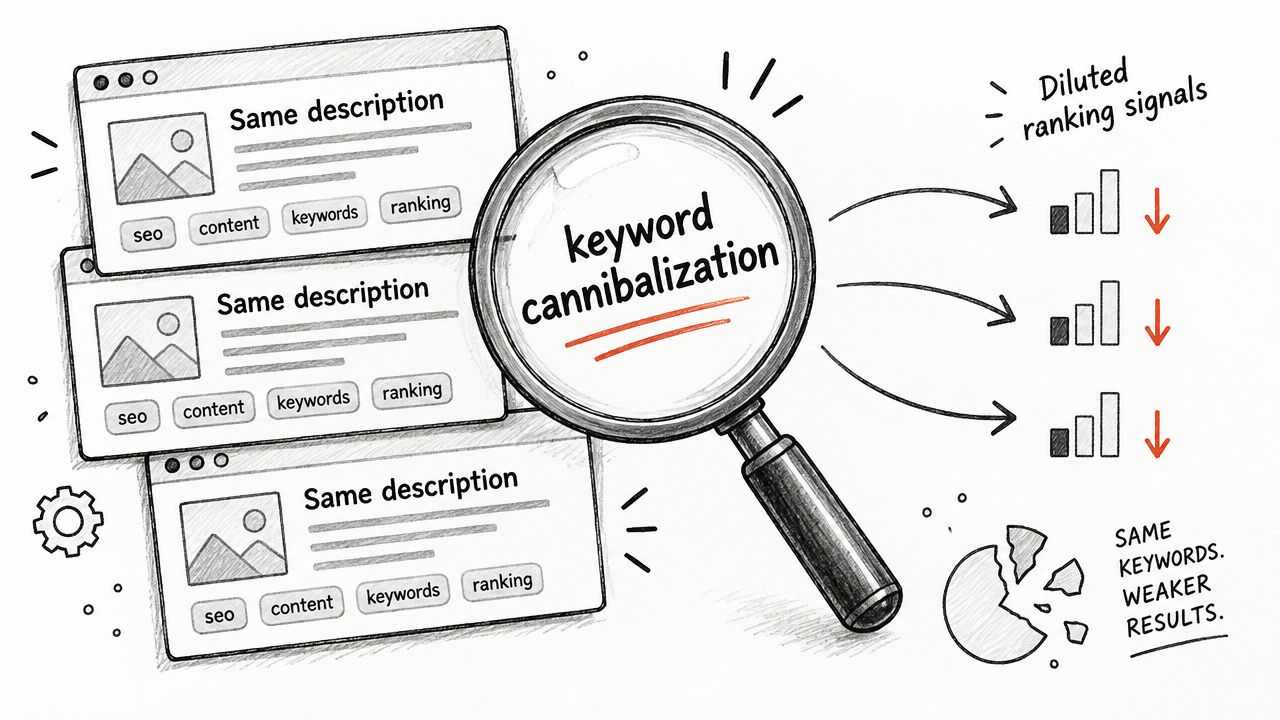
A Shopify catalog can create competing URLs without anyone deliberately publishing duplicate pages. Variants, collection filters, sorting parameters, promotional collections, pagination, and old product handles may all expose similar content. A T-shirt store with many color options might present identical copy and headings on every variant URL, while a furniture catalog may reuse one description for several sizes that have different dimensions or use cases.
The operational mistake is treating every duplicate as the same problem. Some URLs should consolidate. Others need unique content because they serve a distinct search intent. A canonical tag can identify a preferred version, but it doesn't turn a materially different product into a duplicate by decree.
Choose the URL model before editing copy
Audit products, variants, automatic collections, filtered views, and old URLs. Then decide which page should rank, which pages should remain accessible but excluded from indexing, and which URLs should redirect. Use canonicals for legitimate alternates, noindex controls for low-value filtered or sorted views where appropriate, and permanent redirects when a retired URL has no independent purpose.
Don't apply a blanket canonical to every variant. If a size or configuration changes the product's specifications, availability, or customer intent, review whether it deserves its own indexable page. Likewise, don't redirect a useful collection just because its text resembles another collection.
RankEngine can surface duplicate titles, descriptions, canonicals, redirects, and stale URLs, and it can apply supported canonical or redirect changes with restore points. Manual review should decide the preferred page when variants have distinct commercial value. After changes, inspect the live HTML, test redirect destinations, and review Google Search Console for duplicate and alternate-page signals. A keyword cannibalization illustration captures the underlying issue, multiple pages competing instead of clarifying relevance.
4. Poor Image Optimization and Missing Alt Text
Images often carry most of the persuasive weight on a Shopify product page, yet teams upload them as an afterthought. A fashion catalog may contain thousands of product images with empty alt attributes. A home décor store may use filenames such as IMG_4821.jpg, leaving accessibility tools and image-search systems with little descriptive context.
Alt text should describe the image's purpose, not serve as a keyword storage field. “Blue linen throw pillow on a neutral sofa” gives useful context. Repeating the same phrase on every angle, or stuffing a product keyword into decorative images, creates noise and can make the page less accessible.
Fix the catalog without flattening product detail
Use product and image attributes to generate a sensible starting point, such as brand, product name, color, and view. Then manually refine hero images, lifestyle photography, diagrams, and images where the visual context changes the buying decision. Decorative assets may need empty alt text rather than invented descriptions.
Large files also deserve attention because oversized hero images can delay the visible page, particularly on mobile. Compress and resize images while preserving important detail, use responsive image behavior in the theme, and check that CDN URLs remain valid. Tools such as AI product photo enhancement can help improve source assets, but enhancement doesn't replace alt text or delivery optimization.
RankEngine can audit alt-text coverage, suggest or apply supported updates, record image actions, and monitor missing values as products are added. Verify several live product pages, inspect the rendered image attributes, and compare the displayed image quality and loading behavior on a phone. Search Console image reporting can provide another signal, but a human should review whether the generated description accurately represents the picture.
5. Ignoring Mobile Usability and Core Web Vitals
A Shopify theme can perform well on a desktop and still frustrate shoppers on phones. A luxury retailer may load a full-width campaign image before product details. An electronics store may leave filters sluggish because app scripts, gallery logic, and tracking compete for the main thread. Layout shifts can also move purchase controls while a customer is trying to tap them.
The risk is measurable. In a large 2026 audit of more than 100,000 sites, 58.4% failed mobile Largest Contentful Paint by exceeding the 2.5-second threshold, the study's most common failure category, according to SEOMator's 2026 SEO audit breakdown. A separate 2026 benchmark found that only 49.1% of mobile websites passed all three Core Web Vitals. Desktop results cannot stand in for mobile validation.
Separate safe improvements from theme engineering
Start with PageSpeed Insights and Search Console. Review the largest visible element, layout shifts, interaction delays, render-blocking CSS, third-party scripts, and image delivery. RankEngine can monitor performance findings, recommend supported actions, and route theme or app issues for review. Image compression and some configuration changes are usually safe to assess automatically. Removing scripts, changing theme architecture, or deferring functionality requires developer testing because speed work can affect merchandising, analytics, consent, or checkout behavior.
One 2026 dataset reported an average mobile page load time of 8.6 seconds, compared with 2.5 seconds on desktop, a 6.1-second difference documented in SEOMator's technical SEO issue research. Use that gap to challenge desktop-only testing, not to predict your store's results.
After each release, test representative product, collection, cart, and content pages under real mobile conditions. Check LCP, INP, and CLS, then verify images, menus, filters, variant selection, and purchase controls on the live store. RankEngine can record recurring regressions, but a phone test confirms whether the change improved the customer experience without breaking the theme.
6. Broken Internal Links and Poor Site Architecture
A Shopify store can have strong product pages and still hide valuable inventory from shoppers and crawlers. For example, a store with 800 products linked its winter collection only from the homepage carousel. After the carousel rotated, 120 products became orphaned, with no normal path from navigation, collections, or related content.
Broken links create a different risk. A discontinued collection in the header sends shoppers to a dead end, while an outdated product link in a blog post wastes an existing opportunity to guide visitors toward a relevant purchase. Repeated 404s can spread through menus, recommendations, editorial content, and merchandising blocks as the catalog changes.
Make important products reachable and meaningful
Build paths that match how customers shop. Collections should link to relevant products, products should expose related products where the relationship is useful, and editorial pages should connect to commercial pages with descriptive anchor text. Breadcrumbs reinforce the relationship between home, collection, and product pages, but they do not replace ordinary internal links.
RankEngine can detect broken links, identify orphaned pages, suggest relevant internal links, and monitor 404 activity. Automation is safest when the destination is clear, such as replacing a link to a permanently redirected product with its confirmed destination. Similar collections, seasonal replacements, and navigation changes require merchant review because an automated choice could alter the intended buying journey.
Verify each change on the live storefront. Open the link as a shopper, confirm that the destination is the intended page, inspect the rendered anchor, and test the path on mobile. Then review crawl findings to confirm that important products are reachable through menus, collections, related products, or editorial content, rather than only through a sitemap. Remove or redirect obsolete links deliberately, and check that the replacement preserves the shopper's context.
7. Missing or Misconfigured XML Sitemaps and Robots.txt
Sitemaps and robots rules don't replace internal architecture, but they influence how crawlers discover and access a Shopify store. A catalog can waste crawl attention if filtered URLs enter a sitemap, while an overly broad robots rule can hide useful product or collection paths. A multilingual implementation can also fail when its sitemap and language signals don't describe the same set of canonical pages.
The common mistake is editing robots.txt to solve an indexing problem that requires canonicals, noindex controls, redirects, or better links. Robots.txt can restrict crawling, but it isn't a reliable way to remove a URL from search after the URL is already known. A rule that looks harmless in a text editor can also block an entire product path if the pattern is too broad.
Treat access rules as release-sensitive configuration
Check that sitemap URLs are live, canonical, indexable, and relevant. Review product, collection, page, article, and image entries where applicable. Confirm that important storefront sections remain crawlable, while private or low-value paths such as cart, account, and internal search are handled intentionally.
RankEngine can audit sitemap health, robots rules, redirects, and indexing signals, and alert the team when new products or theme changes introduce an issue. It can safely surface a proposed rule, but a merchant or developer should approve changes that affect search, filter parameters, app routes, or international storefronts.
Verify from outside the admin. Fetch the live robots.txt, open the sitemap URL, sample entries, and test representative product and collection URLs in Search Console. A sitemap submission can succeed while containing stale or unsuitable URLs, so “submitted” isn't the same as “correct.” Record the release, inspect crawl and indexing results, and reverse the rule if the live test exposes an unintended block.
8. Weak Anchor Text and Inconsistent Internal Navigation
Internal links do more than move a shopper from one page to another. Their wording helps explain the destination. “Click here,” “product link,” and “learn more” force users to open the page before they know what it offers, while search systems receive less useful context about the relationship between the source and destination.
A fashion blog might link to a dress collection with “shop now” in every article. An electronics retailer might use “view product” for a page selling an iPhone 15 Pro. These links aren't always harmful individually, but a catalog full of generic labels makes internal navigation less descriptive and harder to audit.
Create a vocabulary merchandising teams can follow
Use concise, natural anchors that identify the destination. A product link can include brand, product name, and a meaningful variant or color when that information helps the shopper. A collection link should describe the category rather than repeat an awkward exact-match phrase in every location.
- Use descriptive wording: Replace generic calls to action with language that tells the shopper what opens next.
- Keep labels consistent: Give the same core product or collection a recognizable name across navigation, editorial content, and related-product blocks.
- Avoid mechanical repetition: Vary wording naturally when the surrounding sentence changes, but don't make every reference unrecognizable.
RankEngine can audit internal anchors and suggest opportunities, especially in product, collection, and article content. A person should approve links in brand campaigns, comparison copy, and navigation menus because anchor wording can affect tone and merchandising intent. Verify the rendered anchor text on live pages, follow the link, and check that the destination matches the promise. If a link says “women's waterproof hiking boots,” the landing page should visibly support that description rather than lead to a broad footwear category.
9. Failing to Implement Hreflang for Multi-Language or Multi-Regional Stores
A single Shopify store can serve customers in several languages, currencies, or regions, but separate versions need a clear relationship. Without reliable hreflang, a French-speaking shopper in Canada may receive an English page, or a UK customer may land on a version written for another market. The resulting mismatch affects usability and can create confusion when prices, delivery terms, stock, or product names differ.
Hreflang isn't a translation shortcut. It tells search systems which regional or language alternative is appropriate. It also depends on a coherent canonical strategy. If the French page canonicals to the English page, or one regional version points to a redirect, the signals conflict and require investigation.
Map every equivalent page before publishing tags
Create a page-level map for products, collections, articles, and important pages. Each version should reference the other relevant versions, use valid language-region values, and point to its own canonical live URL. Include an x-default destination when the store has a genuine fallback experience.
RankEngine can audit hreflang relationships, identify missing return references, and support language-specific SEO workflows. It shouldn't decide whether two pages are equivalent, which market owns a product, or how currency and fulfillment differences affect the canonical choice. Those decisions belong to the merchant, international SEO lead, and developer.
Verify the HTML or sitemap implementation on live URLs. Confirm that every alternate resolves without a redirect, returns the expected language and market content, and links back reciprocally. Test products that exist in every market alongside products sold only in selected regions. Then inspect Search Console and regional search results. A successful tag deployment doesn't prove that the language experience, canonical, and inventory rules agree.
10. Overlooking AI Search Readiness
A Shopify store can be technically crawlable and still provide poor information to AI assistants. Missing machine-readable files, blocked AI crawlers, incomplete Product schema, stale feeds, and outdated canonical URLs make it harder for an assistant to identify an accurate product and cite the right page.
The failure often appears during a customer conversation. A beauty brand's product is mentioned with an obsolete availability status. A home goods store is cited through a discontinued handle. An electronics retailer has useful product pages but blocks a relevant crawler in robots.txt. These are data-governance problems as much as SEO problems.
Make product facts easy to retrieve and verify
Publish agent-oriented files where appropriate, keep product manifests and feeds aligned with the canonical storefront, and review crawler access rules deliberately. Product, Offer, Review, Organization, and Breadcrumb schema should describe current visible information. Don't open access indiscriminately without understanding the crawler, data, and commercial implications.
RankEngine supports llms.txt, agent.json, AI-crawler access monitoring, machine-readable product manifests, and visibility tracking across ChatGPT, Claude, Gemini, and Perplexity. It can flag blocked access and stale signals, but the merchant must decide which data sources and crawlers the business permits. A Shopify AI search optimization workflow can help turn that decision into maintainable controls.
Verify the files and headers from the live domain, inspect the product data against current price and availability, and test cited URLs manually. Check whether an assistant names the correct product and links to the canonical page. AI visibility changes as systems and crawler behavior change, so monitoring belongs beside ordinary Search Console and storefront QA, not in a one-time launch checklist.
Top 10 SEO Mistakes Comparison
| Issue | Implementation Complexity 🔄 | Resource Requirements ⚡ | Expected Outcomes ⭐ | Ideal Use Cases 💡 | Key Advantages 📊 |
|---|---|---|---|---|---|
| Neglecting Meta Titles and Descriptions Across Product Catalogs | Medium, manual at scale; templating helps | Moderate, SEO copy, templates, automation rules | Higher CTR (≈20–30%), reduced keyword cannibalization | Large catalogs with auto-generated Shopify metadata | Improved CTR, consolidated ranking power, testable snippets |
| Missing or Improperly Structured Schema Markup (JSON-LD) | Medium–High, careful JSON-LD and validation needed | Technical, developer access, data feeds, validators | Eligibility for rich results; better AI citations; CTR uplift | Product pages, review-heavy stores, shopping integrations | Rich snippets, trust signals, AI-friendly extraction |
| Duplicate Content and Keyword Cannibalization | High, audits, canonicals, redirects required | Moderate–High, content edits, redirects, governance | Consolidated rankings, improved crawl budget and indexation | Sites with many variants, filtered/sorted collection views | Fewer ranking conflicts, stronger primary pages, cleaner crawl |
| Poor Image Optimization and Missing Alt Text | Medium, audits and batch updates | Moderate, image compression/CDN, alt text creation | Faster loads, improved Core Web Vitals, Google Images CTR +15–25% | Image-heavy catalogs and mobile-first stores | Better load times, accessibility, visual search visibility |
| Ignoring Mobile Usability and Core Web Vitals | High, theme and performance engineering | High, developers, performance tools, testing cycles | Lower bounce, higher conversions; mobile ranking gains | Stores where >50% traffic is mobile | Improved UX, measurable conversion and ranking benefits |
| Broken Internal Links and Poor Site Architecture | Medium, site crawl and structural fixes | Moderate, crawling tools, editorial linking work | Better crawlability, increased authority for weak pages | Large catalogs with orphaned or poorly linked pages | Distributed link equity, improved discoverability |
| Missing or Misconfigured XML Sitemaps and robots.txt | Low–Medium, generate and maintain files | Low, admin tools, monitoring, occasional splits | Faster and more efficient indexation; controlled crawl budget | Growing catalogs, stores with many images or params | Faster discovery, reduced wasted crawls, image indexing |
| Weak Anchor Text and Inconsistent Internal Navigation | Medium, audit and rewrite anchors | Moderate, editorial effort, linking guidelines | Clearer relevance signals; improved UX and topical authority | Blogs linking to products; sites with many internal links | Stronger keyword signals, better AI understanding of links |
| Failing to Implement Hreflang for Multi-Language/Regional Stores | High, careful cross-site implementation | High, dev/config, language management, testing | Correct regional/language indexing; higher international CTR | Multi-language or multi-region Shopify stores | Reduced duplication, improved international UX and rankings |
| Overlooking AI Search Readiness (llms.txt, agent.json, AI crawler access) | Medium, new machine-readable files and config | Moderate, product manifests, schema upkeep, monitoring | Potential AI citations and referral traffic; emerging channel gains | Early adopters targeting AI assistants and citation surfaces | Competitive advantage in AI-driven discovery and citations |
Turn SEO Cleanup Into a Verified Shopify Routine
Shopify SEO improves when the team treats it as a release process rather than a collection of emergency edits. Start with the catalog layer. Audit titles, descriptions, headings, images, and product copy, then prioritize pages that already matter commercially or receive search impressions. Apply safe bulk rules to consistent fields, but preserve manual review for products with different specifications, overlapping intents, or sensitive claims.
Next, validate the relationships that tell crawlers which pages matter. Review Product and Breadcrumb schema, canonical tags, redirects, internal links, sitemaps, and robots rules together. A canonical pointing to one URL, a sitemap listing another, and navigation linking to a third is not three separate minor errors. It's a conflicting system. Redirect chains deserve particular attention after migrations because Google guidance recommends avoiding long chains, and a 2026 crawl-budget discussion for Shopify stores treats direct links to the final destination as the practical standard. Use a release-blocking check for legacy URLs, then verify each one reaches its final page in a single hop.
After structural cleanup, test the experience that shoppers actually receive. Check mobile templates, image loading, filter behavior, menus, product galleries, and purchase paths. The 2026 audit data cited earlier shows why technical hygiene deserves priority, with mobile performance and broken internal links appearing as widespread problems rather than rare exceptions. Don't mark a performance or indexing task complete because an app accepted the change. Test the live HTML, rendered page, response behavior, and representative devices.
International and AI signals belong in the same operating rhythm. Confirm hreflang reciprocity and canonical alignment for regional pages. Check robots access, machine-readable files, product manifests, schema freshness, and the accuracy of AI-cited URLs. Use this actionable SEO checklist for 2026 as an additional planning reference, then adapt it to your catalog, theme, apps, and release process.
RankEngine fits this workflow where verified automation is appropriate. It audits Shopify data, applies supported changes through the Admin API or theme-app integration, rereads live values, and records restore points and action history. It can automate repeatable metadata, alt-text, structured-data, indexing, and monitoring tasks. It should route ambiguous canonical choices, broad robots changes, hreflang mapping, app conflicts, and theme performance work to a manual queue.
The standard for completion is simple: the live store must show the intended result, the destination must work, and the surrounding signals must agree. Build that verification into every catalog import, theme release, migration, and market launch, and SEO maintenance becomes a controlled operating habit instead of a recurring surprise.
RankEngine audits Shopify products, collections, pages, images, schema, indexing signals, internal links, and AI-search readiness, then applies supported fixes and verifies them against the live store. Visit RankEngine to audit the errors in your catalog, automate safe corrections, and route canonical, robots, hreflang, and performance decisions for review.