 RankEngine
A merchant opens an SEO tool, exports a long list of keywords, and starts rewriting product titles. The list looks authoritative because it includes search volume, difficulty, and competitor rankings. A few weeks later, organic traffic is flat, product pages still rank for unexpected phrases, and the collection that ultimately brings shoppers to the store has barely been touched.
That pattern is common because keyword research for Shopify has two sides. Google shows external demand, while Shopify's own search bar shows what visitors want after they've already reached the store. Shopify's Search & Discovery analytics can track searches by query, searches with no results, and searches with no clicks over the last 30 days, so internal search reveals demand and friction that generic keyword tools can't see (Shopify's keyword research guidance).
The fix isn't adding more keywords to every product description. It's deciding which language deserves a product page, which terms need a collection, and which queries belong in buying guides or support content. It also means using your own store data before trusting a third-party estimate.
Table of Contents
- The Moment Most Shopify Keyword Research Falls Apart
- Building Your Shopify Keyword Research Workflow
- Mapping Query Intent to the Right Shopify Page
- Choosing Between Product Pages and Collections
- Comparing Keyword Tools for Shopify Stores
- Turning Research into Live Shopify Optimization
- A Shopify Keyword Research Checklist You Can Reuse
The Moment Most Shopify Keyword Research Falls Apart
The failure usually becomes obvious in Google Search Console. A merchant compares the target list with the queries generating impressions and discovers that Google understands the store differently from the way the keyword spreadsheet does. The product page optimized for a broad category term is appearing for a narrow feature query, while the collection page receives impressions for the category phrase the merchant tried to force onto an individual product.
Three mistakes usually sit underneath that mismatch.
First, the research prioritizes head terms instead of buying language. A broad phrase may attract attention but still describe a mixed audience with different needs. A more specific query can be commercially useful even when an external tool reports less demand. Shopify's own guidance distinguishes monthly search volume as the number of queries for a keyword in the past month, with 5,000 MSV representing 5,000 searches in the last month (Shopify's definition and example of MSV). Volume gives you scale, not a reason to publish a particular page.
Second, the merchant optimizes the wrong page type. A product page can describe one SKU exceptionally well, but it won't satisfy someone who wants to browse multiple models, sizes, or materials. A collection can organize a category, but it may be too broad for a search that clearly names one product or specification.
Third, the workflow ignores internal search. Shoppers often use terms that never appeared in the original keyword brainstorm. They may search for a synonym, a use case, a missing size, or a product attribute that the catalog navigation doesn't expose clearly.
Practical rule: Treat Google as the demand map and Shopify search as the language customers use when they're close enough to shop.
This two-sided view changes the work. You're not building a list for metadata. You're identifying demand, matching it to the right catalog entity, and finding gaps where shoppers already tell you what they need.
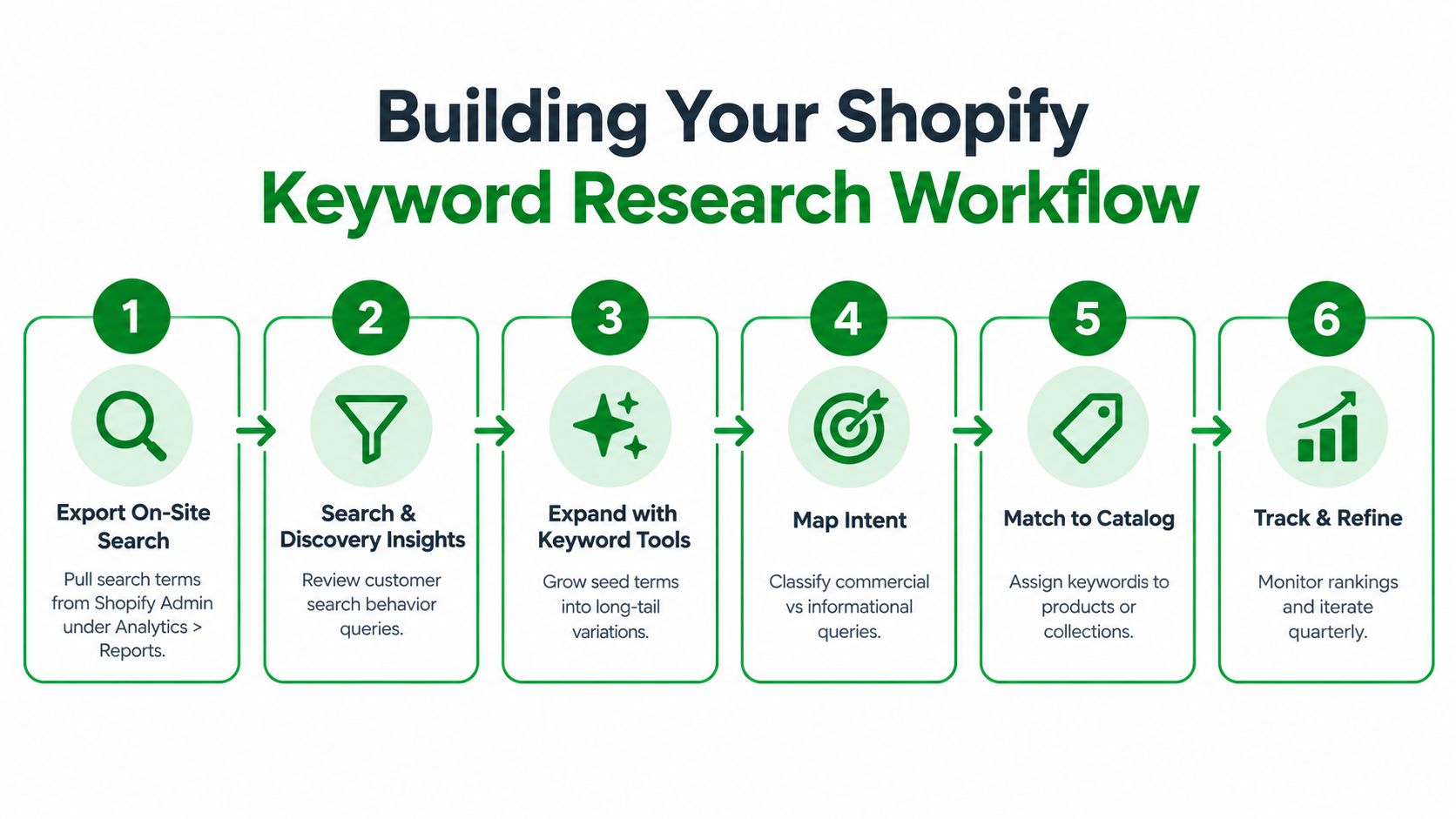
Building Your Shopify Keyword Research Workflow
A useful workflow starts with merchant-owned data, then uses external tools to validate and expand it. That order matters because your store already contains evidence of product interest, whereas a generic database only estimates what happens across a market.
Start with the words shoppers already use
Export internal search queries. Review Shopify Admin reports under Analytics and inspect the search behavior available through Search & Discovery. Separate searches that return products from searches that produce no results or no clicks. The latter often point to missing synonyms, weak merchandising, or a product gap.
Mine Google Search Console. Filter queries by product and collection URLs. Look for terms generating impressions even when they weren't assigned as targets. These are useful because Google is already testing your pages against real searches.
Expand from competitors. Use relevant
site:searches to find competitor collection URLs and inspect the category language they use. Don't copy their titles. Extract recurring product attributes, category divisions, and comparison themes that your catalog can support.Validate with an external tool. Check volume, difficulty, related terms, and commercial indicators. The ecommerce category is large and competitive: one independent dataset reports 297,895,900 total monthly searches, 38.0% average keyword difficulty, 54.93% average competition, and $3.74 average CPC, with metrics refreshed monthly (the ecommerce keyword dataset from SEOJuice). Use those figures as market context, not as a reason to target every broad term.
Classify intent before assigning URLs. Label each query as exact product, category, comparison, or problem-oriented. Search the phrase manually and inspect the page types Google favors. The result composition is often more revealing than a tool's automatic intent label.
Record the decision. Keep the keyword, intended URL, page type, intent, volume, difficulty, notes, and last-updated date in one sheet. A resource such as keyword volume research explained is useful when a team needs a shared explanation of how volume estimates should influence prioritization.
The sheet should be a working control document, not a one-time deliverable. Revisit it as products change, internal searches reveal new language, and Search Console exposes queries that your current architecture handles poorly.
The workflow is easier to maintain when each keyword has an owner and an action. “Target collection” is incomplete. “Rewrite the collection title, improve the visible introduction, add a filter for the matching attribute, and connect related guides” gives the merchandising and content teams something they can ship.
Use the video below as a visual walkthrough of the workflow and the decisions behind it.
Mapping Query Intent to the Right Shopify Page
A running store makes the distinction clear. Suppose the catalog includes individual trail shoes, a Trail Running Shoes collection, and buying guides about fit and maintenance. The same product category can generate very different searches, but those searches shouldn't all resolve to the same URL.
| Intent Type | Example Query | Correct Shopify Page | Key On-Page Signal |
|---|---|---|---|
| Exact product | Brand X trail running shoes size 10 | Product page | Product name, size availability, specifications, purchase elements |
| Category | trail running shoes | Collection page | Category introduction, product grid, useful filters, related attributes |
| Comparison | best trail running shoes | Buying guide or blog post | Evaluation criteria, product comparisons, links to relevant collections |
| Problem | trail shoes for flat feet | Guide, article, or FAQ | Clear explanation of the problem, selection advice, links to suitable products |
Exact product intent
A query that names a brand, model, size, or highly specific feature usually signals that the shopper knows what they want. Send it to the product detail page, provided the product is available and the page contains more than a thin description. Include the exact model language naturally in the title, heading, specifications, image context, and structured product information.
Don't create separate near-duplicate pages for every color or size unless those variants have clearly distinct search demand and useful standalone content. In most stores, that approach creates indexable clutter rather than stronger relevance.
Category intent
“Trail running shoes” describes a browsing task. The shopper may compare cushioning, grip, terrain suitability, or brand. A collection page can present that choice architecture, while filters help visitors narrow it without forcing every attribute into a separate indexable URL.
The collection should make its scope obvious. A short visible introduction, descriptive title, relevant products, and links to useful subcategories give Google and shoppers a coherent category signal.
Comparison and problem intent
“Best trail running shoes” asks for judgment, not a product grid. A buying guide can explain trade-offs, compare models, and link to the trail collection or individual products. “Trail shoes for flat feet” may need an educational guide or FAQ that explains what shoppers should assess before presenting suitable products.
A common mistake is publishing an article that mentions products without creating a route to purchase. Every informational page should link to the most relevant collection and, where appropriate, to individual products. Conversely, commercial pages can link back to guides that answer fit, care, and selection questions.
For a deeper look at using Search Console to uncover these distinctions, see this guide to Google Search Console for keyword research. The important principle is simple: the page type must match the task implied by the query. You can't make a product page satisfy a browsing query merely by repeating the category phrase more often.
Choosing Between Product Pages and Collections
The right URL depends on the breadth of the query and the shape of the catalog. A broad commercial term generally needs a page that helps shoppers browse several relevant products. A specific SKU, model, or unusual combination of attributes usually belongs on the product page.
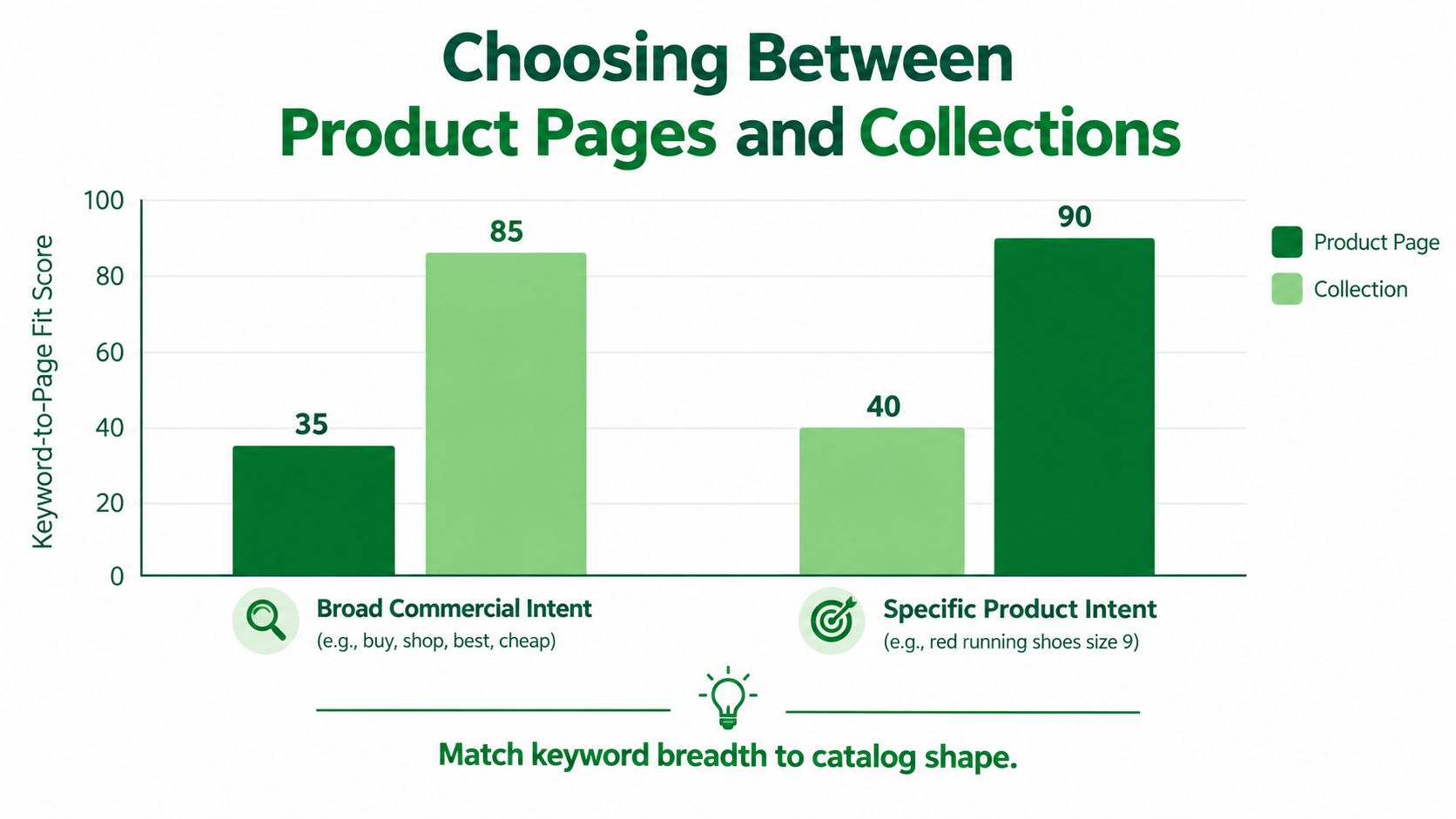
Use three tests before assigning a target.
Test one asks what the searcher expects
Search “running shoes” and the likely task is browsing. Search “Brand X trail shoe model” and the task is identifying or buying a specific product. The first deserves a collection. The second deserves a product page.
Test two checks the current SERP
Look at the pages ranking for the query. If the results are dominated by category pages, Google is signaling that shoppers need selection. If product pages dominate for a specific model or feature, a product URL may be the better fit. This isn't a rule to follow blindly, but it is strong evidence about the page format competitors have made useful.
Test three measures catalog depth
If one product matches the query, map the term to that product. If several products match, create or improve a collection that groups them meaningfully. A collection shouldn't exist just to capture a keyword. It needs enough relevant inventory and a distinct reason for shoppers to use it.
Subcollections are useful for mid-tail categories that don't belong in the main navigation but represent a clear shopping task. A Running Shoes collection might support focused subcollections for trail running and marathon running when the catalog has genuine depth in both areas. In apparel, “linen shirts” can become a focused collection if the store carries several suitable products. In beauty, “fragrance-free moisturizer” may deserve a collection when multiple formulas meet the condition. In electronics, “USB-C monitors” can group several products, while a specific monitor model remains on its product page.
Faceted navigation needs restraint. Filters should help shoppers refine a collection, but every combination shouldn't automatically become a crawlable landing page. Before creating a dedicated URL, confirm that the combination has distinct intent, adequate matching inventory, and content worth indexing.
A keyword map should consolidate relevance, not multiply URLs.
When two pages target the same intent, choose a canonical home and make supporting pages link to it. Product pages can still mention category language, and collections can link to products, but each cluster needs one primary destination.
Comparing Keyword Tools for Shopify Stores
Most keyword tool comparisons focus on database size. Shopify teams need a different evaluation. Can the tool help distinguish a product from a collection opportunity? Can it expose competitor category structures? Can it support bulk work when a catalog contains many similar products?
The following ranking reflects practical fit rather than a claim that one platform is universally superior.
| Tool | Collection SERP Data | Shopify Competitor Insights | API for Bulk Updates | Free Tier | Best For |
|---|---|---|---|---|---|
| Ahrefs | Strong for SERP and competitor analysis | Strong through domain and page research | Useful for data workflows, not Shopify publishing by itself | Limited | Teams doing deep gap analysis |
| Semrush | Strong intent and SERP research | Strong competitor and keyword-gap workflows | Useful for research integrations, not direct catalog editing | Limited | Agencies and larger SEO teams |
| Mangools KWFinder | Clear keyword discovery and difficulty views | More limited than enterprise suites | Not a Shopify publishing system | Accessible entry option | Smaller stores and focused research |
| Helium 10 | Strong for Amazon-led product research | Less natural for pure Shopify competitor work | Built around broader commerce workflows | Limited | Merchants selling on Amazon and Shopify |
| Free stack | Search Console and Trends show owned demand and trends | Manual competitor review | No direct bulk publishing | Broadest access | Early research and validation |
Ahrefs and Semrush justify their cost when you need competitor gap analysis at the collection level, not a handful of product ideas. They become less compelling if the store has a narrow catalog and the team hasn't exhausted Search Console, internal search, and manual SERP review.
Mangools is the practical budget choice for a smaller catalog. It gives a focused workflow without the operational weight of an enterprise platform. Helium 10 is overkill for a pure Shopify operation unless Amazon is also a meaningful sales channel, because its strongest context is product research across marketplaces.
The free stack remains valuable even for advanced teams. Search Console shows queries and impressions for your pages, Google Trends helps compare interest patterns, Search & Discovery exposes onsite language, and AnswerThePublic can suggest question formats. None replaces judgment about page type.
For stores with a growing catalog, use a research platform alongside a Shopify-specific implementation and monitoring layer. RankEngine, for example, audits Shopify SEO elements, researches keywords using volume, difficulty, CPC, and intent, maps targets to product and collection pages, and verifies supported changes against the live store. For rank monitoring fundamentals, this resource on a rank checker for keywords provides useful context.
Turning Research into Live Shopify Optimization
A keyword isn't doing any work while it sits in a spreadsheet. Once you choose the URL, translate the decision into a page that makes the topic clear without turning the copy into a repetition exercise.
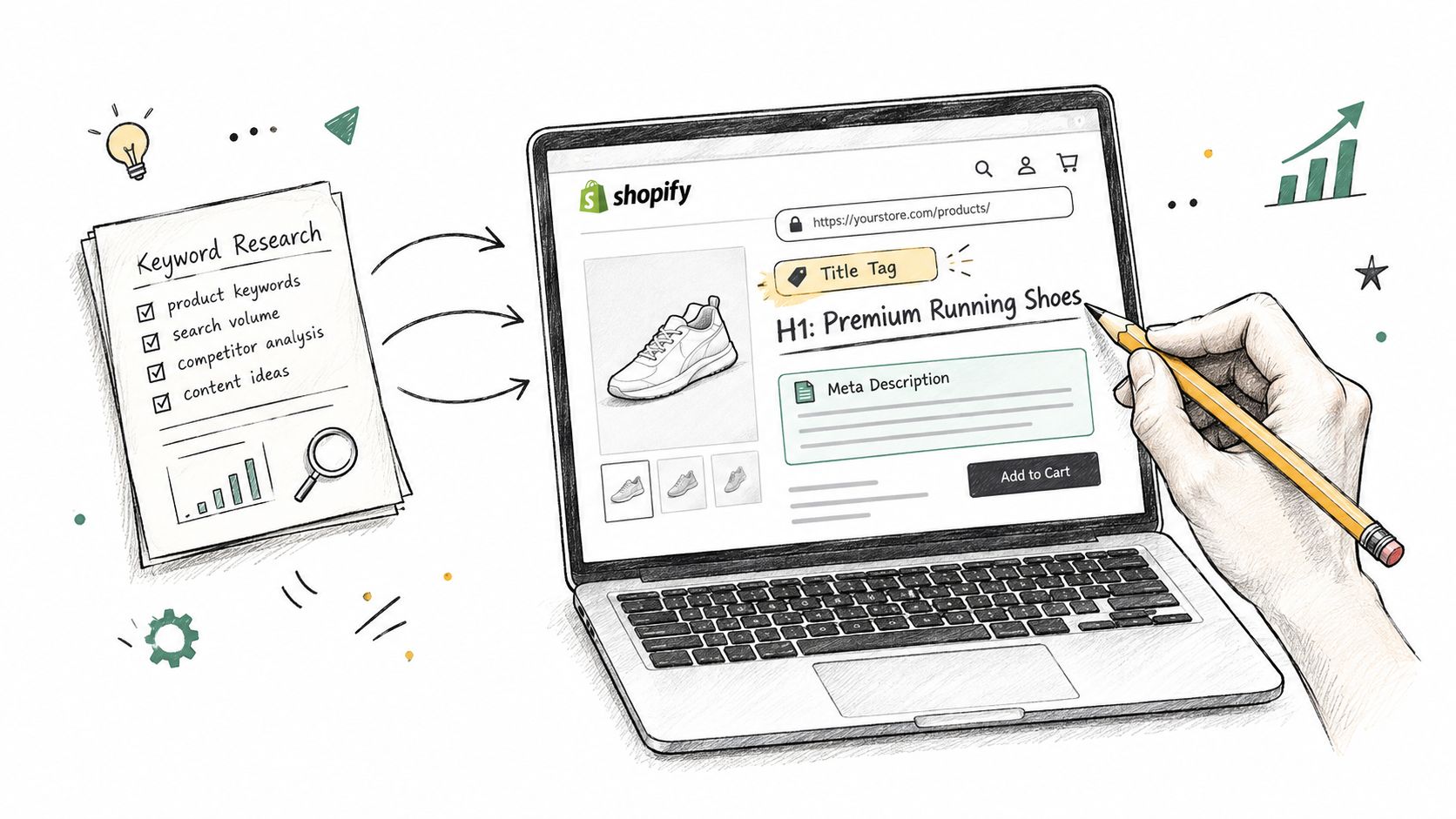
For a product page, review the title tag, H1, meta description, URL handle, primary product copy, specifications, and image alt text. For a collection, align the title, H1, visible introduction, product selection, internal links, and supporting filters. The keyword should appear where it accurately describes the page, not in every available field.
Avoid Shopify implementation shortcuts
Themes can produce duplicated or poorly differentiated headings if the template uses the product or collection title automatically and the merchant adds another heading in the content. Check the rendered HTML rather than assuming the editor fields create the structure you intended.
Fill alt text per image. A filename may describe an asset for your media library, but it isn't a substitute for concise alternative text that explains what the image shows in context. Keep the wording useful to someone who can't see the image.
Collection descriptions also need placement judgment. If all meaningful copy sits far below the product grid, it may do little to help shoppers understand the category. Put a clear, useful introduction where visitors can see it, then add supporting detail only when it improves the buying experience.
For a large catalog, manual editing becomes a bottleneck. Use the Shopify Admin API or a structured import tool such as Matrixify to prepare and publish consistent title, description, and metadata changes. Test a small batch first, preserve the original values, and inspect the live pages after publishing. A practical guide to adding keywords to Shopify can help translate the research sheet into page fields.
Don't treat a successful import as proof of a successful optimization. Reopen the live URL, inspect the rendered title and heading, check canonical and structured data output, and confirm that the page still displays the right products. Submit important updated URLs through Google Search Console, then monitor indexing and query changes rather than assuming the update has been understood immediately.
The verification loop is where many bulk projects fail. A spreadsheet can say “complete” while the theme overrides the title, a collection handle redirects unexpectedly, or an app adds a second metadata value. Live-page verification is part of keyword implementation, not an optional QA task.
A Shopify Keyword Research Checklist You Can Reuse
A quarterly audit works best when it combines a full review with lighter checks between audits. The catalog changes, seasons alter demand, competitors launch new products, and Search Console reveals queries that your current pages almost rank for but don't serve cleanly.
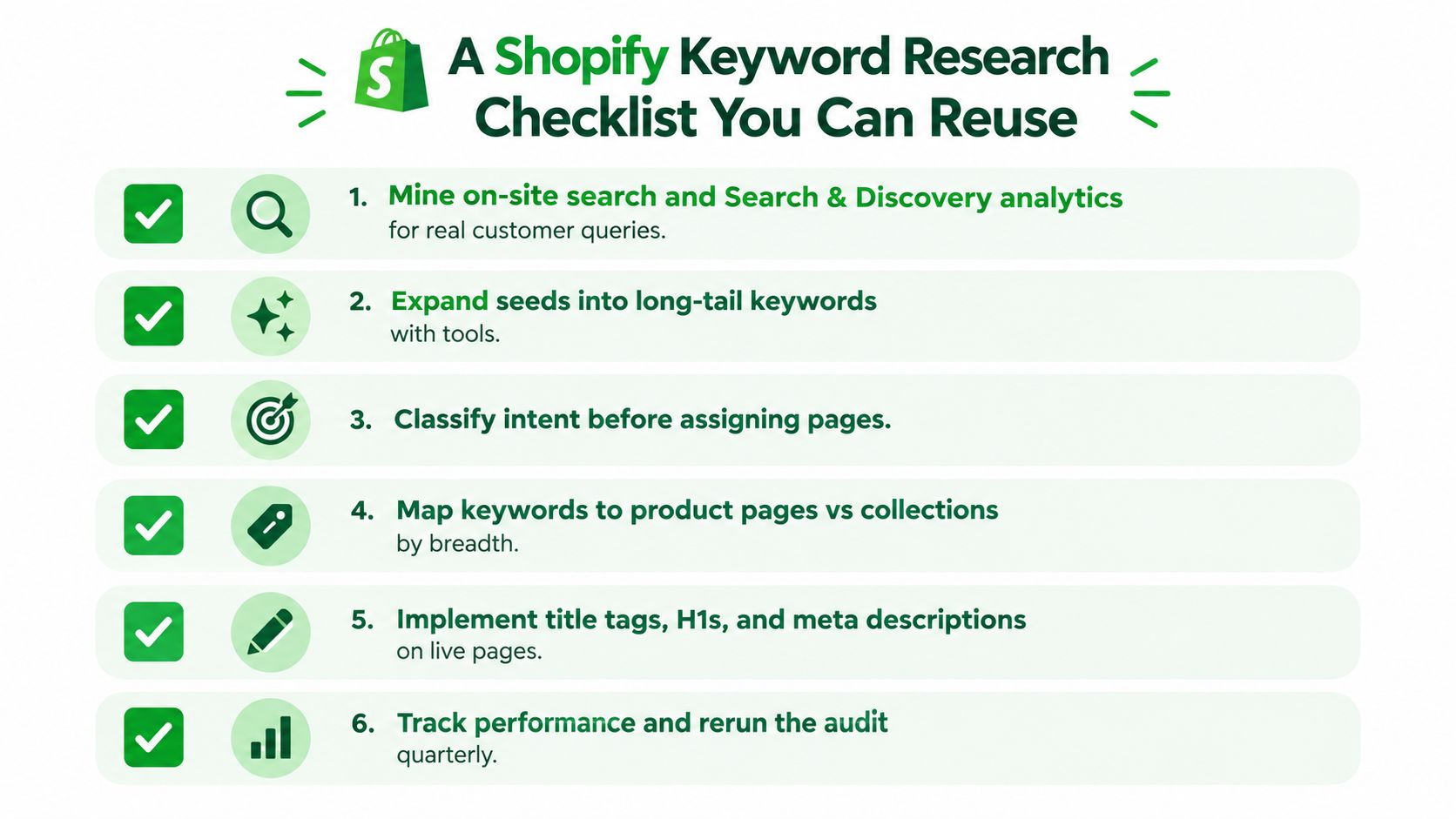
Use this reusable sequence:
Mine internal demand. Export Shopify onsite search queries and review Search & Discovery insights. Flag no-result searches, no-click searches, synonyms, and product attributes shoppers use that your navigation doesn't expose.
Add Google evidence. Pull Search Console queries for important product and collection URLs. Prioritize terms with impressions that reveal a page-topic mismatch or an opportunity to improve an existing result.
Expand selectively. Use one external tool to find related phrases, competitor category language, and long-tail variations. Don't create a page for every variation. Group terms that express the same task.
Classify intent. Separate exact product, category, comparison, and problem queries. Search the important phrases manually and record what page types appear in the results.
Choose the URL. Map specific product language to a product page, broad browsing language to a collection, qualified categories to a subcollection, and educational needs to a guide or FAQ.
Implement and verify. Update titles, H1s, descriptions, handles, alt text, internal links, and structured data where relevant. Inspect the live output and track the result in the research sheet.
Monthly spot checks should focus on the store's most important collections and best-selling products. Look for stalled impressions, new query variants, pages attracting the wrong intent, and internal searches that return weak results. A full catalog review can wait for the quarterly cycle unless the store has undergone a major product, navigation, or theme change.
The first action is straightforward. Choose your highest-traffic collection, export its current ranking queries from Search Console, and flag the terms sitting on page two. Then decide whether the existing collection needs better relevance or whether the query belongs to a product page, subcollection, or buying guide.
RankEngine audits Shopify products, collections, pages, images, headings, metadata, structured data, and internal linking, then supports verified fixes and keyword mapping through the Shopify Admin API. Visit RankEngine to connect keyword research with live-store optimization and ongoing monitoring.