 RankEngine
Shopify stores rarely lose rankings because of one dramatic mistake. They lose them when small details drift out of shape: a duplicate meta description on a collection, a product page with two H1s, or a hero image with no useful alt text. Each issue looks minor in isolation. Across a growing catalog, those inconsistencies make pages harder for shoppers and search engines to understand.
This on page optimization checklist covers ten practical tasks for Shopify stores, arranged in the order they should be handled. Every item follows the same operating principle: change the page, inspect the live result, and only then mark the task complete. That last step matters because a saved setting in Shopify or a theme editor doesn't always prove that the storefront now serves the intended HTML.
Start with your highest-value products, collections, and content pages. Use this Quikly Shopify optimization guide for additional context, then work through the live-store checks below.
Table of Contents
- 1. Meta Title and Meta Description Optimization
- 2. Heading Structure and H1 Tag Optimization
- 3. Image Alt Text and Accessibility Optimization
- 4. Canonical Tag Implementation and Duplicate Content Management
- 5. Structured Data Implementation and Validation
- 6. Internal Linking Strategy and Anchor Text Optimization
- 7. URL Structure and Slug Optimization
- 8. Page Speed and Core Web Vitals Optimization
- 9. Content Freshness and Staleness Detection
- 10. AI Search Readiness and Accessibility Configuration
- 10-Point On-Page Optimization Comparison
- Turn the Checklist Into a Recurring Routine
1. Meta Title and Meta Description Optimization
A Shopify page can look finished in the admin and still publish the wrong search snippet. I see this often after theme edits, app installs, or bulk imports. The title field is filled in, the description looks fine, but the live HTML shows a repeated pattern, an appended brand name, or no meta description at all.
That is why this task starts with the live page, not the Shopify form. Google explains in its Google SEO Starter Guide that titles should be clear and descriptive, and that snippets may come from on-page content instead of the supplied meta description. Write both fields well, but treat them as inputs, not guarantees.
Shopify gives you editable metadata for products, collections, pages, and blog posts. The catch is that themes and apps can change the final output. Some themes append the store name to every title. Some review or translation apps introduce template patterns you did not intend. On custom builds, Liquid logic may overwrite what the merchandiser entered.
Practical rule: A metadata fix is complete only when the live page shows the intended title and description. A saved admin field is still a work in progress.
For wording patterns that hold up across page types, see these SEO best practices for agencies.
Analysts behind The HTTP Archive's 2021 Web Almanac found that 98.8% of analyzed pages contained a title element, compared with 71.1% containing a meta description. On Shopify audits, that lines up with what shows up in practice. Titles are usually present. Descriptions are more likely to be missing, duplicated, or ignored because the visible copy does a better job matching the query.
For each URL, verify four things:
- Uniqueness: The title and description should identify the exact product, collection, or article.
- Search intent: Put the main topic early when it still reads naturally.
- Human appeal: Describe the page benefit plainly. Skip keyword stuffing and hype.
- Live output: Check view source or inspect the rendered document, then compare it with the Shopify field.
Keep high-risk pages in a manual review queue. Automation can catch missing fields and duplicates. A person should still approve copy for launches, regulated products, and important editorial pages, then confirm the live page and monitor Search Console after release.
2. Heading Structure and H1 Tag Optimization
A product template can look perfectly normal while sending a confusing heading structure to search engines and assistive technology. The store name may be wrapped in an H1 in the header, the product title may use another H1, and an app block may insert a third. On collection pages, a visual heading may be styled with a div while the actual H1 is missing.
Set one clear H1 for each indexable page. For a product, that usually means the visible product name. For a collection, it should describe the collection's shopping intent. Blog articles need a visible headline that identifies the subject without forcing every keyword variation into the heading.
Use H2s for major content groups and H3s for sections nested within them. A product page might use H2s for sizing, materials, shipping, and reviews. Don't choose headings because they look large in the theme editor. Choose the semantic level first, then apply visual styling through CSS.
Check the template and the rendered page
Theme limits matter here. Shopify's admin can control content, but the final heading tags often come from Liquid templates, sections, blocks, and installed apps. A developer may need to edit the theme when the same header component creates duplicate H1s across every template.
A useful audit separates:
- Missing H1s: The page has no clear primary heading.
- Duplicate H1s: Multiple components claim the primary topic.
- Bad nesting: An H2 appears before the page's H1, or headings are used only for visual size.
- Intent mismatch: The H1 names the brand or a generic template instead of the product or collection.
Inspect the live DOM in a browser after making a change. Open a product, collection, and article on mobile as well as desktop. If an app injects a heading after the theme update, the original fix isn't complete. Record the URL, template, old heading, new heading, and verification date so a future theme deployment can be compared against the approved structure.
3. Image Alt Text and Accessibility Optimization
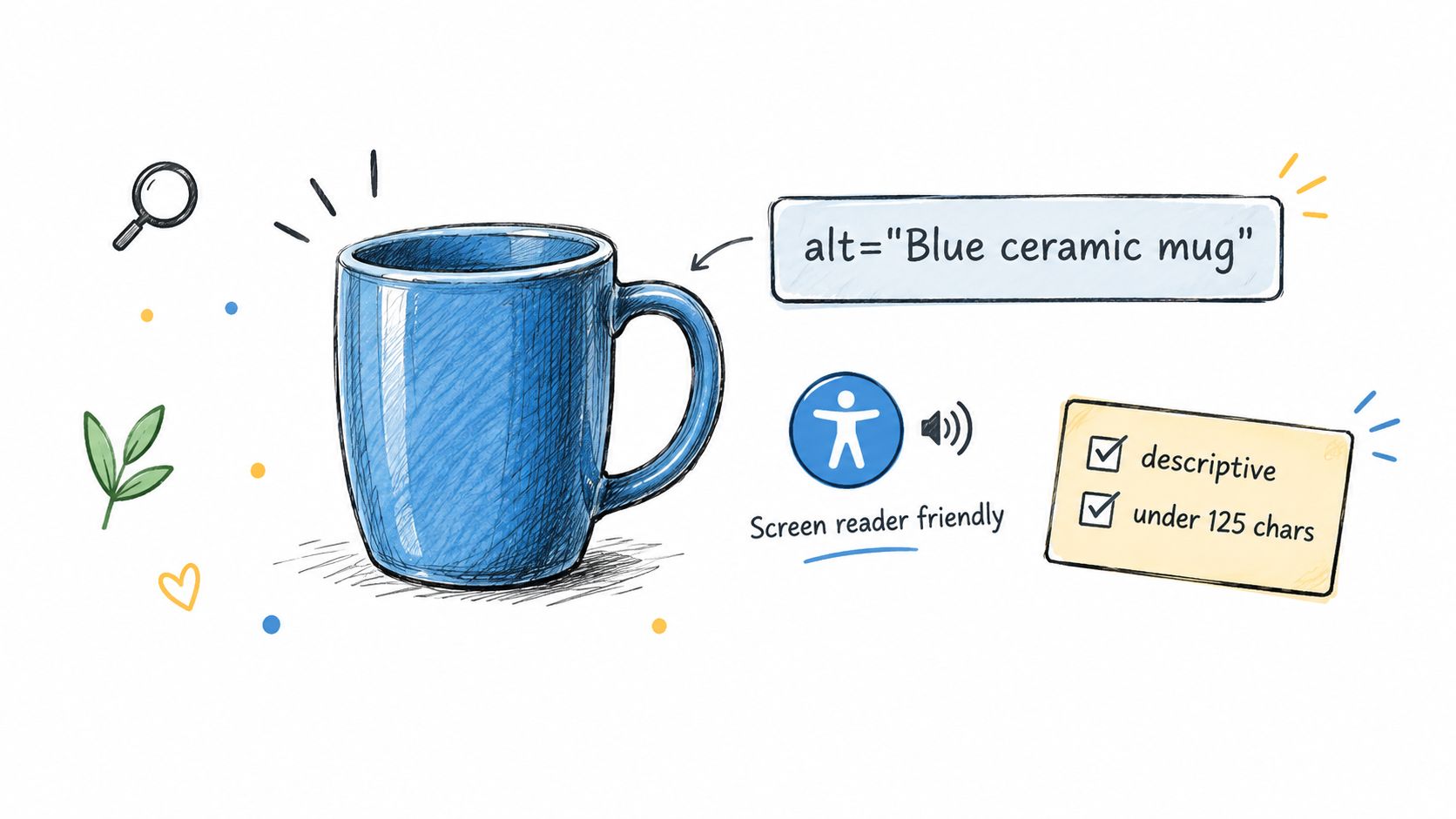
A product gallery needs alt text that describes what shoppers and screen-reader users need to know. “Product image” says almost nothing. “Blue ceramic mug with white handle” identifies the subject and a meaningful attribute without turning the field into a keyword list.
Shopify product media can inherit titles or filenames, but that doesn't guarantee useful descriptions for every angle, variant, collection image, or blog graphic. Apps may also add images after the original product record was reviewed. Treat alt text as a field that requires ongoing checks whenever merchandising teams upload new media.
Describe the image, not the keyword
Write concise text for informative images. Mention color, material, shape, fit, or visible product details when those details help identify the image. Don't begin with “image of” or repeat the product name in every gallery image if the image adds no new information.
Use empty alt text for purely decorative assets. A spacer, background flourish, or visual divider shouldn't be announced to a screen reader. Conversely, an image that communicates a product feature needs a useful description even if the surrounding copy mentions that feature.
The Shopify image alt text SEO guide can support a deeper audit, but the live verification remains yours. Check the rendered <img> element, not only the media title in Shopify.
“If the image disappeared, what information would a shopper lose?” Use that answer as the starting point for the alt text.
For a large catalog, generate first drafts from the product name and image context, then route unusual products, lifestyle photography, and accessibility-sensitive pages to human review. Confirm that new uploads receive alt text and that the theme doesn't replace your value with an empty or generic attribute.
4. Canonical Tag Implementation and Duplicate Content Management
Shopify stores create legitimate URL variations. Product options, collection filters, sorting parameters, pagination, app routes, and localized versions can all produce addresses that resemble the same page. A canonical tag tells search engines which version should represent a duplicate or near-duplicate set, but it doesn't erase the need to inspect indexability and page purpose.
Primary product and collection URLs generally need self-referencing canonicals. Filtered or parameterized pages may point to the clean collection URL when they don't deserve separate search visibility. Don't apply one rule blindly across the catalog. A filtered page with valuable, unique copy and a clear business purpose may require a different decision from a thin sorting URL.
Verify the target against the page type
Shopify themes often output canonicals automatically, while apps and custom templates can alter them. A developer may need theme-level changes when the canonical points to a product URL without the correct handle, or when a localized storefront needs a coordinated canonical and hreflang setup.
Audit these relationships:
- Primary URLs: Confirm the canonical resolves to the same clean URL.
- Variants and parameters: Check whether the variation should consolidate or stand alone.
- Pagination: Don't force every page to canonicalize to page one when separate paginated pages help users and crawlers browse the collection.
- Localization: Pair canonical decisions with language and regional targeting.
- Index controls: Compare the canonical with robots and noindex directives.
Use Google's Shopify canonical tag guidance alongside URL Inspection in Search Console. Inspect representative product, collection, filtered, and localized URLs before applying a bulk rule. Then view the live source and confirm that the canonical target is absolute, reachable, and consistent with the page's visible content.
A canonical is not a repair for weak content. It is a signal about preferred representation. If two pages serve different shoppers or contain distinct content, consolidating them may remove useful search opportunities.

5. Structured Data Implementation and Validation
A Shopify product page can look right to shoppers and still publish broken product markup. I see this often after a theme edit, an app install, or a variant setting change. The fix is not just adding schema. It is checking whether the live page, the JSON-LD, and the feed still describe the same offer under Google's structured data policies.
Start with the product page itself. Compare the visible name, images, price, availability, shipping, return details, and review content with the Product JSON-LD that Shopify or your schema app outputs. If the page defaults to one variant but the markup reports another, Google can read an offer shoppers cannot select. Theme logic matters here. Some themes update price and availability in the interface without updating every structured data field the same way.
Shopify also limits how cleanly some stores can express product data when apps inject their own markup. That is why validation has to happen on the rendered page, not only inside the theme editor.
Check the chain in this order:
- Rendered page: Confirm the shopper-facing offer is current and complete.
- JSON-LD output: Check required and recommended properties for the result type you want.
- Merchant Center feed: Make sure feed values match the page where Google expects them to match.
- Crawl access: Confirm robots and noindex settings are not blocking processing.
- Live persistence: Recheck after publishing, because inventory syncs, app scripts, and theme updates can overwrite fixes.
Use the Rich Results Test to inspect the live URL, then compare what it detects with the page source and the product feed. For a walkthrough of the validation steps in Shopify, see RankEngine's Shopify schema markup guide.
Not every schema issue should be auto-fixed. A missing field is usually safe to repair with a rule. A disputed review, a return policy exception, or shipping details that vary by market needs human review. Before you mark the task done, reload the live page and record the old value, the new value, and the validation result.
6. Internal Linking Strategy and Anchor Text Optimization
A Shopify store often has the right pages and the wrong paths between them. A strong collection sits in the menu, but key products stay buried. A buying guide gets traffic, yet it never hands shoppers to the collection or product page that fits the question. Internal linking fixes that only if you treat it as a live workflow, not a one-time content edit.
Start with pages that need discovery help. Orphaned products, new collections, and guides with clear commercial intent usually deserve attention first. Then choose the source page based on shopper context. A collection intro, a product benefit block, or a guide section near a decision point will usually carry more weight than a footer or a generic carousel.
Shopify and theme logic affect placement. Some themes limit where editors can add contextual links without touching code. Some app blocks inject related products or tabs, then duplicate links or push them outside the main content area. RankEngine can surface link opportunities, but a merchant still needs to approve the target, anchor, and placement because merchandising priorities and margin goals are not always obvious to automation.
Anchor text needs to match the destination and the moment. Use the category name when the link goes to a collection. Use the product type or feature when the destination is narrower. Branded anchors are fine when they read naturally. Repeating the same exact phrase across templates makes copy stiff and can point shoppers to pages that do not fully match the wording.
A quick approval test works well before publishing:
- What to change: Add or revise links on pages that already discuss the need, comparison, use case, or next step.
- Where Shopify may limit it: Theme sections, rich text fields, product tabs, and app-generated blocks may restrict exact placement or strip formatting.
- How to verify it live: Open the rendered page, click the link, confirm the destination is correct, and check that it loads without an unnecessary redirect or app error.
Then do one final pass on the live template. Confirm the link still appears in the main visible content, not only in a hidden accordion, slider, or duplicated section. Record the source URL, destination, anchor text, and template location. That log matters after theme updates, because Shopify changes can remove a useful internal path without notice.
7. URL Structure and Slug Optimization
A messy Shopify handle creates work later. You fix copy, links, and schema, then the live URL still reads like a campaign tag, a SKU string, or a product name stuffed with filler. Clean slugs help shoppers scan the address and help teams keep templates, feeds, and redirects easier to manage.
Use the main topic and only the attributes that still matter if the page stays live for a long time. /products/yeti-rambler-26oz-water-bottle says what the page is. /collections/mens-organic-cotton-shirts does the same. Long handles built from every synonym, color, and promo term usually age badly. They also break the moment merchandising changes the product title.
The practical question is not whether a shorter slug looks better. It is whether the change is worth a migration.
Shopify lets you edit handles and can create a redirect, but that does not finish the job. Published URLs can already sit in menus, filters, blog copy, merchant center feeds, external links, and saved bookmarks. A good review process starts with a simple rule. Change the handle when the current one is confusing, generic, or materially wrong. Leave it alone when the gain is cosmetic.
A useful approval flow looks like this:
- What to change: Rewrite handles so they are readable, durable, and aligned with the page topic.
- Where Shopify may limit it: Theme logic, app routes, collection filtering apps, and feed setups may still reference the old path or generate alternate versions.
- How to verify it live: Open the old URL and confirm it redirects to the intended page. Then load the new URL, check that it resolves correctly, and confirm the canonical points to the new address.
Before you mark the task done, review a few specifics. Use hyphens between words. Keep one naming pattern across products and collections. Avoid dates, temporary campaigns, and claims likely to expire. Update internal references where you control them, especially navigation, content links, canonicals, and feeds.
Then check the rendered page one more time. Make sure no app-generated route, tag page, or filtered URL competes with the preferred version. Log the old handle, the new handle, and the redirect result. On Shopify, a stable URL usually beats a slightly better phrase.
8. Page Speed and Core Web Vitals Optimization
A slow Shopify page usually fails in familiar places. The product hero image loads late. A review app shifts the layout after the page looks finished. A collection filter works on desktop but feels sticky on mobile. Those are the cases to fix first, and each one needs a live check before you call it done.
Google measures loading with Largest Contentful Paint, interaction responsiveness with Interaction to Next Paint, and visual stability with Cumulative Layout Shift. The web.dev Core Web Vitals business case says Tencent Video achieved a 70% improvement in click-through rate after passing Core Web Vitals. That gives performance work a clear commercial case, not just a technical one.
On Shopify, I review speed by template and device, then by the specific element causing the issue. A homepage score can look fine while product pages struggle with oversized media or app scripts. Mobile often exposes the underlying problem.
Use a fix, limit, verify workflow:
- What to change: Compress and resize hero, product, and collection media. Delay nonessential scripts. Reserve space for banners, images, and app blocks. Test menus, filters, variant selectors, and add-to-cart actions under mobile conditions.
- Where Shopify or the theme limits the change: Theme code controls a lot of rendering behavior, but apps can still inject scripts, widgets, and dynamic sections you cannot cleanly control without trade-offs. Removing an app may break reviews, subscriptions, tracking, or merchandising features. Sometimes the right answer is selective loading or a theme change.
- How to verify it live: Check the exact URL after deployment on real devices. Confirm the main image appears quickly, no late content pushes the layout, and key interactions respond without lag. Then recheck the same template after new apps, campaign banners, or theme updates go live.
Use PageSpeed Insights for page diagnostics and Search Console for field trends. Track issues by template, affected URLs, mobile severity, effort, and recheck date. One better lab result is not enough. On Shopify, speed work stays done only if the live page still behaves well after the next store change.
9. Content Freshness and Staleness Detection
A Shopify page goes stale in ways shoppers notice fast. The product description lags behind the current item. Variant availability changes but the copy still promises options that are gone. A blog post keeps ranking while sending people to discontinued products or outdated advice. Those are not cosmetic issues. They affect trust, conversion, and how useful the page is in search.
On Shopify, freshness work is a fix, limit, verify process.
Start with the pages that matter commercially or have started slipping. Product pages, collection pages, buying guides, and fit content usually show the problem first. Seasonal collections are a common trap. Campaign copy, badges, and merchandising blocks can stay live long after the promotion ends.
Here is what to review before you mark a page done:
- What to change: Update the parts that are wrong or thin. Check product descriptions, images, prices, variant references, availability language, size guidance, recommendations, and linked products. For evergreen guides, tighten the sections that no longer answer the query clearly instead of rewriting everything.
- Where Shopify or the theme limits the change: Some visible content is controlled in the product admin. Other parts come from metafields, theme sections, collection rules, or app blocks. That split causes misses. A merchant may update the catalog but leave theme copy, badges, tabs, or guide blocks unchanged. Human review is still needed.
- How to verify it live: Open the published URL and compare it with the current catalog and storefront behavior. Confirm the live page shows the correct product details, active links, current merchandising, and no references to retired variants or expired campaigns. If the theme caches sections or an app injects content, verify after publish, not just in preview.
Timestamps are the last step, not the job. Change the date only when the page received a real update.
Use Search Console to spot pages losing impressions, clicks, or average position, then inspect the live page before editing. If you want to explore Search Console endpoints, use that workflow to build refresh queues by template and URL. Record what changed, then revisit the page later. Fresh content on Shopify stays fresh only if the storefront still reflects the update after the next catalog, theme, or campaign change.
10. AI Search Readiness and Accessibility Configuration
A Shopify page can look correct to a shopper and still be messy for crawlers, AI systems, or assistive tools. That usually happens after theme edits, app installs, or feed changes. The fix is not adding one more file. The fix is aligning what the live page says, what the code exposes, and what users can use.
Start with the page itself. Product name, description, price, availability, images, alt text, labels, and structured data should all match on the published URL. If the theme outputs one value and an app injects another, machine-readable files only spread the mismatch faster.
On Shopify, the control points are split. robots.txt can restrict access. The theme controls much of the visible markup. Apps may add product data, reviews, badges, or schema. Files like llms.txt and agent.json can support a wider discovery setup, but they do not replace crawlable pages, accurate structured data, clear copy, or accessible controls.
I treat this as a fix, then verify workflow.
First, decide what should be exposed and what should stay limited. Some merchants want broad visibility. Others have clear privacy or data-use reasons to restrict access. Set the rule intentionally. A copied robots rule can block product pages, assets, or approved services without anyone noticing until traffic drops.
Then verify the live result before you mark the task done:
- Access: key product and collection pages load for permitted crawlers.
- Visible and machine-readable content: structured data and any product manifests match the page a customer sees.
- Accessibility: images, buttons, forms, labels, and navigation work with assistive technology.
- Policy: robots settings reflect the merchant's real distribution choice.
- Measurement: analytics can separate AI-referred visits when the platform passes usable referral data.
Check representative queries in the AI services your team watches. Treat inclusions as observations, not promises. Log the query, cited page, answer, source, and date.
Then return after theme, app, inventory, or policy changes. On Shopify, AI readiness and accessibility are never set once. They stay accurate only if the live storefront still reflects the configuration after every release.
10-Point On-Page Optimization Comparison
| Item | 🔄 Implementation Complexity | ⚡ Resource Requirements | ⭐ Expected Outcomes / 📊 Impact | Ideal Use Cases | 💡 Key Advantages / Tips |
|---|---|---|---|---|---|
| Meta Title and Meta Description Optimization | Medium, audit + API writes; needs copy review | Low–Medium, batch fixes reduce manual time; copywriting effort | ⭐ High, measurable CTR & search visibility gains; 📊 fast, trackable improvements | Large catalogs, conversion-focused stores | Auto-verified fixes, batch operations; leave 5–10% manual for brand-critical pages |
| Heading Structure and H1 Tag Optimization | Low–Medium, detect/mend hierarchy; theme edge cases | Low, mostly text/template edits; occasional dev help | ⭐ Moderate, better UX and clearer topical signals; 📊 improved scannability | Product pages, blogs, stores with templating issues | Low-risk, reversible fixes; align H1 with meta/title for coherence |
| Image Alt Text and Accessibility Optimization | Low, bulk generation + verification; review recommended | Low–Medium, AI-assisted filling; manual checks for brand detail | ⭐ Moderate–High, better image search visibility & accessibility; 📊 compliance benefits | Large SKU sites, accessibility-focused brands | Improves WCAG compliance and image SEO; keep alt text concise (<125 chars) |
| Canonical Tag Implementation and Duplicate Content Management | Medium–High, planning for params, variants, hreflang | Medium, URL strategy, testing, developer involvement | ⭐ High, consolidation of ranking signals; 📊 reduces crawl/index bloat | Stores with variants, filtered collections, multi-language setups | Prevents ranking fragmentation; use self-referential canonicals and test in GSC |
| Structured Data (Schema Markup) Implementation and Validation | Medium, JSON-LD injection & validation; handle conflicts | Medium, data mapping and ongoing updates | ⭐ High, enables rich results and AI citations; 📊 notable CTR lift from rich snippets | E‑commerce (product pages), blogs aiming for rich snippets | JSON-LD easier to maintain; validate with Rich Results Test before rollout |
| Internal Linking Strategy and Anchor Text Optimization | Medium, analysis + prioritized linking; manual edits | Medium, content edits and CMS work | ⭐ Moderate–High, improved crawlability and authority flow; 📊 reduced bounce, better rankings | Sites with orphaned pages or topic clusters | Prioritize links from high-authority pages; balance keyword/branded anchor text |
| URL Structure and Slug Optimization | Medium, audit simple; changes require careful redirects | Medium–High, manual slug edits, 301 redirects, dev/admin time | ⭐ Moderate, improved CTR and usability; 📊 long-term crawlability gains | Sites with generic slugs or inconsistent naming, multi-language stores | Prioritize top-traffic slugs; document conventions and implement 301s on change |
| Page Speed and Core Web Vitals Optimization | High, theme/app, code and asset work; complex fixes | High, developer resources, possible theme changes | ⭐ High, direct ranking & conversion uplift; 📊 significant UX and metric improvements | High-traffic stores with poor LCP/CLS or heavy apps | Prioritize LCP and remove render-blocking resources; monitor CWV after changes |
| Content Freshness and Staleness Detection | Low–Medium, automated detection; content work needed | Medium, content writers and periodic maintenance | ⭐ Moderate, quick gains when refreshing high-impact pages; 📊 improves trust and rankings | Seasonal products, blogs, product data that changes often | Focus on top-traffic stale pages; update substantively (>20%) before changing dates |
| AI-Search Readiness: llms.txt, Agent.json, Accessibility Configuration | Medium, new formats + monitoring; standards evolving | Low–Medium, one-time setup, ongoing tracking | ⭐ Variable, early mover advantage; 📊 potential new referral sources from AI assistants | Brands seeking AI visibility or real-time product exposure | Low-lift setup with control over AI crawler access; monitor citations and privacy implications |
Turn the Checklist Into a Recurring Routine
Work through the on page optimization checklist in order, starting with your highest-traffic products, collections, and blog posts. Fixing a missing description on a valuable collection is usually more useful than polishing a low-value URL. The same applies to headings, canonicals, structured data, links, and performance. Prioritize by business value, affected URL count, implementation risk, and the confidence that you can verify the result.
Log every change. Record the URL, template, old value, new value, person responsible, deployment date, and live verification result. If a theme limit prevents a safe automated fix, mark it for developer or merchant review instead of reporting it as complete. That distinction protects the team from dashboards that show green while the storefront still serves the old HTML.
Review Search Console two to four weeks after a change, then decide whether to expand the fix to another batch. The waiting period gives the team a practical observation window, but it isn't a guarantee that every page will be recrawled or that rankings will move. Measure the result against the original problem. A metadata update should be evaluated through search appearance and clicks. A schema repair should be checked for validity and matching offer data. A performance change should be reviewed in field data by template and device.
Repeat the full pass on a fixed schedule. Catalogs change. Inventory changes. Merchandising teams rename collections. Apps inject new blocks. Theme releases can alter headings, canonicals, scripts, and image attributes without an SEO ticket. A recurring audit catches drift before it spreads through hundreds or thousands of URLs.
RankEngine can audit Shopify products, collections, pages, articles, images, and structured data, apply supported fixes through the Shopify Admin API, and verify each change against live store values before marking it complete. Use automation for repeatable fields and safe repairs. Keep brand decisions, product claims, localization, accessibility judgments, and ambiguous schema cases in a human review queue.
The best process is not “optimize once.” It is fix, verify, monitor, and repeat. That workflow turns a static list into an operating system for a changing Shopify store.
RankEngine audits Shopify pages, applies supported on-page and AI-search fixes, and re-reads live storefront values before marking work complete. Use RankEngine to turn this checklist into a verified workflow, then review the pages that still need human judgment.