 RankEngine
You've edited the SEO title and description for a batch of Shopify products, saved the records, and watched the search preview update. Then you check the storefront and discover that some pages still serve the old title, others use a theme-generated description, and a few have no description at all. The admin appears correct, but the HTML tells a different story.
That gap is why meta tags Shopify work shouldn't stop at writing copy. A reliable process audits the current catalog, creates useful metadata, applies changes through the right Shopify control point, and confirms the output on the live store. Shopify supports editable search titles and descriptions for products, collections, pages, and blog posts, but the visible editor is only one part of the delivery pipeline. Shopify's ecommerce SEO audit guidance identifies title tags and meta descriptions as the primary search-result elements merchants can edit.
Table of Contents
- Why Meta Tags Shopify Work Is Really a Verification Problem
- Editing Meta Titles and Descriptions in the Shopify Admin
- Auditing Your Catalog for Duplicate and Missing Meta Tags
- Reusable Meta Tag Templates That Scale Across a Catalog
- Applying Verified Bulk Fixes Through the Shopify Admin API
- Confirming the Live HTML Matches What You Just Wrote
- Turning Meta Tag Work into a Repeatable Operating Habit
Why Meta Tags Shopify Work Is Really a Verification Problem
A typical failure starts with a reasonable project. A merchandising team updates hundreds of product SEO titles, saves the changes, and waits for rankings or clicks to improve. When the results stay flat, the team often blames the wording, even though the issue may be that the active theme, an SEO app, or a template is still rendering something else.
That's why I treat Shopify metadata as a pipeline rather than a field:
- Audit what Shopify and the storefront currently contain.
- Write page-specific titles and descriptions around search intent.
- Apply changes through native fields or supported metafields.
- Confirm that the live HTML matches the approved values.
A useful technical reference point is Shopify's title_tag and description_tag metafields. Shopify exposes these resource-level controls for products, collections, pages, blogs, and articles, while the theme determines how values are rendered in the document. The admin SEO editor is therefore an input interface, not proof that the storefront output is correct.

The four page types and the rendering layer
Open a product, collection, page, or blog post in Shopify and you'll find a Search engine listing area. Leaving the fields blank allows Shopify, the theme, or the search engine to rely on generated or page-derived text. That fallback can be serviceable for a small store, but it often becomes repetitive across a large catalog.
The active theme may assemble a title from the resource name and store name. An app may inject or modify a description. A custom theme may reference page_description or another template variable. If two systems write metadata, the value you see in the admin can differ from the value a crawler or search engine reads.
Practical rule: Treat every admin edit as a proposed storefront change until you've inspected the rendered source.
Independent SEO research cited in Shopify-focused guides reinforces why the audit deserves attention. A 2025 Ahrefs analysis of 11.8 million Google search results found that pages with keyword-optimized title tags ranked 3.5 positions higher on average than pages with auto-generated titles, as reported in Shopify-focused research on meta tags. That finding doesn't mean a rewritten title guarantees movement. It does mean default output deserves scrutiny, especially when it repeats product names without clarifying category, use case, or differentiator.
For broader context on how crawling, indexing, and ranking interact, this guide to crawling, indexing, and ranking in SEO is useful. A separate SEO guide for stores from Alpha Omega Digital can also help teams connect page-level metadata with wider store optimization.
Editing Meta Titles and Descriptions in the Shopify Admin
A product can look correct in Shopify's SEO preview and still publish the wrong title or description. Edit the record first, then verify what the storefront outputs.
For a product, open Products, select the item, scroll to Search engine listing, and choose the edit option. For a collection, go to Products, then Collections. Pages are under Online Store. Blog content appears under Content or the store's blog area, depending on the admin layout.
Shopify commonly uses under 60 characters for title tags and under 160 characters for meta descriptions. Treat those limits as writing guardrails, not display guarantees. Put the product or category term near the beginning, remove padding, and describe the page's actual value. A title should make the result distinct from similar catalog pages.
What to edit on each page type
A product title should name the item and add a useful qualifier, such as material, audience, or use. A collection title should lead with the category and clarify what shoppers can find there. Page titles can describe a service or policy. Blog titles should make the question or task clear.
The visible page title or H1 and the SEO title serve different purposes. Keep their topic aligned, but do not force identical wording. The H1 supports visitors on the page, while the title tag helps searchers choose a result.
Write descriptions that are specific and actionable. The Silva Marketing meta description guide provides practical advice for summarizing page value without repeating keywords.
Save the parent product, collection, page, or article after changing the SEO fields. Preview edits are not enough. After saving, open the storefront URL in a private window and inspect the rendered HTML, including the <title> element and the meta name="description" tag. If the values differ, check the theme and installed apps before marking the edit complete.
Auditing Your Catalog for Duplicate and Missing Meta Tags
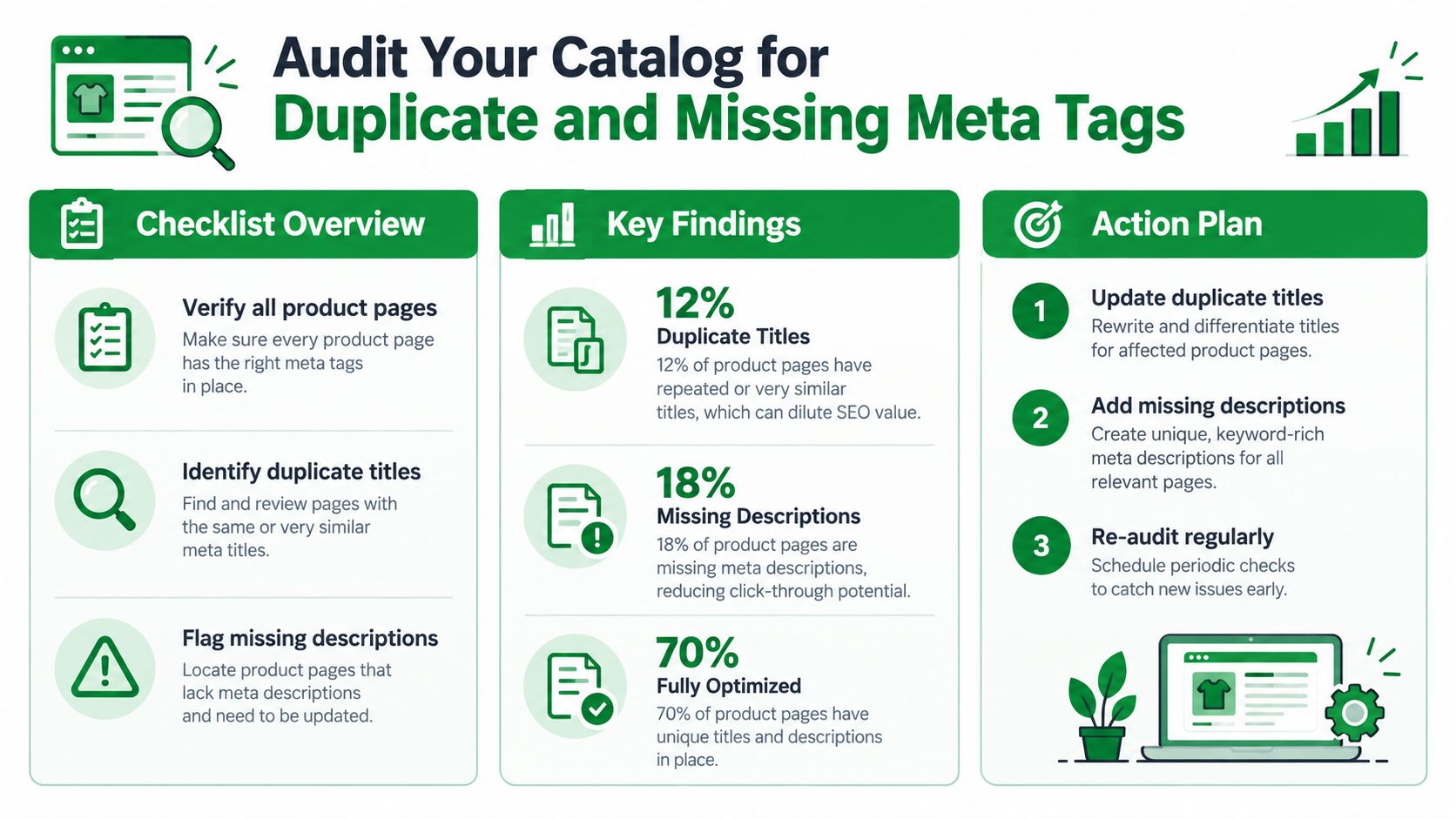
A catalog audit should come before new copy. On a large Shopify store, start by finding missing, duplicated, and heavily templated values, then decide which pages need manual judgment and which can use structured fixes.
Export the catalog or use a Shopify-aware audit tool that reads products, collections, pages, and blog articles. Review title_tag and description_tag where those fields are available. Group records by identical or near-identical text. Empty fields are easy to spot, while duplicated values can look complete in a spreadsheet and still give unrelated URLs the same search result wording.
A practical catalog review
A supplier description reused across many products is a common finding. The rows contain text, but the descriptions do not help searchers distinguish one item from another. A repeated product name followed by the same generic store phrase creates a similar problem. Treat both groups differently from pages with no metadata at all.
Check for:
- Empty values: Products or pages without a custom title or description.
- Placeholders: Text such as “Title,” “Description,” or unfinished copy.
- Exact duplicates: One title or description assigned to unrelated URLs.
- Template repetition: Copy that changes only the product name and omits useful attributes.
- Poor differentiation: Product, collection, and blog pages using nearly identical search language.
Prioritize pages with commercial importance, existing visibility, or clear search intent. Sample several records from each duplicate or template group. A template may cover many weak snippets, yet a quick global replacement can produce awkward copy when product attributes are incomplete.
Record an action queue rather than only a health score. Give every row a status such as write manually, fix with a template, leave for review, or verify after implementation. Before applying a broad change, confirm that the source fields contain the product data the template expects. For repeated titles, use this Shopify duplicate meta title fix guide as a reference. The audit is complete only when each chosen fix can later be checked against the live storefront HTML.
Reusable Meta Tag Templates That Scale Across a Catalog
Templates scale when they create a useful baseline without making every page sound identical. Build each pattern around the page type, then insert attributes that help shoppers distinguish one URL from another. The template is only a draft until you inspect the generated value and confirm the storefront uses it.
Shopify recommends placing important information early, keeping descriptions concise and actionable, and using the target keyword naturally. Search engines can shorten or rewrite snippets, as explained in Shopify's SEO guidance.
Product pages
Title formula: Primary product term, useful qualifier, brand.
- Weak:
Classic Tee - Stronger:
Organic Cotton T-Shirt, Soft Everyday Fit | Northline
Description formula: Product, practical benefit, relevant choice or action.
- Weak:
Buy this product from our online store. Great quality and fast shipping. - Stronger:
Shop a breathable organic cotton T-shirt with a soft everyday fit. Explore available colors and find your size.
The stronger versions identify the item before adding persuasion. Keep the title focused. Put secondary details such as color, size, material, or technical features in the description only when the source data is reliable. If a product feed lacks those attributes, the template should not invent them.
Collection pages
Title formula: Category, audience or use case, differentiator.
- Weak:
Women’s Shoes - Stronger:
Women’s Running Shoes, Lightweight Daily Trainers
Description formula: Category scope, shopping context, useful comparison point.
- Weak:
Browse our collection of women’s shoes. - Stronger:
Find women’s running shoes for daily training, walking, and active commutes. Compare lightweight styles by fit and use.
A collection description should explain what shoppers can find and how the range differs. Check the live collection template after saving. Theme logic can add a collection name, remove custom text, or output a different field than the one edited in the admin.
Pages and blog posts
For a service or informational page, use the primary topic followed by the audience or outcome. For a blog post, name the question or task directly.
- Weak blog title:
Our Guide - Stronger blog title:
How to Choose a Waterproof Hiking Jacket - Weak blog description:
Read our guide to choosing a jacket. - Stronger blog description:
Learn how to choose a waterproof hiking jacket by comparing weather protection, breathability, fit, and packability.
Avoid keyword stuffing, vague calls to action, and one description reused across products. Review generated samples from each resource type, then inspect the page source or rendered HTML for the final title and description. If the sentence could describe another URL without changes, add a dependable data field or rewrite that page manually. Mark the template complete only after the stored value and live output agree.
Applying Verified Bulk Fixes Through the Shopify Admin API
Manual editing is sensible for a homepage, a small set of priority collections, or products with unusual positioning. It becomes fragile when teams need to update a large catalog, because copying values between tools introduces mismatches and makes verification difficult.
The supported bulk path is to read the relevant Shopify resources, generate approved values, write the title_tag and description_tag metafields through the Admin API, and then re-read the saved values. The final read matters. A tool that reports success immediately after submitting a request only proves that it sent the request, not that the intended value is present on the store.
Build safeguards into the batch
A reliable bulk workflow separates preparation from publication:
- Export the source state so every original value can be restored.
- Generate a proposed batch using product, collection, page, or article attributes.
- Review samples containing short names, long names, missing fields, and unusual product data.
- Write supported metafields to the correct resource.
- Re-read each result and compare the stored value with the approved version.
- Send exceptions to manual review rather than forcing a malformed sentence.
The theme still matters after the API write. A correct metafield can be hidden by theme logic or an app that injects another tag. That's why catalog status should distinguish between saved, rendered, and verified live.
RankEngine is one Shopify-specific option that audits metadata, writes supported fixes through the Admin API, re-reads values before marking changes complete, and provides restore points for supported operations. Other routes include Shopify's native bulk tools, controlled scripts, or an agency workflow. The important requirement is the verification behavior, not the dashboard label.
Templates also need an undo path. A rule that works for most products may create empty separators, repeated words, or inaccurate claims for products with incomplete attributes. Keep the original values and record which rule produced each change so a reviewer can isolate and reverse a faulty batch.
Confirming the Live HTML Matches What You Just Wrote
The admin value is not the finish line. Shopify's own help guidance tells merchants to inspect page source and confirm the <title> and <meta name="description"> elements near the top of the document, which is the simplest way to catch a theme or app mismatch.
Use this three-part check after edits:
- View the page source. Open the live URL, use the browser's page-source option, and search for
<title>andmeta name="description". Confirm that the values match the approved metadata and that the document doesn't contain competing title tags. - Review a search preview. Check whether the most important wording appears early and whether the snippet reads naturally at common result widths. A preview is useful for editing, but it isn't evidence that Google will always display the same text.
- Crawl a sample. Use a third-party crawler to inspect products, collections, pages, and articles across the active theme. Include pages updated by apps, recently imported products, and URLs from every important template.
If the source still shows the old value, don't rewrite the copy again. Check whether the active theme references another variable, whether an app injects metadata, or whether the parent record was saved. Duplicate descriptions can also come from a fallback that activates when a custom field is empty.
For a controlled rendering check, RankEngine's Googlebot simulator provides another way to inspect what a search crawler may encounter. The final decision should still come from the live HTML and a representative crawl, not from an optimistic completion message in an editing interface.
Turning Meta Tag Work into a Repeatable Operating Habit
Good metadata written once and never checked will drift. New products arrive with blank fields, suppliers add generic descriptions, a theme update changes the title pattern, or an app begins injecting its own description. The store can return to inconsistent output without anyone deliberately undoing the original work.
Run the audit again after:
- Theme changes: A new theme or template can alter how resource metadata reaches the HTML.
- App installations: SEO, merchandising, translation, and review apps may modify page output.
- Catalog imports: Imported products often carry missing, duplicated, or supplier-provided text.
- Seasonal merchandising: Collections and landing pages may need fresh intent and differentiators.
- Bulk edits: A template rule can create exceptions that only appear on unusual products.
Keep a compact record for every batch: the source value, approved value, resource type, URL, implementation method, and live verification result. That record gives merchandising, SEO, and development teams a shared view of what changed and what still needs attention.
A useful definition of done: The metadata is approved, saved to the intended Shopify field, visible in the live HTML, and checked on a representative set of URLs.
The recurring loop is straightforward. Audit the catalog, prioritize pages, write or generate copy, apply changes through the correct Shopify control point, inspect the source, and recheck after changes that can affect rendering. Meta tags shopify work becomes manageable when teams treat it as QA with ownership and rollback, rather than as a one-time copywriting task.
RankEngine audits Shopify products, collections, pages, and blog articles, applies supported metadata fixes through the Admin API, and verifies live values before marking work complete. Use the RankEngine workflow to turn your next metadata batch into a tracked, reversible verification process.