 RankEngine
A Shopify product page can look perfect to a shopper and still look incomplete to Google. The title, gallery, price, and stock message are all visible, yet the search result may show only a plain blue link because Google hasn't received a clear machine-readable description of the product.
That's where product schema markup earns its place. It connects the visible storefront to structured fields such as product name, price, currency, availability, identifiers, and ratings. The implementation only works when those fields stay accurate, match what shoppers see, and survive theme updates, app changes, and variant inventory shifts.
Table of Contents
- Why Product Schema Markup Matters for Shopify Stores
- Required and Recommended Product Properties That Drive Eligibility
- Implementing Product JSON-LD in Your Shopify Theme
- Validating and Verifying Your Markup the Right Way
- Common Pitfalls That Break Rich Results and How to Fix Them
- How RankEngine Manages and Verifies Product Schema Automatically
Why Product Schema Markup Matters for Shopify Stores
A merchant selling a product such as a Braun Series 3 might have a strong product page with persuasive copy, clear photography, and a competitive price. Without structured data, Google has to infer which number is the current price, which text describes availability, and whether a rating belongs to the product or to another element on the page.
Product schema gives those relationships an explicit format. Google's Product structured data documentation describes how merchants can provide product information through markup, Merchant Center feeds, or both. For Shopify stores, JSON-LD is usually the cleanest implementation because it keeps the data layer separate from the visible theme HTML, and Google identifies JSON-LD as the recommended format for rich-result eligibility.
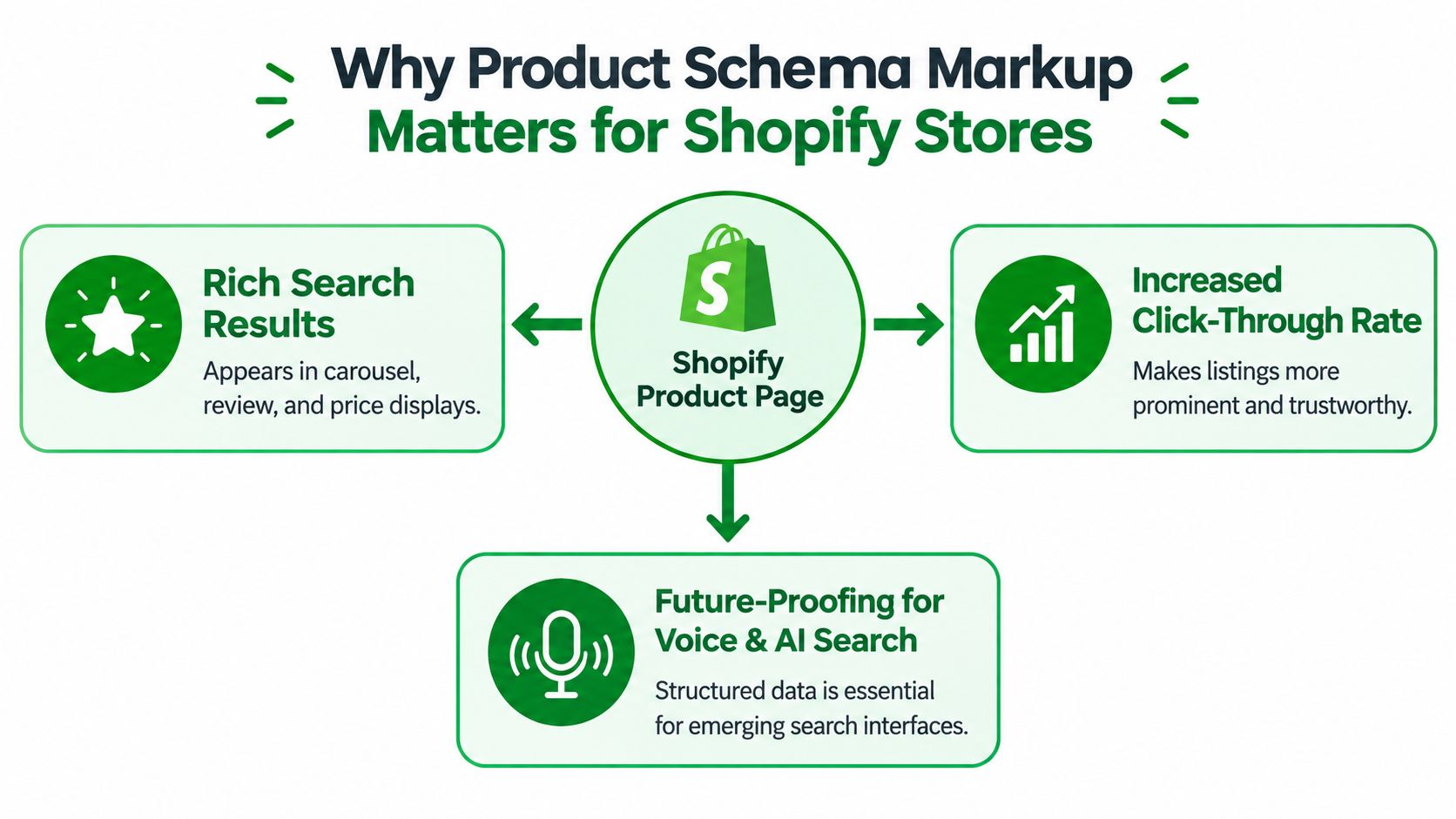
The markup can expose fields such as name, image, price, currency, availability, and ratings without changing the storefront a shopper interacts with. Google may then use eligible information in product-focused search appearances, including price, stock status, shipping details, and review ratings. The important word is “may.” Valid markup creates eligibility, but it doesn't force a particular display.
Markup and Merchant Center solve different problems
Product JSON-LD and Merchant Center feeds complement each other rather than acting as substitutes. Markup describes the product page Googlebot can crawl, while a feed supplies product information through Google's merchant systems. Google explicitly supports using either source or both, so Shopify teams should keep the values aligned instead of treating one channel as a workaround for errors in the other.
The practical payoff extends beyond a standard Search result. Google's guidance identifies product structured data as useful across Search, Images, and Lens, which makes accurate page-level markup valuable wherever shoppers discover and compare products. A useful overview of the broader structured-data role is available in this guide to structured data for SEO.
What success actually looks like
Success isn't a green validator alone. It's a product page whose structured data accurately describes the dominant entity, remains eligible in Google's tools, and gives search systems enough detail to interpret the live offer.
Industry summaries also illustrate the scale of structured data across Google Search. One schema markup statistics compilation cites rich results appearing in over 33% of Google search results, reports that 63% of Google rich results are powered by structured data, and references over 100 billion rich-result impressions annually from Google I/O 2024. Those figures describe the importance of the ecosystem, not a guaranteed outcome for any individual Shopify page.
Required and Recommended Product Properties That Drive Eligibility
Start with the product entity, then build the offer around the purchasable item. Google's current product guidance identifies name, image, offers.price, offers.priceCurrency, and offers.availability as central fields for product eligibility. If one of these values is missing, malformed, stale, or contradicted by the visible page, the page can lose eligibility even when the JSON-LD parses successfully.
Use the product title shoppers see, not an internal catalog label. Use an absolute image URL that represents the product, and make sure the image is available to crawlers. For offers, map the live selling price, ISO currency code, and inventory state from Shopify's current product or variant data.
Fields that improve identification and usefulness
Identifiers help Google distinguish similar products. A Shopify SKU is useful when your catalog maintains reliable internal identifiers. A GTIN is stronger when the manufacturer-issued identifier exists and has been verified. Don't manufacture a GTIN from a SKU, and don't output an empty identifier just to satisfy a template.
Brand, product URL, variant identifiers, shipping details, and return information can add useful context where the information is supported and visible. Ratings and reviews need stricter discipline. Only mark up an aggregate rating when the rating and review count are shown for that product on the page and reflect real customer feedback.
priceValidUntil deserves operational attention. It describes how long a price is valid, so a fixed date embedded in a theme can become stale while the offer remains technically valid JSON-LD. For stores with frequent promotions, generate the value from catalog or merchandising data, or omit it when there's no dependable validity date.
| Property | Priority | When to Include |
|---|---|---|
name |
Required foundation | Always, using the visible product name |
image |
Required foundation | Always, with the live product image URL |
offers.price |
Required foundation | When the product has a purchasable offer |
offers.priceCurrency |
Required foundation | When an offer price is present |
offers.availability |
Required foundation | When the page communicates inventory status |
sku |
High | When Shopify maintains a unique variant SKU |
gtin |
High | When a verified manufacturer identifier exists |
brand |
Recommended | When the brand is visible and known |
aggregateRating and review |
Conditional | Only when visible reviews accurately support them |
priceValidUntil |
Conditional | Only when the validity date is maintained |
| Shipping and returns | Recommended | When the policy applies to the offer and is available to shoppers |
For Shopify-specific field storage, metafields and Shopify SEO can help teams decide where durable product attributes belong. The implementation should still treat Shopify's product and variant records as the source of truth, rather than relying on manually duplicated values in theme snippets.
Implementing Product JSON-LD in Your Shopify Theme
The cleanest Shopify implementation starts with a field map, not a copied schema generator. Decide which Liquid object supplies each value, then encode it once in a controlled theme or theme-app integration.
For a simple product page, the product title and featured image come from the product object. The offer should come from the selected or default variant, because price, SKU, barcode, and availability can differ between variants. Liquid's json filter is useful for safely escaping text into JSON-LD, while numeric price output needs deliberate formatting so the result is a valid schema price rather than a localized display string.
A compact pattern can look like this:
<script type="application/ld+json">
{
  "@context": "https://schema.org",
  "@type": "Product",
  "@id": {{ canonical_url | append: "#product" | json }},
  "name": {{ product.title | json }},
  "image": [
    {{ product.featured_image | image_url: width: 1600 | prepend: "https:" | json }}
  ],
  "url": {{ canonical_url | json }},
  "offers": {
    "@type": "Offer",
    "url": {{ canonical_url | json }},
    "price": {{ product.selected_or_first_available_variant.price | divided_by: 100.0 | json }},
    "priceCurrency": {{ cart.currency.iso_code | json }},
    "availability": "https://schema.org/{% if product.selected_or_first_available_variant.available %}InStock{% else %}OutOfStock{% endif %}",
    "sku": {{ product.selected_or_first_available_variant.sku | json }}
  }
  {% assign barcode = product.selected_or_first_available_variant.barcode %}
  {% if barcode != blank %},
  "gtin": {{ barcode | json }}
  {% endif %}
}
</script>
This is a starting pattern, not a drop-in guarantee. Check how the theme exposes canonical_url, currency, image URLs, and selected variants. A theme can also contain existing Product JSON-LD, while a review app or SEO app injects another copy. Duplicate entities with conflicting prices and identifiers make debugging harder, so inspect the rendered HTML before adding a second implementation.

Variant groups need a deliberate model
A product with color and size options shouldn't be represented as a collection of disconnected products with competing canonical URLs. Google's Product variant guidance supports a product-group model using productGroupID, variesBy, and hasVariant. The group should have one canonical product URL, while each variant should have a unique identifier such as sku and, ideally, a URL that lets the shopper select that variant directly.
A conceptual variant graph looks like this:
{
  "@context": "https://schema.org",
  "@type": "ProductGroup",
  "name": {{ product.title | json }},
  "productGroupID": {{ product.id | json }},
  "variesBy": ["https://schema.org/color", "https://schema.org/size"],
  "url": {{ canonical_url | json }},
  "hasVariant": [
    {% for variant in product.variants %}
    {
      "@type": "Product",
      "name": {{ product.title | append: " " | append: variant.title | json }},
      "sku": {{ variant.sku | json }},
      "url": {{ canonical_url | append: "?variant=" | append: variant.id | json }},
      "offers": {
        "@type": "Offer",
        "price": {{ variant.price | divided_by: 100.0 | json }},
        "priceCurrency": {{ cart.currency.iso_code | json }},
        "availability": "https://schema.org/{% if variant.available %}InStock{% else %}OutOfStock{% endif %}"
      }
    }{% unless forloop.last %},{% endunless %}
    {% endfor %}
  ]
}
Generate this graph from catalog data rather than maintaining variant values by hand. For teams managing broader technical changes, a practical technical SEO services guide can help connect schema work to the wider implementation and verification process. Shopify-specific implementation patterns are also covered in this Shopify schema markup resource.
Validating and Verifying Your Markup the Right Way
A successful implementation has two separate tests. First, the JSON-LD must be syntactically valid and meet the relevant structured-data requirements. Second, the live page must be eligible for the product feature Google chooses to evaluate.
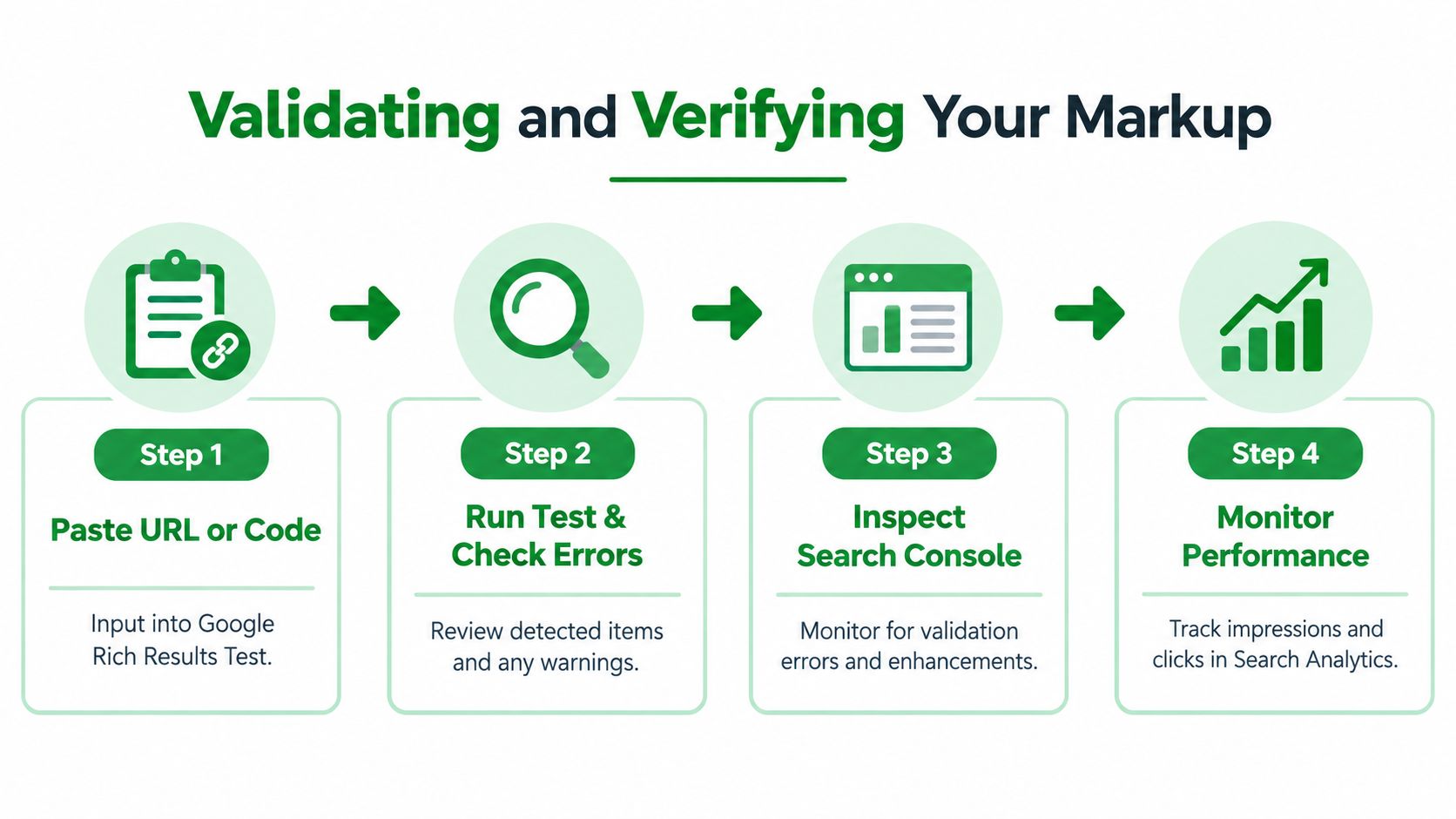
Begin with Google's Rich Results Test. Test a live product URL after deployment, not only a Liquid file or pasted code block. The live test shows what Google can access at the page level and helps reveal whether an app, theme, consent layer, or rendering issue has changed the output.
Read the output as an auditor
A green result doesn't prove that every commercial value is correct. Compare the detected Product item with the page a shopper sees:
- Identity: Does the schema name match the visible product title?
- Offer: Does the price match the selected variant and displayed currency?
- Inventory: Does
availabilitymatch the stock message and purchase state? - Reviews: Are the rating value and review count visible and product-specific?
- Scope: Is this a single product page where the product is the dominant entity?
Google's documentation says structured data must match visible content, and Product rich-result evaluation focuses on a single product or variant page rather than a page where one item is merely listed among many. That distinction matters on Shopify collection templates, recommendation blocks, and search results pages. A collection can contain product cards, but it shouldn't pretend to be one dominant Product entity.
Use Search Console after the test passes
Google's structured data search gallery identifies the Rich Results Test as the official tool for checking whether a page can generate rich results. Search Console's rich-result reports add a different view. They help identify recurring errors and warnings across the property after Google processes crawled pages.
Check a representative set of product templates, variants, sale states, and out-of-stock states. Then inspect the rendered HTML again whenever the theme, product template, currency logic, review app, or variant selector changes. RankEngine's stated workflow uses live Shopify values before marking supported fixes complete, which is a more reliable standard than treating an optimistic success message inside an editor as proof that the storefront is fixed.
The final verification question is simple: does the live page, the JSON-LD, and the merchant data describe the same offer? If not, fix the source mapping before adding more properties.
Common Pitfalls That Break Rich Results and How to Fix Them
Most failures aren't caused by exotic Schema.org syntax. They come from ordinary Shopify changes that leave the structured data behind.
A valid value can still be the wrong value
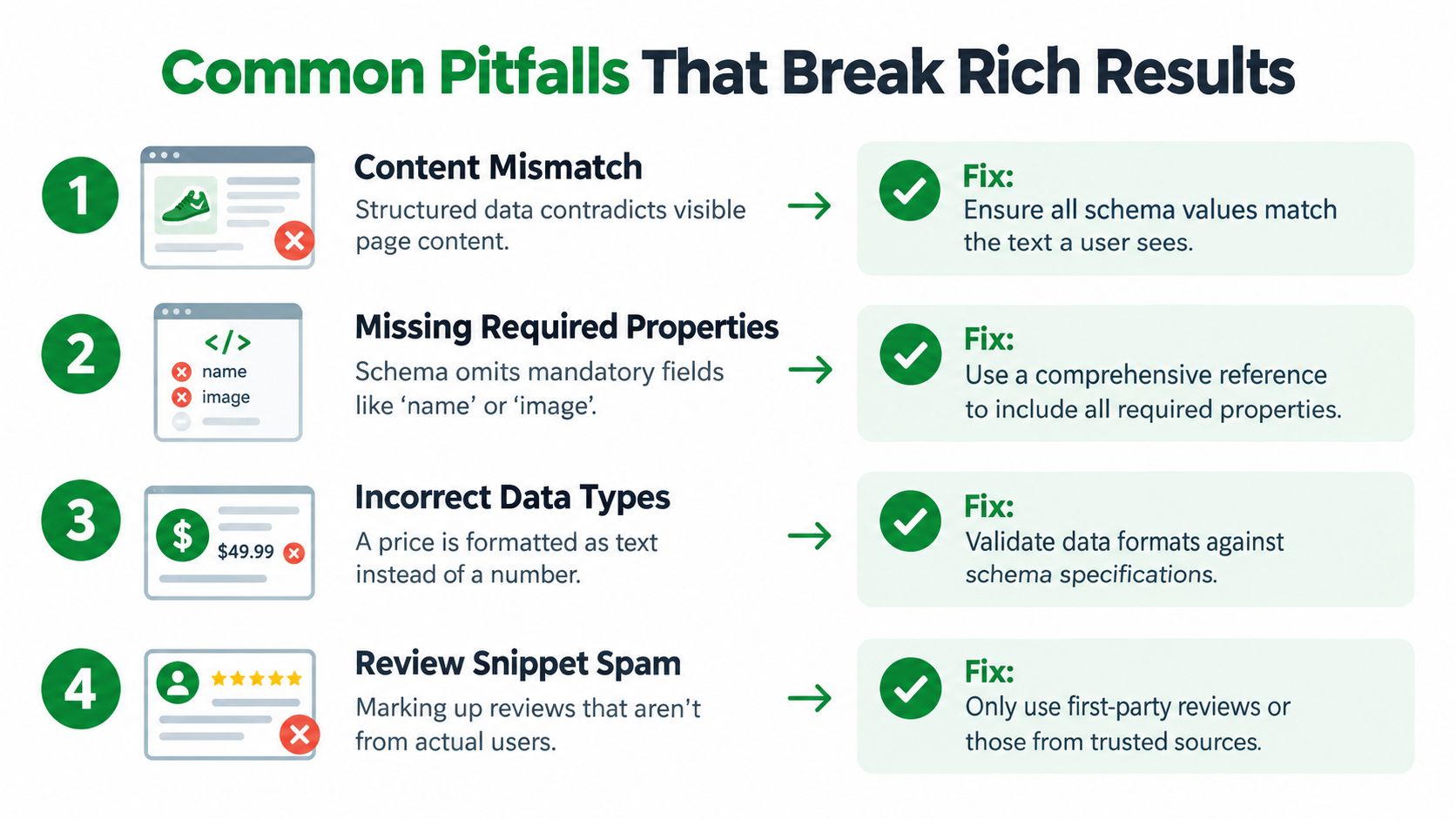
A product page may display a sale price while JSON-LD retains the regular price. It may show “Sold out” while the offer remains InStock. Both outputs can parse as valid data, but the contradiction weakens eligibility and creates a poor signal for search systems.
Dynamic fields need dynamic maintenance. priceValidUntil and availability should come from the same merchandising and inventory logic that controls the visible page. If that cannot be guaranteed, omit a time-sensitive field rather than publishing a date or status that becomes stale.
Practical rule: Never let a schema template invent certainty that the storefront can't support.
Product pages and collection pages are not interchangeable
A collection page can show dozens of products, but Product rich-result markup generally belongs on the individual product or variant page being purchased. Marking every product card as though it were the dominant entity creates ambiguity, particularly when multiple offers, prices, and ratings appear in the same document.
Keep the Product entity on the product template. Use collection markup only for the page type and entities it represents, and make sure canonical URLs reinforce that separation.
Variant duplication creates competing identities
A common failure pattern is one app emitting a Product for the parent product, another emitting each variant, and the theme adding a third offer. The result is a catalog graph with repeated identifiers, inconsistent URLs, or prices that don't correspond to the selected option.
Choose one variant model, retain one canonical product-group URL, and assign every variant a unique SKU or other reliable identifier. Validate the rendered graph, not just the Liquid loop.
FAQ markup needs a 2026 decision
Google retired FAQ rich results on May 7, 2026, while FAQPage markup remains syntactically valid and can still be parsed for understanding, as described in this 2026 schema strategy analysis. That creates a distinction between valid vocabulary and visible SERP eligibility.
Keep FAQ markup when the questions and answers are visible, accurate, and useful as machine-readable context for broader search or assistant systems. Remove it when it exists only as an obsolete attempt to obtain a Google FAQ display, or when the page no longer contains the marked content. Product schema should remain focused on the product and offer instead of becoming a container for every possible schema type.
How RankEngine Manages and Verifies Product Schema Automatically
Manual schema maintenance works for a small catalog, but it becomes fragile when prices, inventory states, review widgets, and variant combinations change independently. The operational problem isn't writing one JSON-LD block. It's keeping every generated block aligned with the live Shopify data after the next catalog edit or theme deployment.
RankEngine audits Shopify product data and schema health, then supports JSON-LD injection through theme-app integration for Product, Breadcrumb, and related structured-data types. Its workflow is built around re-reading live Shopify values before marking a supported change complete, so a successful write to Shopify isn't treated as proof that the storefront rendered the intended result.
Automation needs boundaries
Autopilot rules can handle routine fixes, with logs and restore points for supported changes. Manual review queues remain important when a merchant must decide whether a rating is visible, whether a GTIN is trustworthy, or whether multiple variants should share a product-group identity.
A sensible operating loop is:
- Audit: Find missing, duplicated, stale, or conflicting product markup.
- Map: Connect each schema property to the Shopify product or variant source.
- Fix: Inject or update JSON-LD through the theme-app configuration.
- Verify: Re-read the live page and compare it with visible product content.
- Monitor: Recheck price, availability, variants, and Search Console reports after catalog or theme changes.
That loop separates schema validity from actual eligibility, which is the distinction many Shopify implementations miss. It also prevents a one-time green test from becoming a permanent assumption.
RankEngine audits Shopify product schema, applies supported JSON-LD fixes through theme-app integration, and verifies each change against live store values before completion. Visit RankEngine to audit your catalog, manage verified structured-data fixes, and monitor the product-page issues that can remove rich-result eligibility.