 RankEngine

Your Shopify audit has flagged duplicate titles, missing alt text, slow product pages, and canonical warnings. The merchandising team wants new copy, the developer wants a clear ticket list, and nobody wants a bulk change to disrupt the products already bringing in sales.
A useful SEO optimization plan resolves that conflict before anyone edits the store. It assigns an action to each URL, sequences changes by commercial exposure, and defines how the team will verify, measure, and reverse them. More fixes isn't the objective. Better decisions, shipped safely, are.
Table of Contents
- Score Every URL Before Planning Any Fix
- Run the Technical Workstream in Order
- Fix On-Page and Schema Signals at Catalog Scale
- Speed Fixes Measured Against Core Web Vitals
- Schedule Your First 90 Days in Phases
- KPIs and Monitoring That Show Real Progress
- Start This Week With One Decision
Score Every URL Before Planning Any Fix
Score commercial importance separately from technical condition. Otherwise, a clean but unimportant page can outrank a broken bestseller in your task queue.
Export every product, collection, page, and blog article from Shopify, then associate each URL with its template. Join that inventory to Search Console landing-page data and Shopify analytics. Tag URLs as indexable, noindexed, redirected, or duplicate, retaining overlapping flags where necessary.
Google's AI optimization guidance emphasizes useful content and accurate product information. That supports a selective approach: improve pages with distinct value rather than expanding index coverage indiscriminately.
The inventory-to-priority workflow should look like this:
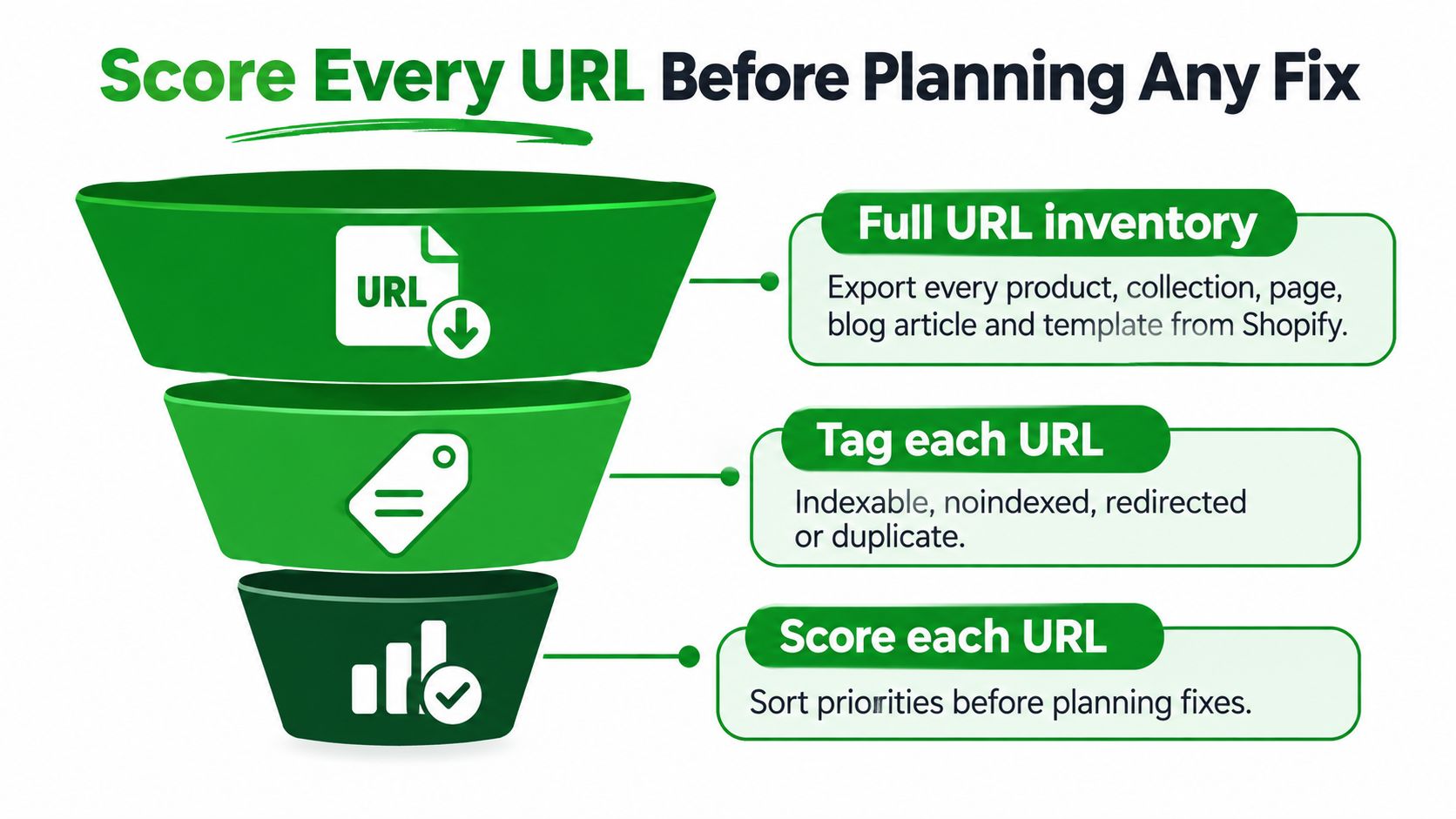
Use a declared scoring model
The following proposed operating rubric is a starting configuration, not a Google standard or an industry benchmark.
URL priority scoring weights
| Criterion | Weight | Data source | Scoring rule |
|---|---|---|---|
| Organic clicks, last 90 days | 25% | Search Console | Top 20% of URLs score 5, bottom 20% score 1 |
| Revenue per URL | 25% | Shopify analytics | Score by the URL's share of total store revenue |
| Impressions with low click-through rate | 15% | Search Console | High impressions with CTR under 2% flags title and snippet work |
| Indexability | 15% | Crawl and sitemap check | Indexable and listed in sitemap scores full; blocked scores zero |
| Duplication risk | 10% | Catalog scan | Near-identical titles or variant URLs lower the score |
| Data completeness | 10% | Shopify fields | Missing descriptions, images, or alt text lower the score |
Normalize each criterion before applying its weight. Compare CTR within similar query and position groups, and manually escalate revenue-critical URLs with indexability failures. A low score mustn't hide an urgent defect.
Use the ecommerce SEO audit checklist to structure evidence collection.
Turn scores into decisions
For a hypothetical apparel store with 4,000 products, suppose 600 URLs generate 90% of organic revenue. Give those landing pages close review before spending editorial time on near-identical colour variants.
Assign one primary action:
- Optimize: Keep a distinct page and improve its usefulness.
- Merge: Combine overlapping content into a stronger destination.
- Redirect or noindex: Retire a redundant URL or retain it for shoppers without targeting search inclusion.
- Monitor: Leave a satisfactory or low-opportunity page unchanged.
As a proposed allocation, reserve deep work for the top 20%, use template fixes for the middle band, and review the remainder for consolidation or monitoring.
Add a template health score using indexability, Core Web Vitals, schema coverage, and data completeness. In a hypothetical 0–100 model, a product template scoring 58 and earning 70% of organic revenue deserves attention before a blog template scoring 40 and earning 3%.
Finish with a ranked sheet of your top 50 URLs, each carrying an action, owner, and reason.
Run the Technical Workstream in Order
Technical work comes before copy because an inaccessible landing page can't benefit from a better description. Follow dependencies rather than sorting tickets by how easy they look.
Google's SEO Starter Guide explains canonicalization and discovery fundamentals. Sitemap inclusion is a hint, not a guarantee of indexing, so your checklist must reconcile the signals rather than merely confirm that a sitemap exists.
Use this workflow to keep access checks ahead of editing:
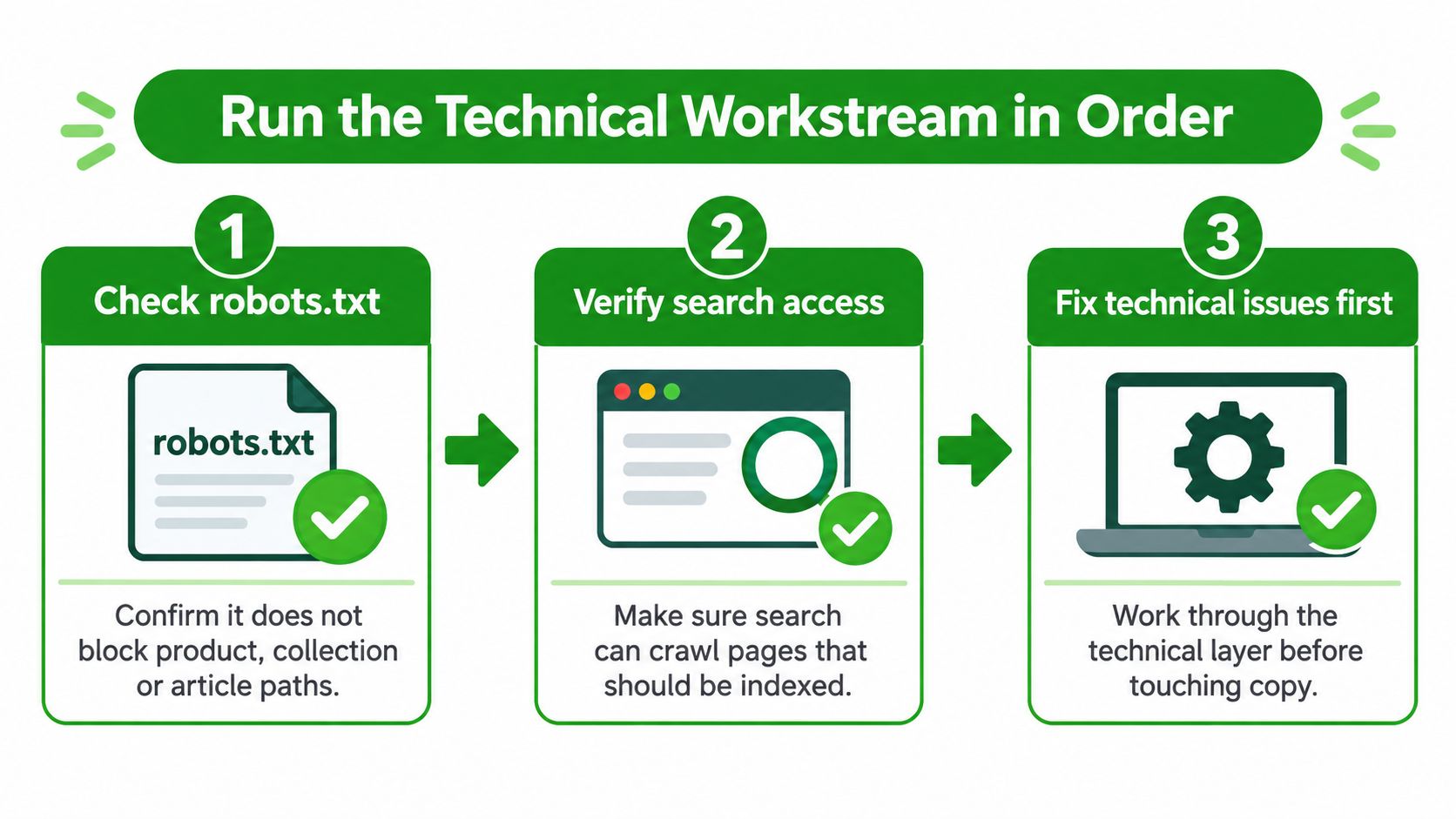
Check access before consolidation
Inspect robots.txt and rendering access. Confirm intended product, collection, and article paths are crawlable. Check the theme assets needed to render their content too. The usual slip is reviewing document access while overlooking blocked resources.
Reconcile the sitemap with the inventory. Confirm it contains canonical, indexable destinations and is submitted in Search Console. Investigate redirected, excluded, or duplicate entries instead of assuming submission forces acceptance.
Choose the preferred URL for each content entity. Inspect rendered canonical tags on products, variants, filtered collections, and pagination. Don't canonicalize a distinct collection to a broad parent merely because its URL contains parameters.
Resolve retired destinations. Use permanent redirects when a relevant replacement exists, and remove intermediate redirects. A discontinued jacket shouldn't automatically redirect to the homepage; keep a useful unavailable-product page or return an appropriate missing-page response when no replacement serves the shopper.
Align links and rendered output
Replace obsolete internal destinations. Update navigation, collection cards, editorial links, and related-product modules that point at redirects or noindexed pages. Fix the underlying template or content field, not just the examples found during the crawl.
Check mobile parity. Compare descriptions, headings, links, images, structured data, and canonical signals across layouts. Google's mobile-first indexing announcement explains that Google primarily uses mobile content for indexing. A mobile accordion is different from content that never appears in rendered HTML.
Recrawl representative templates. Test normal products alongside unavailable items, variants, filtered collections, and articles. Compare the rendered canonical, robots directives, response status, and internal links against the intended state.
Practical rule: Don't block a duplicate path in robots.txt and expect Google to discover the canonical tag behind that block.
For noindex decisions, leave the page crawlable so the directive can be read. For redirects, verify both the response and the destination's relevance.
Sign off a technical checklist containing the affected URLs, deployment date, expected state, verification evidence, and rollback point. A ticket isn't complete because a setting was saved. Someone must inspect what the live store serves.
Fix On-Page and Schema Signals at Catalog Scale
Start with template rules, then handle valuable exceptions by hand. Editing products individually without correcting the template leaves the next catalog import free to recreate the same problem.
Write separate title and description patterns for products, collections, informational pages, and articles. Use product type plus a meaningful differentiator, such as material, fit, or intended use. Don't insert every available attribute just because Shopify exposes it.
Build useful rules, not longer metadata
For a hypothetical linen shirt, a useful title distinguishes its cut or sleeve style. Repeating the brand and a generic phrase such as premium clothing across every variant doesn't help shoppers understand the difference.
- Products: Explain specifications, fit, care, compatibility, or buying constraints.
- Collections: Clarify the assortment and help shoppers choose between relevant subcategories.
- Pages: Match the information shoppers need, especially around delivery, returns, and store policies.
- Articles: Answer the topic directly and link to relevant commercial destinations where useful.
Use a clear main H1 matching the page's intent, with subordinate headings for supporting detail. Review priority URLs manually after applying rules, especially where a generated title conceals the attribute that makes a product different.
For merchants balancing catalog structure with regional positioning, Boocoo's resource on Shopify optimisation for Brisbane retailers provides a useful companion perspective.
Validate entities against visible facts
Schema needs ownership and coverage checks, not just installation. The 2024 Web Almanac schema analysis reported JSON-LD on about 41% of pages, while Product markup appeared on only 0.77% of mobile pages. That last figure describes the crawl's mobile pages, not adoption specifically among online stores.
| Template | Intended structured data | Essential review |
|---|---|---|
| Product | Product | Price, availability, image, variant consistency |
| Store navigation | BreadcrumbList | Visible hierarchy and destination URLs |
| Homepage | Organization | Business identity and consistent details |
| Blog article | Article | Headline, author, images, publication information |
| Relevant question content | FAQ where eligible | Visible questions and answers; feature eligibility |
Validate required properties for the intended search feature. FAQ markup doesn't create eligibility merely because the page contains questions.
Check whether theme code and installed apps emit conflicting entities. Valid syntax can still describe the wrong product, particularly when variant selection changes the visible price but not the JSON-LD.
For images, describe what the photo shows rather than repeating the title. Compress files before upload and retain useful detail in product close-ups.
Your deliverable is a template sheet containing copy rules, manual exceptions, schema ownership, and validation status. Test rule outputs against varied catalog examples before expanding them.
Speed Fixes Measured Against Core Web Vitals
Core Web Vitals thresholds and first fixes
The thresholds below apply at the 75th percentile of real-user experiences, as described in Google's Core Web Vitals guidance, not to a single Lighthouse run.
| Metric | Good at 75th percentile | Typical Shopify cause | First fix |
|---|---|---|---|
| LCP, largest contentful paint | 2.5 seconds or less | Oversized hero image or slow server response | Size and compress hero images, serve WebP |
| INP, interaction to next paint | Below 200 milliseconds | Third-party scripts and app code loading on every page | Remove unused app scripts, defer the rest |
| CLS, cumulative layout shift | Below 0.1 | Images, banners, or promo bars without reserved height | Set width and height, reserve space for banners |
Diagnose the template before changing assets
Segment field results by template, device, country, and URL group wherever reporting supports it. Find the commercially important group with the weakest experience, then use browser performance traces to identify the actual bottleneck.
An oversized hero image needs different treatment from a slow response or a delayed image request. Likewise, deferring scripts indiscriminately can break variant selection, consent handling, or add-to-cart behaviour. Test those interactions explicitly.
Use this repair order:
- Loading: Correct image dimensions, compression, request priority, and unnecessary render-blocking assets.
- Interaction: Remove abandoned app code and restrict third-party scripts to the templates that need them.
- Stability: Reserve space for media, promotional bars, and embedded widgets; inspect late font changes.
The Shopify speed optimization guide can help translate these findings into implementation tickets.
Define the experiment before deployment
Choose a controlled cohort and retain comparable unchanged pages. If a shared theme edit affects the whole store, don't describe unaffected-looking pages as an independent control.
Record the hypothesis, affected templates, deployment time, business guardrails, and reversal method. Keep title, schema, and linking experiments out of the same cohort while testing performance.
A faster lab result proves a diagnostic improvement. It doesn't, by itself, prove an organic revenue increase.
Allow caches and the CDN to settle before reassessing delivery, then allow the field reporting window to accumulate post-change visits. Don't interpret an immediate lab improvement as a completed field-data result.
Set the observation window and statistical decision rule before launch. Low-traffic cohorts may remain inconclusive; waiting longer or widening a carefully matched cohort is more defensible than declaring an early win.
Success means healthier field distributions on important landing pages without broken purchasing interactions. Keep conversion and error checks alongside the speed report.
Schedule Your First 90 Days in Phases
Treat the opening quarter as a proposed delivery calendar, not a promise that search performance will improve by a particular date. A typical Shopify team needs room for implementation, review, and observation.
This schedule keeps dependent work in order:
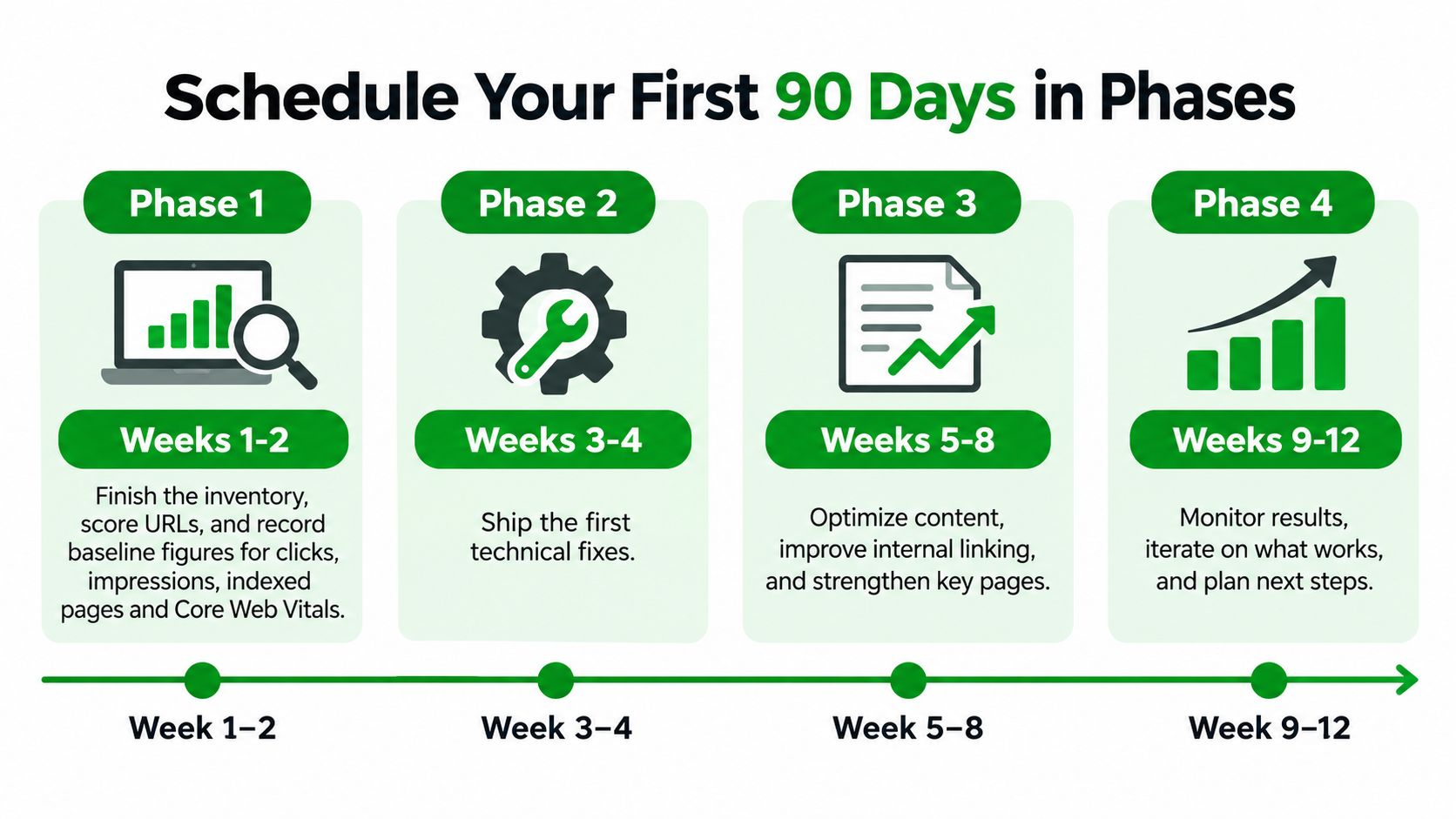
Establish the calendar and release gates
| Proposed phase | Work | Gate before expansion |
|---|---|---|
| Weeks 1–2 | Inventory, URL scoring, baseline capture | Merchant approves priorities and exclusions |
| Weeks 3–4 | Technical changes on a selected cohort | Live responses and rendered signals pass review |
| Weeks 5–8 | Copy rules and schema, released separately | Outputs match intended content and entities |
| Weeks 9–12 | Performance remediation and evaluation | Purchasing works and measurement supports the next decision |
Suppose the team begins with product pages because they carry the strongest commercial exposure. The developer resolves their technical tickets while the content team prepares rules offline. Copy doesn't need to wait for drafting, but publishing waits for technical acceptance.
During the middle phase, release title rules separately from schema changes. Otherwise, the team won't have a credible basis for attributing a subsequent change in clicks or search appearance.
Adjust scope without shortening observation
For a hypothetical 300-product store, the team might compress implementation into six weeks if the catalog uses few templates and needs little custom development. Product count alone doesn't justify that schedule; app dependencies and theme complexity can consume more time than copy review.
Measurement windows remain open until enough relevant evidence exists. A release deadline isn't a reason to call an inconclusive test successful.
Connect the release calendar to broader commercial planning. Silver Spoon Agency's guide to build a predictable customer acquisition system is useful context for coordinating acquisition work rather than treating SEO as an isolated publishing queue.
At the quarter-end checkpoint, classify each change as retain, extend, investigate, or revert. Scope the next quarter from those decisions, unresolved revenue risks, and available implementation capacity.
KPIs and Monitoring That Show Real Progress
Stable rankings don't establish accurate AI-search visibility. Build a repeatable prompt set for each product line, then record whether assistants cite the store and whether their answers reproduce current product facts.
Keep prompt wording, date, market, product, citation destination, and answer text with every observation. Review price, availability, specifications, and policy claims against live records.
Google's guidance on AI features reinforces foundational SEO, useful content, quality media, and current product information. It doesn't turn assistant inclusion into a conventional keyword-ranking metric.
Separate visibility from factual accuracy
If rankings hold but assistant answers contain stale availability, inspect the cited destination, product feed, structured data, and visible page content before rewriting titles. If the assistant cites an old external page, correcting your own markup may not resolve the whole problem.
Use a named reviewer for disputed product or policy claims. Record whether each failure concerns absence, incorrect citation, or inaccurate information.
KPIs, cadence and warning signs
The click threshold below is a proposed internal review trigger, not a universal rollback rule.
| KPI | Source | Check cadence | Warning sign |
|---|---|---|---|
| Clicks and impressions by template | Search Console | Weekly | Drop of more than 15% after a deploy |
| Indexed URL count | Search Console index report | Weekly | Sudden rise in excluded or duplicate pages |
| Organic conversion rate | Shopify analytics | Monthly | Falling while organic traffic holds steady |
| Core Web Vitals at 75th percentile | Field data report | After each deploy | Any metric leaving the good band |
| AI assistant citations and accuracy | Visibility tracking across assistants | Monthly | Wrong price or availability in answers |
Review causes before reversing changes
Compare affected templates with their baseline and a credible control. Check stock changes, promotions, query mix, seasonality, and tracking failures before attributing a movement to deployment.
Place deployment annotations next to the charts in your SEO reporting workflow. Check performance immediately for functional regressions, then revisit field metrics as post-deployment observations accumulate.
A warning should trigger investigation. Automatic rollback based on an isolated traffic fluctuation can undo a sound change.
Keep the monthly review to a page: commercial outcome, search discovery, and answer accuracy, followed by a clear decision and named owner.
Start This Week With One Decision
Approve the priority list before approving the bulk fix. Name the technical owner and lock the baseline snapshot so everyone reviews the same starting state.
Use the workspace to inspect the catalog and remediation queue:
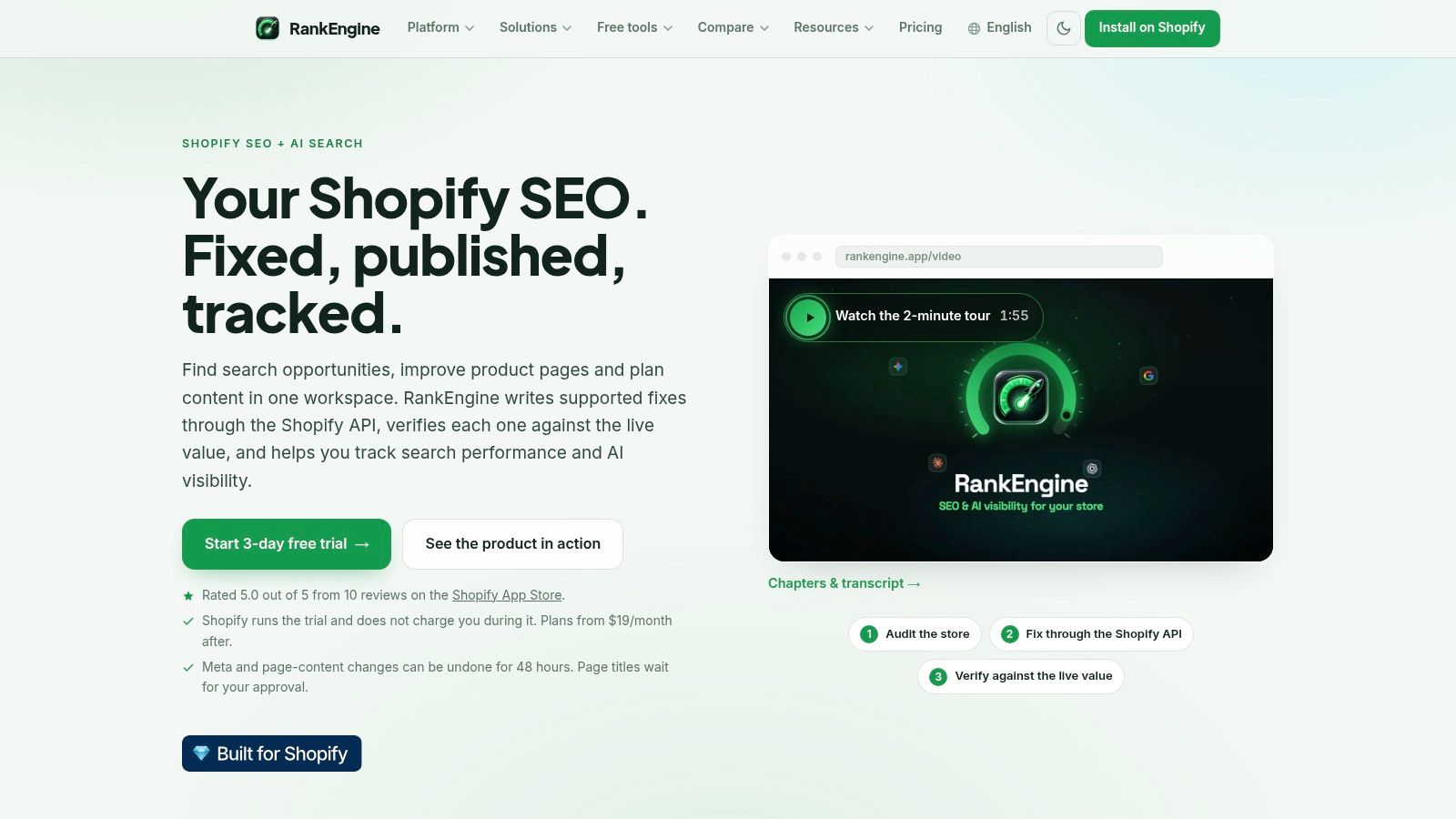
Make completion verifiable
Our process follows Audit, Review, Apply, Verify, and Monitor. We audit the live Shopify catalog, route judgement calls to a human reviewer, apply supported changes, re-read changed values, and monitor the outcome.
Merges, noindex decisions, and price or policy claims belong in the review queue. A fix counts as complete only when the live value matches the approved change.
- Merchant sign-off: Approve commercial priorities and consolidation decisions.
- SEO lead sign-off: Accept the technical checklist and release boundaries.
- Content sign-off: Approve template rules once the intended destinations are settled.
RankEngine offers Basic at $19 per month and Pro at $59 per month, both starting with a 3-day free trial managed by Shopify. Evaluate the workflow against a limited priority set rather than enabling broad changes immediately.
Use the video alongside your implementation review:
Your decision this week is which URLs deserve the next controlled release. Export the scored list and book a 30-minute review of the top 50 URLs, treating that scope as a practical starting point rather than a required minimum.
RankEngine helps Shopify teams audit their catalogs, apply supported SEO fixes, verify live changes, and monitor search and answer-engine readiness. Visit RankEngine to put your prioritized URL list into a reviewable implementation workflow, starting with the pages your team has approved.