 RankEngine
49% of ecommerce sites provide a decent or good product-page experience, while 51% are mediocre or worse. A Shopify product page template is the repeatable information architecture that helps close that gap by combining Liquid objects, JSON-LD structured data, and configurable schema sections.
Why do so many product pages still make shoppers work to understand a product, even when the store uses a polished theme? The usual problem isn't visual taste. It's that the template treats the page as a decorative wrapper around product data instead of as a system that controls what shoppers, search engines, and AI tools can understand.
A strong template coordinates the product title, H1, price, media, variants, inventory, delivery information, reviews, purchase controls, internal links, and structured data. It also separates shared layout logic from merchant-specific values, so one reliable improvement can benefit an entire catalog.
Table of Contents
- Why Product Page Templates Matter for Shopify SEO
- Product Page Template Anatomy and Structure
- Liquid Objects and Template Rendering
- JSON Templates and Schema Configuration
- Metafields for Advanced SEO Control
- Structured Data and Product Schema
- Variant Handling and Indexation Strategy
- RankEngine Template Auditing and Validation
- Image Optimization and Accessibility in Templates
- Template-Level SEO Audit Workflow
Why Product Page Templates Matter for Shopify SEO
A product-detail page is where a shopper evaluates merchandise, price, imagery, availability, variants, delivery, returns, and the purchase process. Baymard Institute's product-page benchmark reports that only 49% of ecommerce sites offer a decent or good overall product-page user experience, while 51% are rated mediocre or worse (Baymard Institute's product-page research). A related benchmark of leading US and European desktop ecommerce sites found that only 48% reached decent or good performance, and none achieved a perfect score.
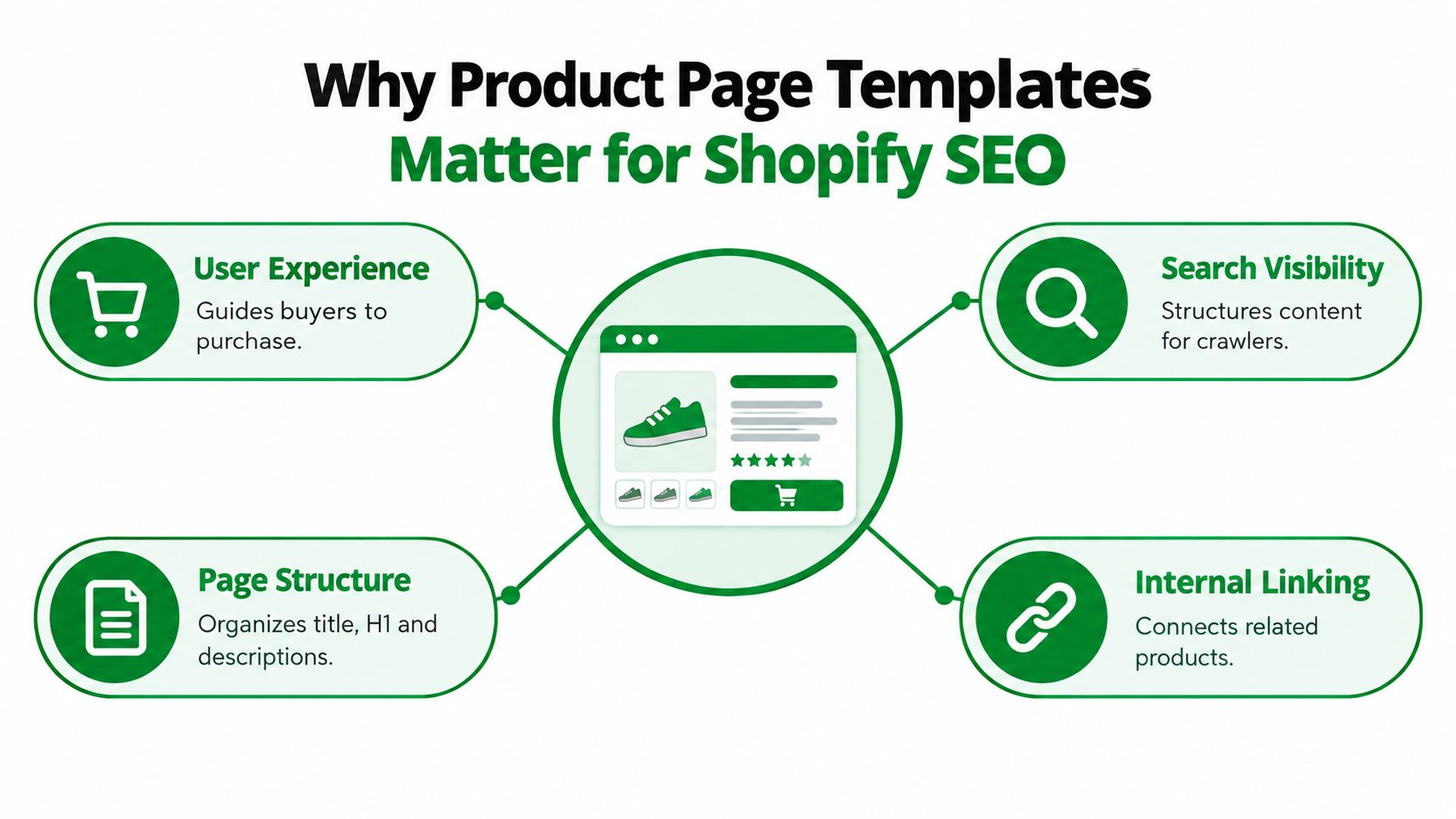
Those findings change how developers should diagnose Shopify stores. Editing one weak description may improve one URL, but repairing a shared product section can improve the information architecture across every product that uses it. A missing H1, unclear availability message, broken variant state, or incomplete canonical can therefore be a template-level issue, not a copywriting issue.
The template is a system, not a skin
The template decides where information appears, how it changes when a variant is selected, and whether the same facts are available in visible HTML and structured data. Shopify's product records supply values such as the title, description, images, price, and variants. The template supplies the rules that present those values.
For technical SEO, this means auditing both layers:
- Template controls: Heading hierarchy, section order, variant behavior, canonical logic, schema generation, image rendering, and reusable blocks.
- Product data: Titles, descriptions, media, prices, SKUs, inventory, identifiers, reviews, and merchandising content.
- Production output: The HTML, JSON-LD, links, metadata, and user controls that appear on the live page.
Practical rule: If the same defect appears across many products, inspect the shared template before rewriting individual records.
A Shopify product page template should make essential information easy to find for shoppers and easy to interpret for search systems. That is why template architecture is a conversion concern and an SEO concern at the same time.
Product Page Template Anatomy and Structure
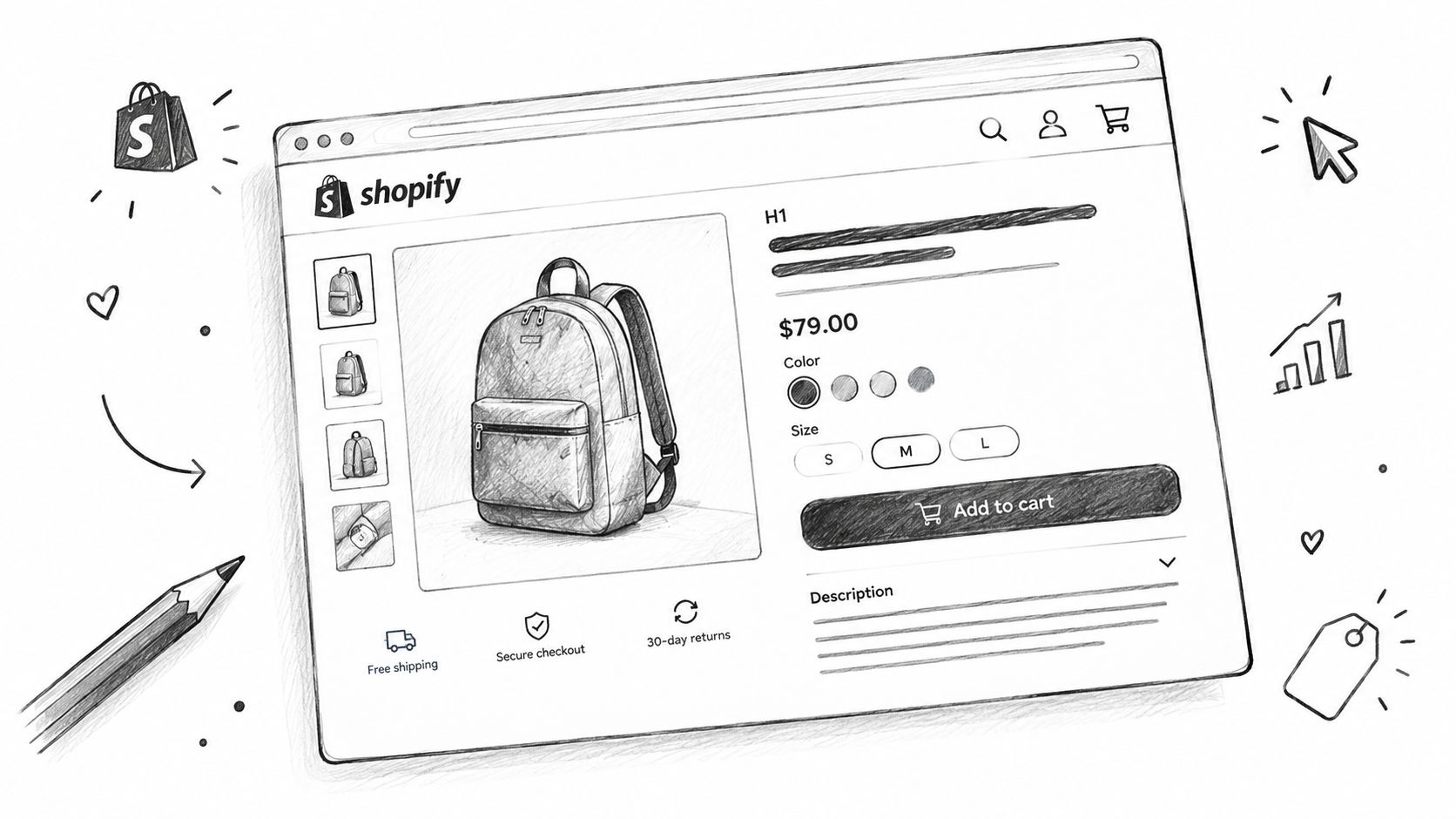
A complete Shopify product page has a recognizable anatomy, but the implementation details matter. The title and H1 usually come from the product record, while the heading level, location, and fallback behavior belong to the template. The same distinction applies throughout the page.
The primary buying information
At the top of the page, shoppers need a clear product title, price, image gallery, availability state, and purchase control. If a product has multiple variants, the price should respond to the selected option rather than remaining tied to the initial selection. The template controls the interaction, while Shopify's variant data supplies the values.
A useful structure looks like this:
| Element | Template responsibility | Product-data responsibility |
|---|---|---|
| Product title and H1 | Output one clear primary heading | Supply the product name |
| Price | Update the displayed offer | Supply variant price and currency |
| Gallery | Render responsive media and thumbnails | Supply product and variant images |
| Selectors | Present options and unavailable states | Supply option names and variant combinations |
| Add to cart | Submit the selected purchasable variant | Supply variant ID and availability |
| SKU | Place the identifier consistently | Supply the SKU value |
| Delivery and returns | Provide a visible reusable location | Supply policy content or references |
The add-to-cart control should communicate whether the selected variant can be purchased. A disabled option shouldn't leave the shopper guessing whether the issue is inventory, configuration, or a broken interface.
Supporting decision-making
Below the purchase area, the template can render the description, specifications, care instructions, shipping information, returns, reviews, and questions. These sections may be shared across the catalog, but their contents should remain tied to the product or collection context.
Breadcrumbs and related-product links add another layer. Breadcrumbs clarify hierarchy for people and crawlers, while related products help shoppers continue browsing. Neither should replace a coherent primary product page. A cross-sell block with irrelevant items creates noise, and a breadcrumb that doesn't match the store's actual taxonomy weakens orientation.
The audit question is simple: Can a shopper understand the offer, select the right version, assess risk, and buy without hunting for essential information? If not, the template needs structural work before the team spends time polishing individual copy.
Liquid Objects and Template Rendering
Shopify Liquid connects a template to the current product. A basic product title can be rendered with:
{{ product.title }}
The product object also exposes descriptions, media, variants, and other product attributes. A template might output a description with:
{{ product.description }}
For a selected variant, developers commonly work with the current variant object and its values, such as:
{{ product.selected_or_first_available_variant.price | money }}
The important principle is that Liquid should read Shopify's source data rather than duplicate commercial values inside theme code. Hard-coded prices, availability messages, or product names can drift away from what the shopper can purchase.
Rendering safely
A production implementation needs more than a happy-path product. It should account for:
- Variant selection: The displayed price, SKU, image, and availability should follow the selected variant.
- Unavailable combinations: The interface should distinguish an unavailable option from a missing option.
- Selling plans: Subscription or purchase-plan information should appear when the product supports it.
- Localization: Currency, language, and regional presentation must follow the store's configuration.
- Missing media: The layout should remain usable when a product lacks an expected image.
Liquid templates and JSON templates serve different architectural purposes. A Liquid template can contain the page markup and logic directly, but Shopify documents that Liquid templates can't use sections. JSON templates define the section composition, allowing merchants to configure reusable sections and blocks in the theme editor (Shopify's Liquid documentation).
Keep logic reusable
A cleaner implementation puts repeated behavior in sections or snippets. For example, a price component can receive the selected variant and handle sale pricing, currency output, and unavailable states in one place. The product template then assembles that component rather than copying its logic into multiple alternate files.
This separation also helps diagnose SEO problems. If every product emits the wrong canonical or repeats the same heading structure, the defect likely belongs to shared code. If one product has a missing image or empty description, the problem may belong to the product record.
JSON Templates and Schema Configuration
A modern Shopify product template commonly uses a JSON file to define which sections appear and in what order. The section files contain Liquid, HTML, schema, and settings. This division gives merchants control over composition without asking them to edit theme code.
A JSON template might reference a product-information section, a media gallery, recommendations, and custom content. Each section then defines settings such as text, visibility, layout, and block types. The theme editor reads that schema and exposes appropriate controls.
Flexibility with guardrails
Merchant configurability is useful, but unrestricted flexibility can damage consistency. A product template should let a merchant rearrange supporting content while protecting the elements that search systems and shoppers rely on:
- One clear primary heading.
- A stable product-information region.
- Consistent offer and availability output.
- Reliable canonical behavior.
- Structured data generated from the actual product and selected offer.
- Predictable media and variant interactions.
The most useful schema settings are explicit. A setting named “Show shipping information” is easier to govern than a generic content field that merchants may place above or below critical purchase details without guidance.
Choosing JSON or Liquid
Use a JSON template when a product layout needs configurable sections, reusable blocks, and theme-editor control. Use a specialized Liquid template when a product experience requires tightly controlled custom logic that doesn't fit the modular system. Even then, isolate repeated logic in snippets or sections where possible.
Alternate templates are appropriate for genuinely different product experiences, such as a configurable furniture product versus a simple accessory. They shouldn't become a substitute for fixing a shared product section. Too many divergent templates make it harder to know which heading, schema, or variant behavior applies to a given URL.
Canonical consistency also matters when merchants rearrange sections or assign alternate layouts. The page should continue to identify the correct primary product URL rather than creating a new indexing problem through design configuration.
Metafields for Advanced SEO Control
Metafields extend a Shopify product record without forcing developers to place every value in the main description. For SEO, they work best when each field has one clear purpose and a defined fallback.
Useful patterns include:
- A product-level metafield for a custom search title.
- A product-level metafield for a custom meta description.
- A rich-text metafield for buying guidance or specification content.
- A reference metafield for related products or supporting content.
- A file or media reference for a product-specific social image.
- A structured value for material, dimensions, care, or compatibility.
- A variant-level value only when the information changes between variants.
The template can read a value with Liquid, for example:
{{ product.metafields.seo.custom_title.value }}
A safe implementation checks whether the field contains a value before outputting it. If the custom title is empty, the template should fall back to the standard product title instead of emitting an empty title tag. The same principle applies to descriptions, social metadata, and optional structured-data properties.
Product fields versus variant fields
A product-level field describes the parent product. Use it for information shared across the range, such as a general material statement or care guide. A variant-level field belongs to a specific purchasable version, such as a color-specific media reference or a size-specific measurement.
Don't store variant price or availability in a metafield when Shopify already maintains those values as native variant data. Native fields are more reliable for purchase logic and structured offers. Metafields should add context, not create a competing source of truth.
For a deeper implementation pattern, see this guide to Shopify metafields and SEO control. Establish naming conventions before the catalog grows, use consistent namespaces, and keep presentation logic in reusable snippets. That structure makes empty values, unusual products, and future theme changes easier to handle.
Structured Data and Product Schema
Product structured data should describe the offer that the shopper can see and purchase. Google's product-snippet requirements state that Product markup needs at least one of offers, review, or aggregateRating. For an ecommerce product page, an accurate offers object is usually the appropriate baseline (Google's Product structured-data documentation).
The markup should align with visible page content:
- Name: Match the product presented on the page.
- Image: Use the product media associated with the offer.
- Offers: Reflect price, currency, availability, and product URL.
- Identifiers: Use accurate identifiers when available.
- Reviews and ratings: Include them only when the page displays them and the values are real.
- Variant details: Reflect the selected or represented variant model consistently.
Two audits, not one
A script tag alone doesn't prove that schema works. Audit the visible page and the JSON-LD together.
The visible page should show the selected price, currency, availability, and product identity. The structured data should describe those same values. If a shopper sees a sale price but the JSON-LD emits the regular price, the page sends conflicting signals. If a variant changes the image and availability in the interface but the markup remains fixed to the first variant, the data is incomplete.
Generate JSON-LD from Shopify's canonical product and variant objects. Don't type ratings into a theme file, don't create reviews that aren't displayed, and don't use a generic product URL when a variant-specific URL is being represented.
Validate the output with Google's Rich Results Test, then inspect the live page for the canonical URL, price currency, availability, and identifier consistency. Google's guidance also distinguishes product snippets from merchant listings and recommends combining on-page Product structured data with a Merchant Center feed. Schema and feed data are complementary, not interchangeable.
For a practical implementation reference, review this guide to Product schema markup for Shopify.
Variant Handling and Indexation Strategy
Variant-heavy products expose a gap in many Shopify implementations. A color swatch may look simple on screen, but the template must coordinate the parent product, variant URL, image, inventory, price, availability, and structured data.
Start with the shopper's decision. If the options are visually meaningful, such as color or finish, swatches can communicate the choice quickly. If the values are long, numerous, or dimensional, a dropdown may be clearer. Size selectors often need labels, unavailable-state behavior, and context that prevents a shopper from selecting an invalid combination.
A practical decision tree
- Does the attribute change the product image or appearance? Use swatches or visual selectors when the visual distinction helps the shopper.
- Does the attribute contain long or technical values? Use a labeled dropdown or structured option list.
- Does the combination affect price, stock, delivery, or purchase eligibility? Update those values immediately after selection.
- Does the selected variant need its own discoverable page? Create a deliberate URL and indexation strategy rather than allowing every parameter state to become an uncontrolled page.
A parent product page is usually the central landing page for a group of variants. Variant parameters can help preserve a selected state for sharing or navigation, but they shouldn't automatically create duplicative indexable pages. Canonical rules must reflect the intended primary URL, and internal links should point to stable destinations.
Synchronize every representation
When a shopper selects a variant, the template should update the relevant image, price, SKU, inventory message, and purchase control. The structured data and any product feed should follow the same model. Google explains that variant structured data can help it understand which products are variations of a parent product, and its product-data guidance recommends combining webpage markup with a Merchant Center feed for understanding and validation (Google's variant product documentation).
For apparel, footwear, furniture, and configurable goods, this synchronization is more valuable than adding another decorative selector. A well-designed interface tells shoppers what changes, while consistent data tells search systems how those changes relate.
RankEngine Template Auditing and Validation
A useful audit starts with the store's underlying Shopify data, then checks how the live template presents and describes it. That approach separates a missing product identifier from a template that fails to output identifiers at all.
The audit sequence should examine:
- Product titles, H1 elements, and meta tags.
- Canonical URLs and indexation controls.
- JSON-LD Product output.
- Variant price and availability behavior.
- Image alt-text coverage and media rendering.
- Internal links to related products and collections.
- Empty or conflicting metafield values.
- Shared sections, snippets, and alternate templates.
Validate the live result
A fix isn't complete because a file changed or an admin action returned successfully. The live store needs to be read again to confirm that the expected value exists where shoppers and search systems can access it. This is particularly important for theme changes, metafields, structured data, and variant behavior.
A verified workflow can:
- Read Shopify's current product and theme values.
- Identify whether the issue is shared or product-specific.
- Apply a supported change through the Admin API or theme-app integration.
- Re-read the live value.
- Mark the change complete only when the expected output is present.
- Preserve an action history and restore point where rollback is supported.
The distinction between shared and individual defects prevents a common mistake. Developers shouldn't duplicate an entire template to solve a problem that belongs in one reusable section. Merchants shouldn't edit a theme when a single product record has an empty image alt text field.
The image audit is equally specific. It can examine alt-text coverage, compression status, potential size savings, and the action history for each image. Autopilot rules may handle routine fixes, but logs and safe undo controls keep automated changes reviewable.
A live verification model is especially useful for stores with many products or multiple teams. It turns the product template from a one-time design artifact into a monitored production component.
Image Optimization and Accessibility in Templates
Product imagery often forms a shopper's first inspection point. Baymard-based reporting indicates that approximately 56% of users first inspect product images when arriving on a product page, while about 25% of sites have insufficient image resolution or inadequate zoom functionality (ecommerce product-page image research).
That makes the gallery a template concern, not only a photography concern. A well-structured Shopify product page template should render responsive image sizes, descriptive alternative text, clear thumbnails, usable zoom behavior, and variant-specific media when the selected option changes the product's appearance.
Build a consistent gallery system
The template should provide a predictable hierarchy:
- Primary media: Show the clearest representation of the product first.
- Supporting views: Include details, scale, use, and context where appropriate.
- Variant media: Switch to the relevant image when a selected variant has dedicated media.
- Accessible controls: Label thumbnails and buttons so keyboard and assistive-technology users can understand them.
- Responsive delivery: Avoid sending unnecessarily large assets to small screens.
Alt text should describe what the image communicates, not repeat a keyword list. A product image of a black leather backpack might need a concise description that identifies the item and its relevant visual characteristics. Decorative images can use empty alternative text when they add no meaningful information.
Performance and accessibility are connected. Oversized files delay the gallery, while vague alt text leaves screen-reader users without equivalent product information. For teams managing many assets, speeding up your image workflow can help organize descriptive image work before the template renders it.
The audit should check whether the intended media appears on the live product page, whether the alt text is present, and whether the gallery remains usable on mobile. A faulty media section can affect every product assigned to the same template, so fixing the component is usually more effective than correcting images one URL at a time. For implementation guidance, see how to optimize images for a website.
Template-Level SEO Audit Workflow
A template audit works best when it follows the production stack from structure to output. Start with the shared architecture, then test a representative set of products with different descriptions, media counts, variant combinations, and availability states.
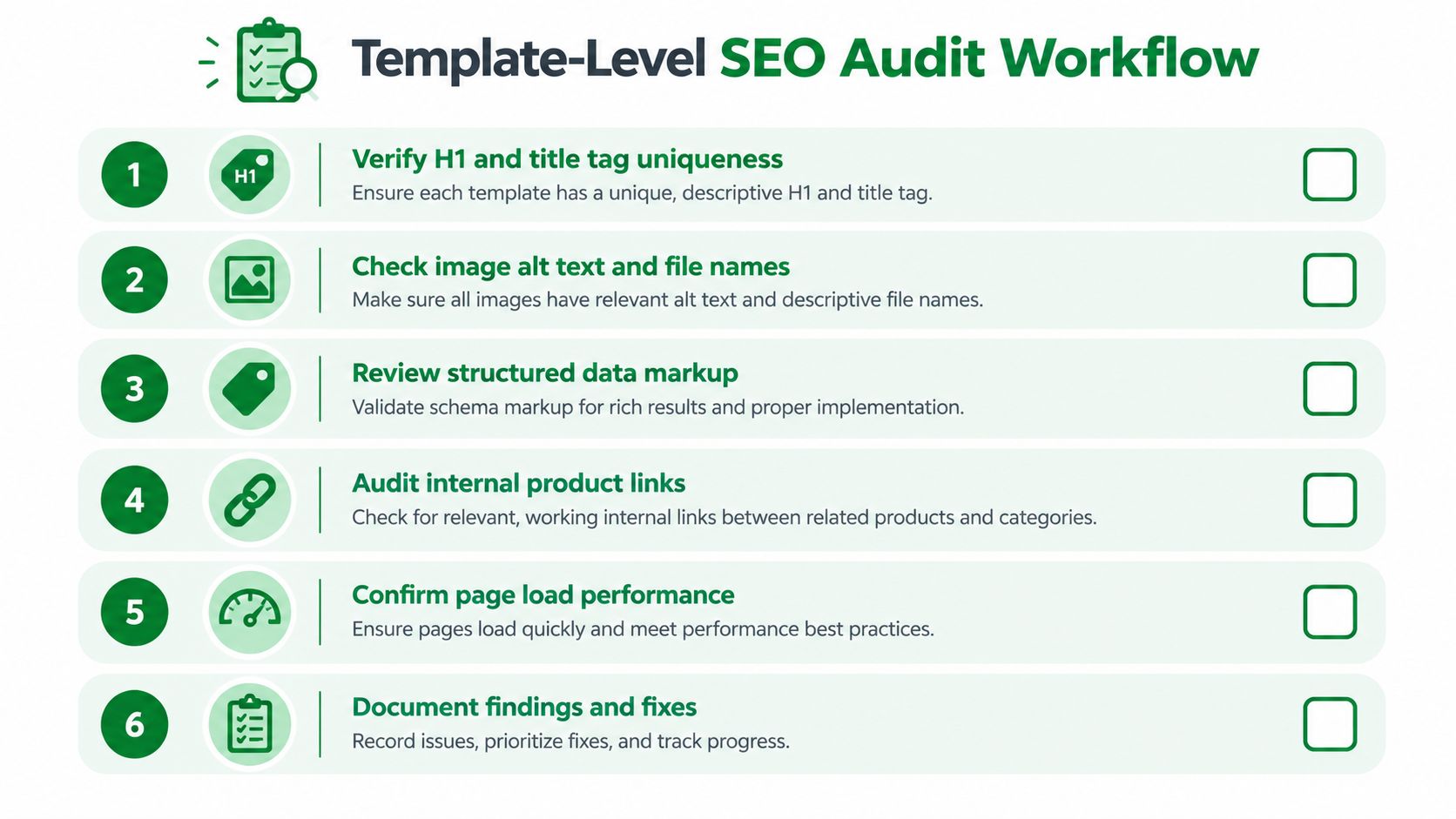
Six checks for the production template
- Verify headings and metadata. Confirm that the product title and H1 are clear, that the title tag can use an appropriate fallback, and that alternate templates don't introduce duplicate primary headings.
- Inspect image output. Check alt text, responsive rendering, filenames where relevant, thumbnails, zoom, and variant-specific media.
- Review structured data. Compare visible price, currency, availability, product URL, identifiers, reviews, and ratings with the JSON-LD output.
- Audit internal links. Confirm breadcrumbs, related products, collection paths, and supporting content lead to relevant, stable URLs.
- Test performance behavior. Look for unnecessary scripts, oversized media, layout shifts, and sections that load content the shopper doesn't need.
- Document and prioritize fixes. Separate shared template defects from product-record defects, then record the owner, action, validation result, and rollback path.
Choose architecture by store need
A JSON-section architecture usually suits merchants who need configurable layouts and reusable blocks. A Liquid-heavy implementation can suit a tightly controlled custom experience, but it needs stronger developer governance because merchants have less control through the theme editor. Neither architecture is automatically SEO-friendly. The live output determines whether the page is understandable, valid, and consistent.
For a broader technical review, use Digital Skyrocket's audit checklist as a companion reference, then adapt it to Shopify's product objects, sections, variants, and theme behavior.
Small catalogs can use a documented manual checklist and a few representative products. Larger catalogs need segmentation by template, product type, variant complexity, and media pattern. If a shared section fails, fix it centrally and verify multiple live products. If one record fails, correct the source data without introducing unnecessary template variations.
The most important habit is continuity. Recheck the product template after theme releases, app changes, bulk catalog imports, and schema adjustments. A reliable template keeps user-facing content, Shopify data, structured data, and AI-readable product information aligned as the store evolves.
RankEngine audits Shopify product data and live template output, then supports verified fixes for headings, metadata, canonicals, alt text, and structured data through the Admin API. Visit RankEngine to monitor product-page template issues, validate changes against the live store, and keep SEO and answer-engine readiness under control.